Working adults as students need a different approach than school students
Adult students preparing for certifications or civil service exams have very different study patterns from middle and high school students. Many work during the day and fit in study during nights or early mornings, and they don't attend classes on a fixed timetable. That's why, when running an online academy, you need to understand this difference first and then design your curriculum and management system around it. Especially if you operate as an online remote academy, you need tools that help students manage their own study rhythm. This article covers what to prepare when running an online remote academy for adults, in an order that directors and teachers can carry out together: class schedule design, review-centered operation, progress tracking, checking your registration type, and preventing dropout.
1. Class schedule and review-centered operation with recorded lectures
A remote academy for working adults can't rely on live classes alone. Their finishing times vary, and they often miss class because of overtime or company dinners.
Run live classes once or twice a week, focused on explaining core concepts and answering questions
Provide all lectures as recordings so students can review whenever they want
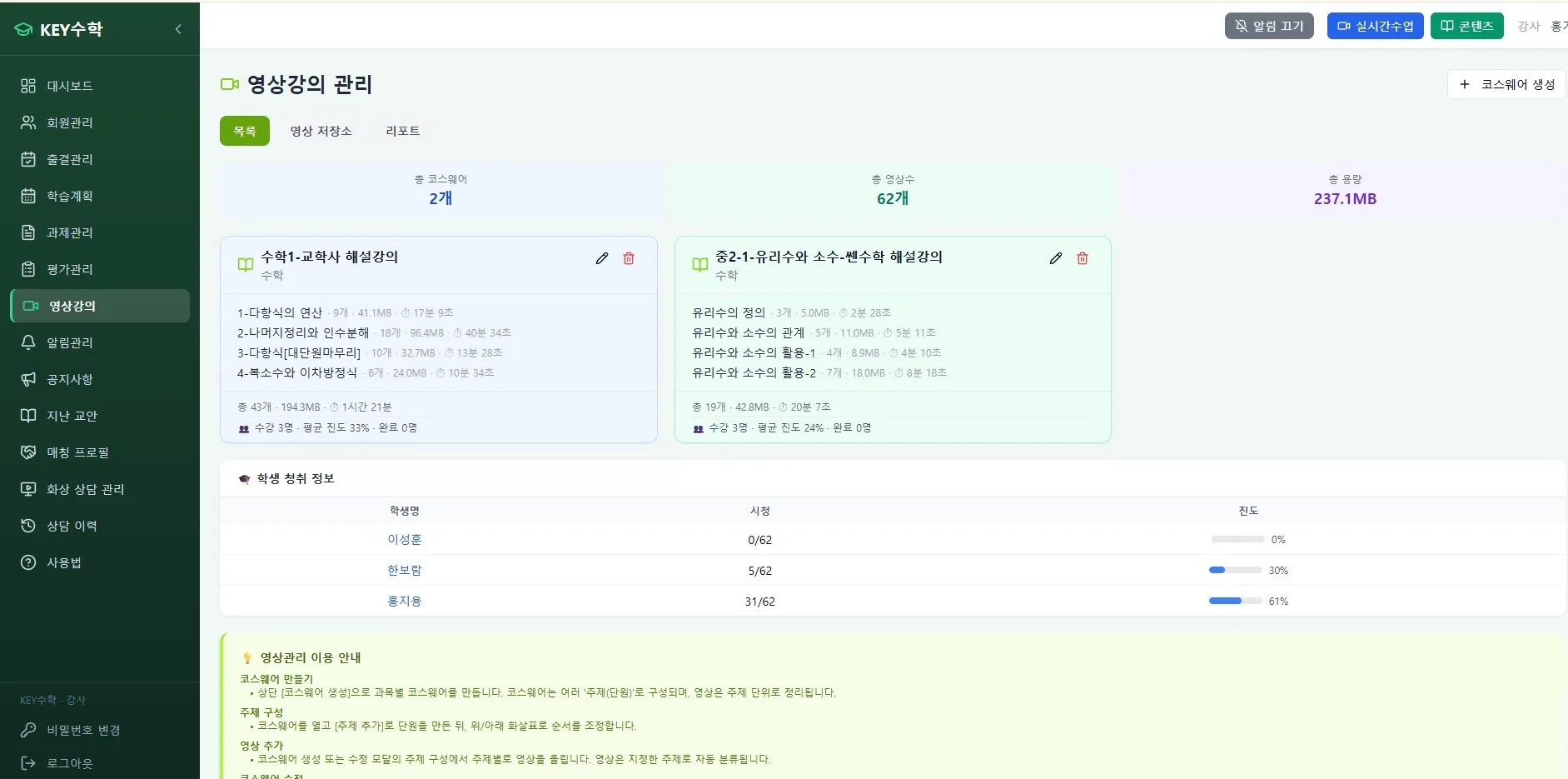
With the video lecture feature of the ClassCanvas learning management system, you can handle uploading recorded lectures and checking viewing history in one place
In this kind of setup, the viewing rate of recorded lectures, more than live class attendance, is an important indicator of whether students are actually continuing to learn. When you run an online academy, you need to make a habit of regularly checking how often students watch videos and how much of each video they finish.
2. Keep students engaged with progress tracking and mock tests
Adult students are in an environment where they have to motivate themselves, so without the academy helping to track progress, they can easily lose focus.
Provide a weekly progress chart and guide students to check it off themselves
Hold mock tests every 2 to 4 weeks to create tension similar to the real exam
Based on mock test results, point each student back to their weak areas
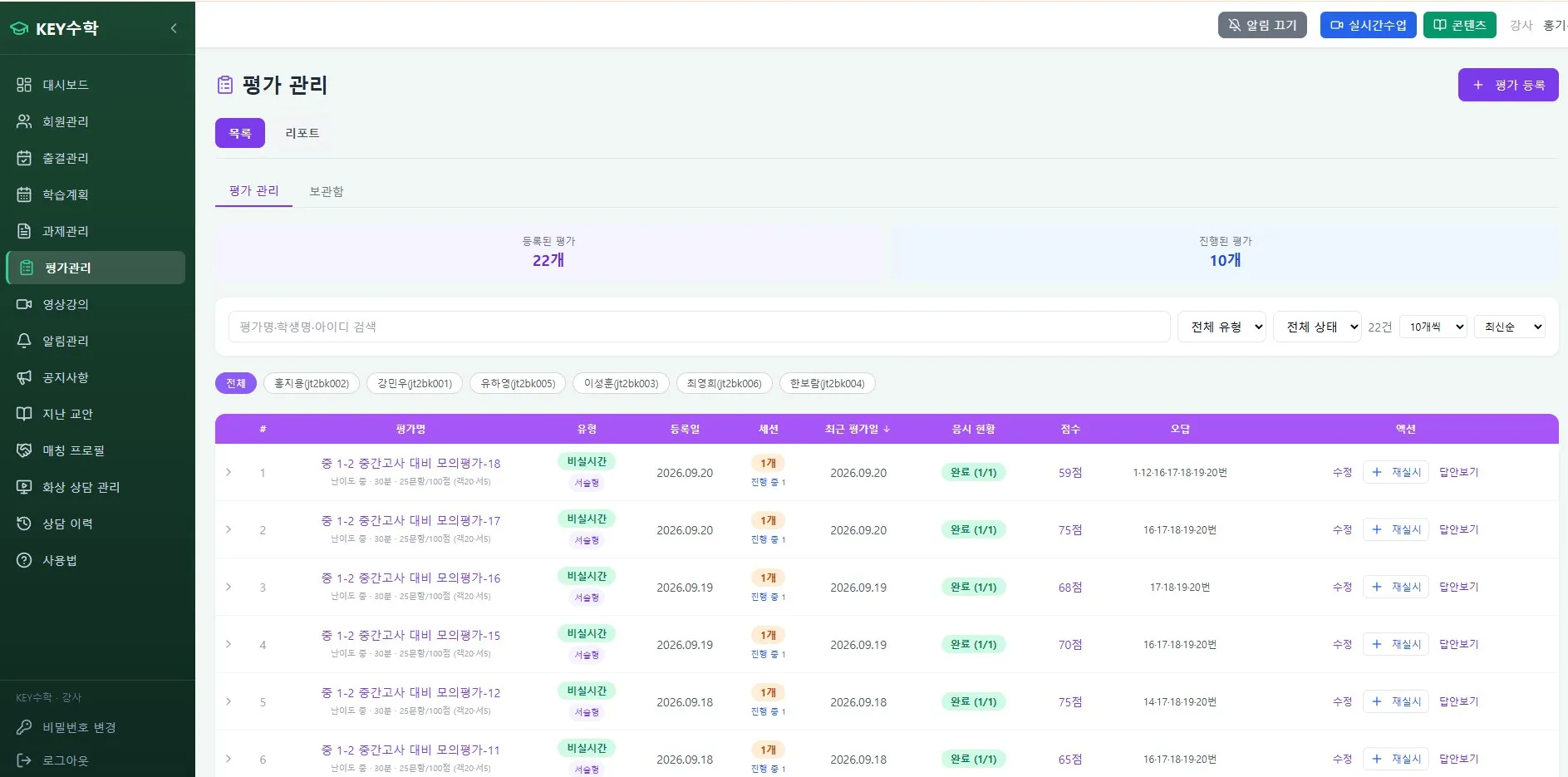
The ClassCanvas learning management system can record this process systematically through its assignment and test features. Teachers can see each student's submission status and score trends at a glance, and the attendance feature shows class participation as well, so directors and teachers can bring together data they used to manage separately.
3. Why checking your registration type matters
When preparing a remote academy for adults, one thing many directors overlook is the registration type. Depending on whether you register as a remote instruction academy or establish a general academy, the reporting procedure and the range of instruction you can offer may differ.
Before establishing an online academy, check the requirements for establishing a remote instruction academy with your local office of education
Prepare required documents in advance, such as the domain registration certificate and the server rental contract for the remote academy
Check that the way your online lecture platform or video class program operates matches what you reported
If you take this lightly while preparing to start an academy or an online business, you may receive requests to supplement documents during operation or run into limits on your scope of operation. An online remote academy has different items to verify in paperwork than an offline academy, so checking your registration type carefully at the start is the way to make later operation more stable.
4. Management points for reducing adult student dropout
Adult students tend to decide quickly on refunds or quitting midway. To reduce dropout, you need to reach out before a gap in their studying opens up.
Identify students who haven't watched any video for a week or two and contact them individually
Track students who haven't taken the mock test separately and check on their study status
Offer small-group Q&A sessions as supplementary classes, such as English or math live video tutoring
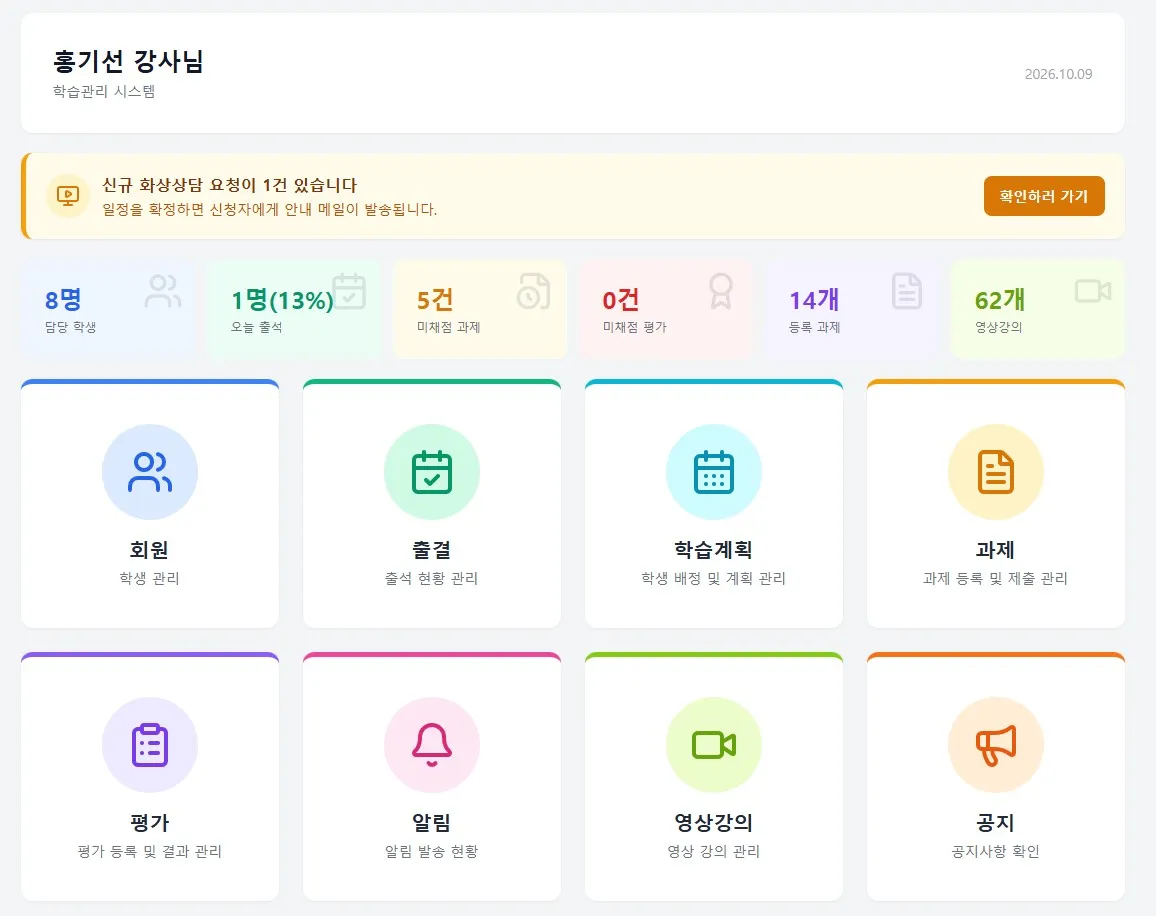
The ClassCanvas live class program supports one board per student and an individual learning mode, which makes it well suited for running one-on-one feedback or Q&A sessions for a few students, in addition to regular lectures with many attendees. Using the screen share feature, you can explain problem-solving steps together while looking at them, which helps reduce the sense of a learning gap that adult students feel.
Steps for directors and teachers to carry out together
Here is the content so far, organized as an order of action.
Check remote instruction academy registration requirements and documents
Design the balance between live classes and recorded lectures
Manage progress, assignments, and attendance in one place with the ClassCanvas learning management system
Set a mock test schedule and prepare a system for feedback on results
Spot early signs of dropout based on student activity data
Running an online remote academy isn't something you set up once and finish. It's a process of continually looking at student data and adjusting. If the director sets the overall direction and teachers handle individual students, running the online remote academy becomes much easier.
Wrap-up
An online academy for adults clearly operates differently from a remote academy for school students. To run an online remote academy reliably, you need to take care of schedule design that fits working adults' lives, review centered on recorded lectures, systematic progress and test management, and checking your registration type. If you're preparing to start an academy or an online business, reviewing these operating points in advance is the way to raise student satisfaction and re-enrollment rates over the long term. If you look at the ClassCanvas learning management system and live class program together, you can see in concrete terms the features needed to run an online remote academy for adults.
Remote academy establishment procedure
ClassCanvas learning management system
Inquiries: 1661-9155 (Korean only)
ClassCanvas: a total solution for online remote academies