Why offline academies consider moving to an online remote academy
These days, many directors are considering a move to an online remote academy. The reasons vary, such as a declining number of students, regional limits, and the risk of closures, but the worry they share is the same: "Where do I even start?"
Moving to an online academy isn't finished just by installing a video program. There is a lot to handle in order: the legal requirements for running a remote academy, class tools, teacher adjustment, and guidance for parents. In this article, we break the process of an offline academy moving to an online remote academy into 4 steps.
Step 1: Set goals and choose the target classes
Before you start the move, the first thing to make clear is "why are we making this move?"
Decide whether it will be a fully online move or a hybrid operation alongside offline classes.
Decide whether to target a specific age group, as with a remote academy for adults, or to move your existing students online as they are.
By subject, such as English video tutoring and math video tutoring, separate the classes that are easy to move online from those that are hard.
Rather than moving every class at once, it is safer to start with a small class or one whose lesson structure is relatively simple. If you are also preparing an academy startup or the registration of a remote tutoring academy at this stage, it is a good idea to check in advance the documents required to establish an online academy. Setting up a remote tutoring academy may require administrative documents such as a domain registration certificate and a remote academy server rental contract, so please refer to the guidance of your local office of education.
Step 2: Prepare class tools and the environment
Once the target classes are decided, the next step is to prepare the tools you will use for actual classes.
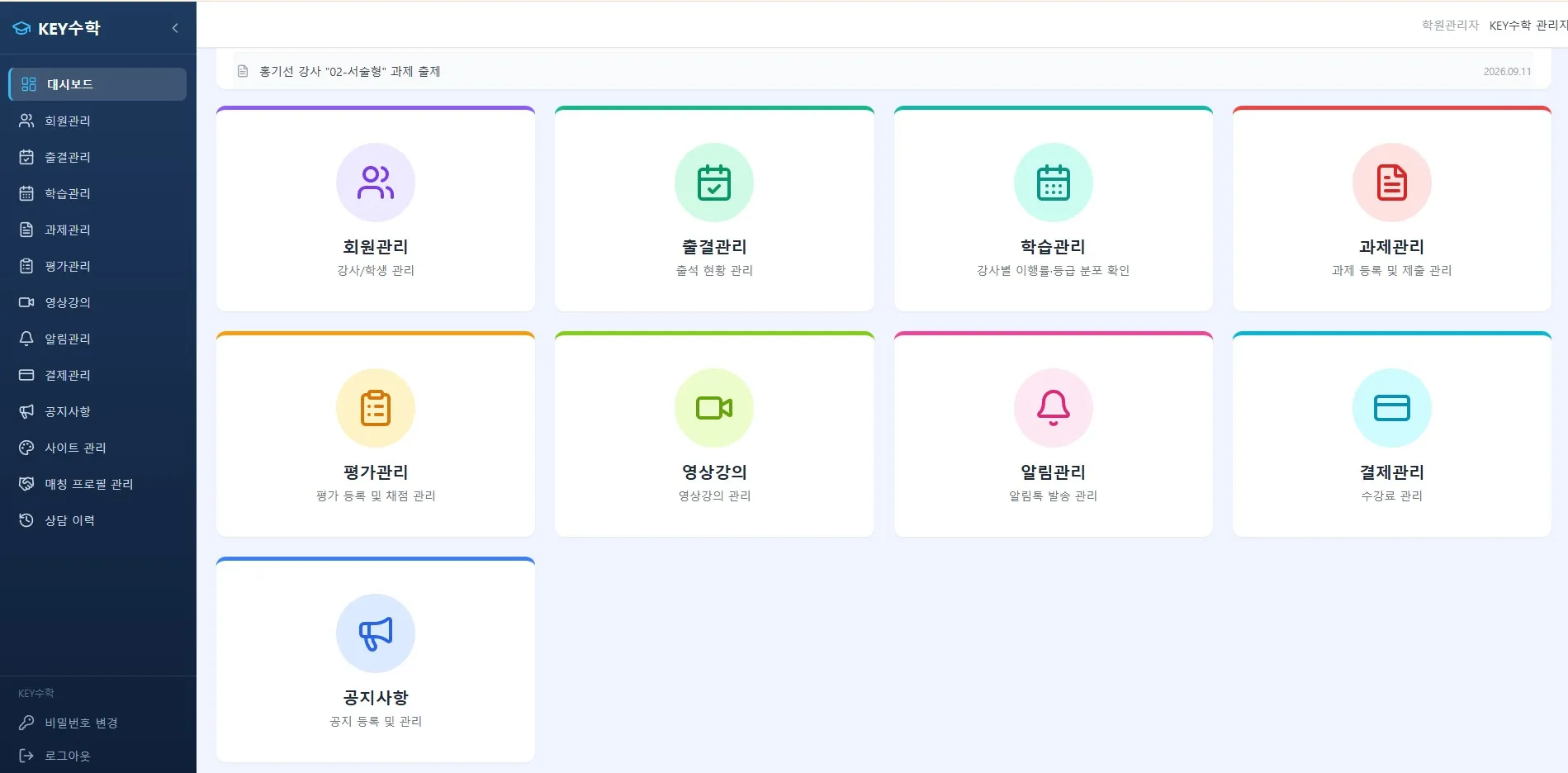
Choosing a video class program: Compare online lecture platforms that support live classes. Beyond features, whether teachers and students can adapt to it easily is also an important criterion.
Setting up a learning management system: You need to manage attendance, assignments, and tests online just as you do offline. The ClassCanvas learning management system connects video lectures, assignments, tests, and attendance management in one place, helping you organize the tasks that tend to get scattered in the early days of running a remote academy.
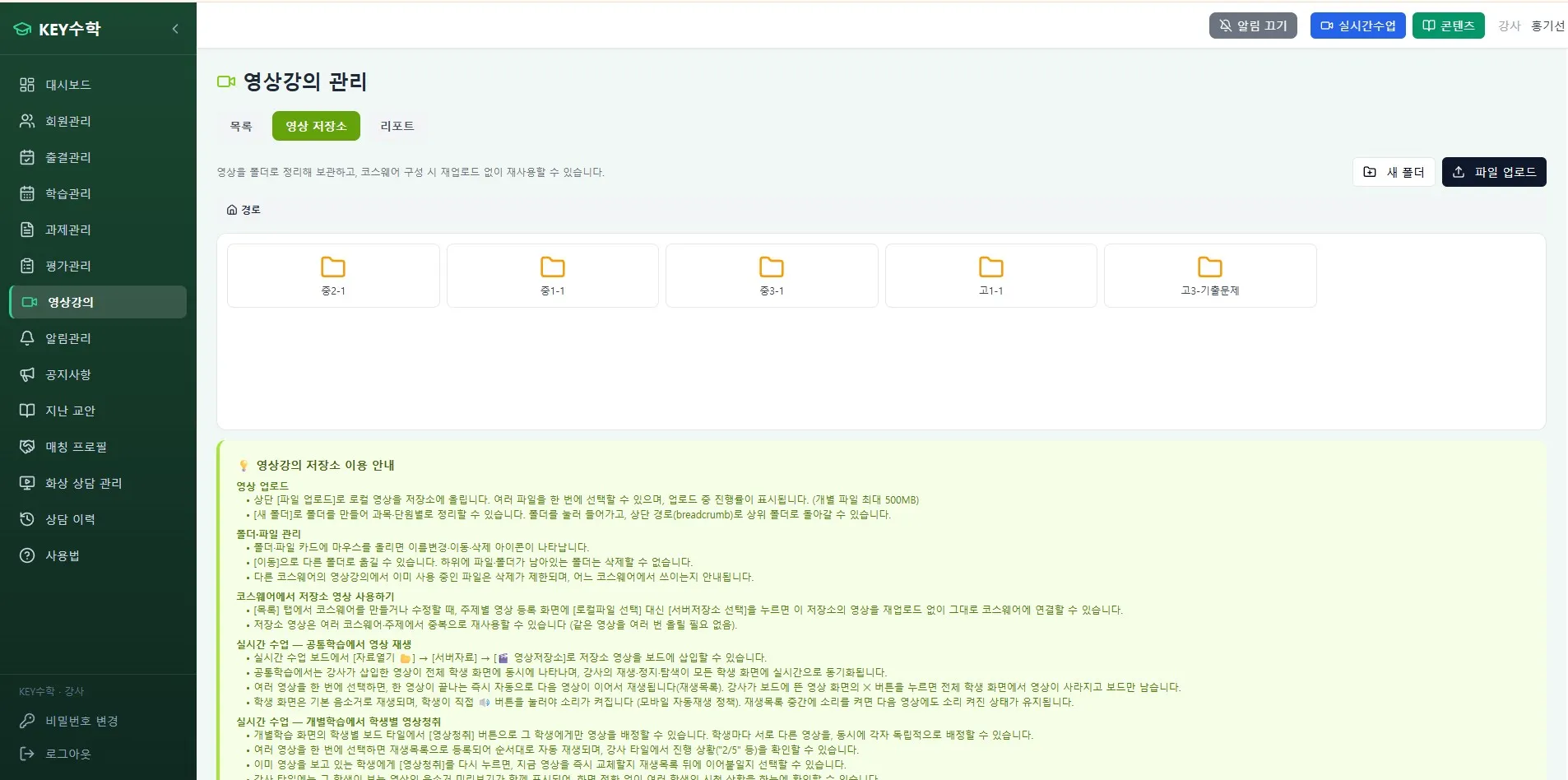
Testing the live class environment: It is a good idea to test in advance tools that offer one board per student, individual mode, one-on-one feedback, and screen share, like the ClassCanvas live class program. For subjects like math, where board writing is important, the one-board-per-student feature has a big effect on class quality.
At this stage, teachers also need time to get used to the new tools. We recommend setting aside at least 1-2 weeks as an internal testing period.
Step 3: Pilot run with a few classes
Once the tools and environment are ready, run a pilot with a few classes first rather than expanding to everything right away.
Pilot run checklist
Check the network condition, sound quality, and picture quality before class starts
Confirm that teachers are comfortable with the basic features of the video class program (screen share, board writing, feedback)
Give students advance guidance on their connection environment (devices, internet)
Record problems that come up during class and reflect them in the next class
The difficulty teachers face most often in this period is that, unlike offline, it is hard to read students' reactions right away. Using the individual mode of the ClassCanvas live class program lets you check each student's progress and focus level separately, which can ease this difficulty to some extent.
Because students communicate only through the screen, many hesitate to ask questions. Assigning one-on-one feedback time during class, or having students post their own solutions on their own board, is an effective way to raise participation.

Step 4: Full expansion and guidance for parents
If the pilot went without major problems, expand to all classes. What matters at this point is communication with parents.
Explain the reasons for the move and the expected benefits in a short notice.
Explain in concrete terms the parts of learning management that change, such as how to check attendance and assignments.
For the first 1-2 weeks, keep a feedback channel open and collect complaints quickly.
Even after you move fully to an online remote academy or begin running both formats, regularly reviewing the attendance and assignment data that builds up in the learning management system can make your operations more stable. Trial and error is bound to come in the early days of an online startup, so you need an attitude of adjusting your teaching approach little by little based on data.
Wrapping up: If you prepare step by step, the move isn't difficult
Moving an offline academy to an online remote academy can be done more systematically than you might expect if you go through four stages: setting goals, preparing tools, a pilot run, and full expansion. What matters is not trying to change everything at once, but verifying with a few classes first and giving both teachers and students enough time to adapt.
If you are preparing to run an online remote academy for the first time, one option is to look at the ClassCanvas live class program and the ClassCanvas learning management system together. Connecting class delivery and operations management into one flow can help reduce confusion in the early days of the move.
ClassCanvas learning management system
Remote academy establishment procedure
Inquiries: 1661-9155
ClassCanvas, the total solution for online remote academies