Is lecturing alone enough for a remote academy?
Interest in setting up a remote academy is really heating up among academy directors and teachers these days. Because it cuts rent costs and lets you attract students regardless of location, more and more people are switching to an online academy or starting a new one.
But once you actually open a remote academy, you'll probably find that running it isn't as easy as you expected. You thought working hard on live video classes would be enough, yet students' focus is lower than offline and absences become more frequent... You've probably had these worries at least once.
Today, let's walk through the 'managed remote academy' approach that can solve these worries, and what you need to prepare when setting up a remote academy.
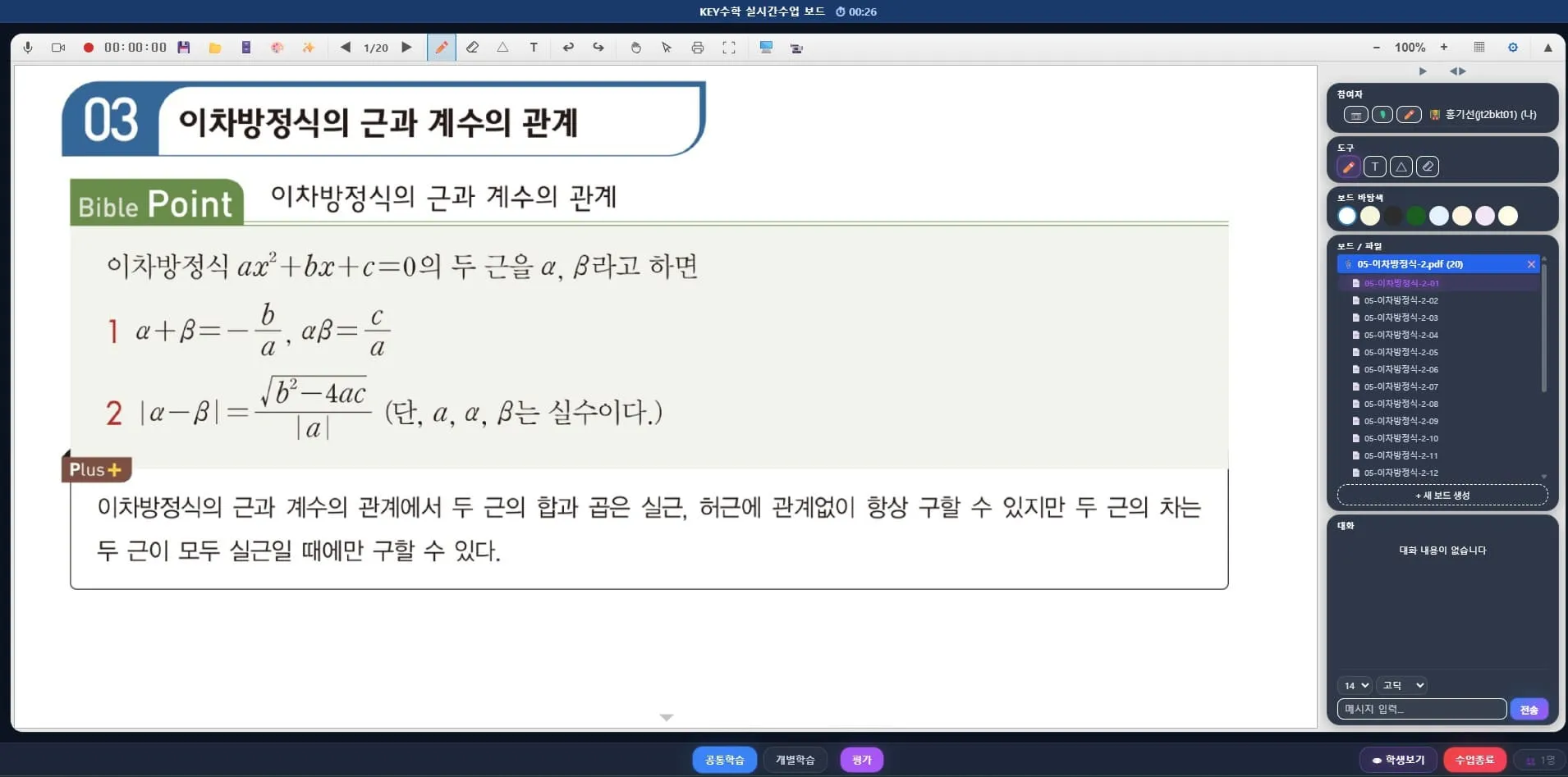
What is a managed remote academy?
Simply put, a managed remote academy is an approach that combines live classes with learning management. Where existing remote academies focused mainly on live lectures, a managed remote academy divides the roles as follows.
Have students study key concepts and the lesson progress in advance through video lectures
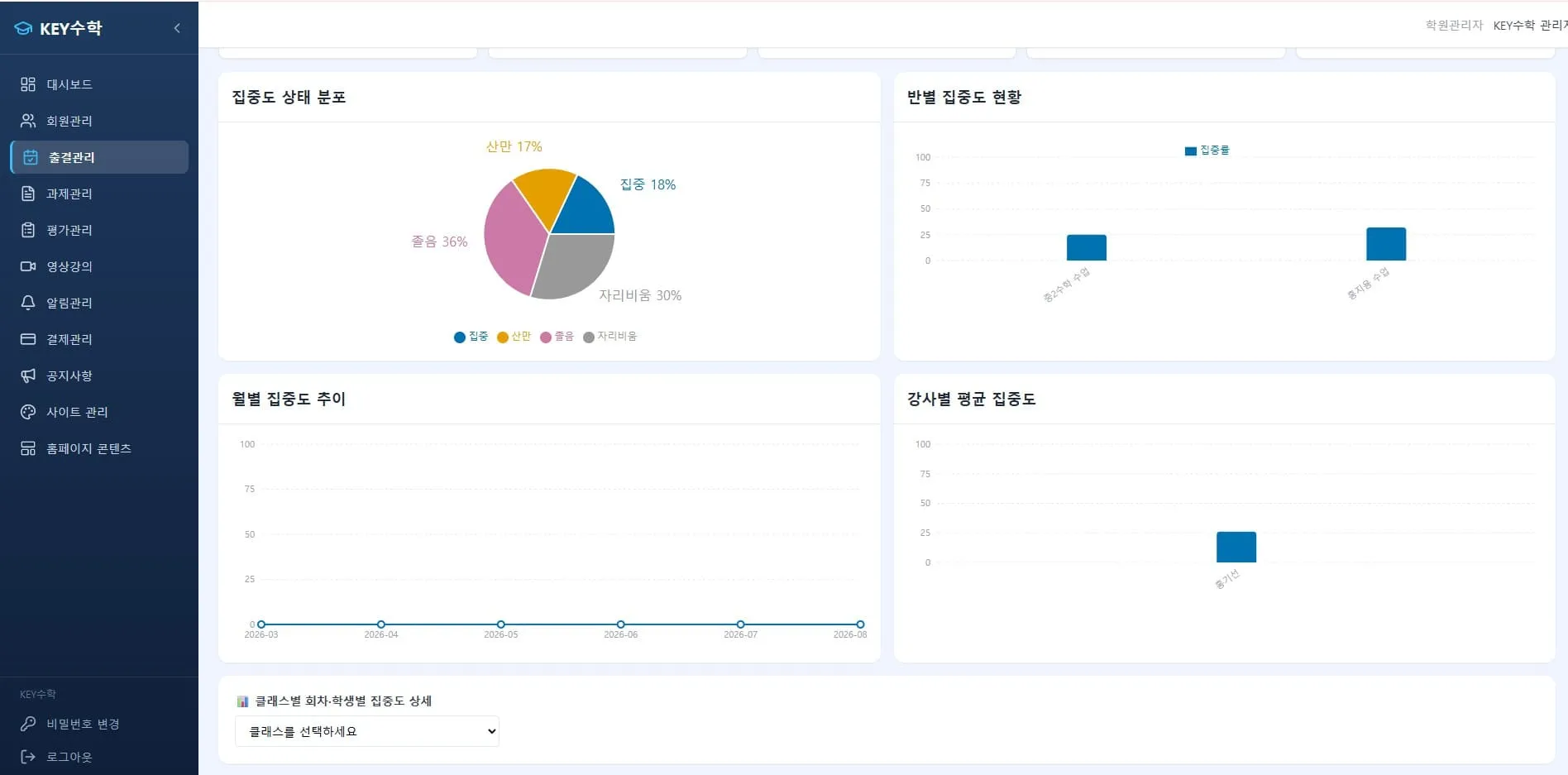
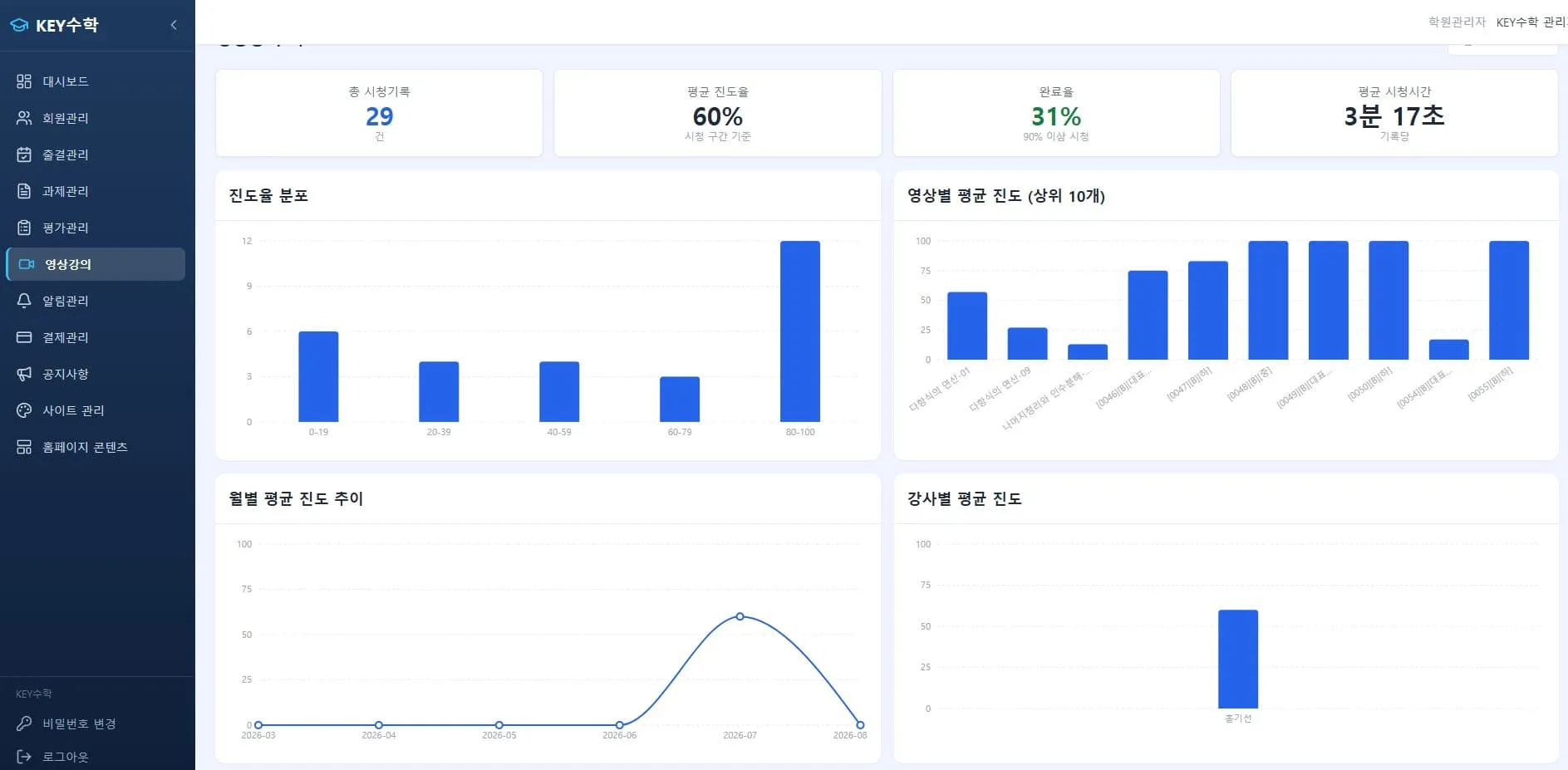
Carefully check whether students have watched the videos and their study patterns through the learning management system
In live classes, focus on answering questions and filling in gaps rather than lecturing
When you run it this way, students develop the habit of looking up content on their own, sorting out what they don't understand and asking questions. It builds a much more self-directed learning attitude than simply sitting and listening. That's why people say you get a bigger improvement in grades even when you invest the same amount of time.
How should you prepare to set up a remote academy?
When preparing to set up a remote academy, you need a checklist that is a bit different from an offline academy. It helps to cover items like these.
Check the registration requirements for a remote tutoring academy (the procedure for setting up a remote tutoring academy may differ depending on the local office of education)
Prepare documents such as a domain registration certificate and a remote academy server rental contract
Choose a platform that provides both a video class program and a learning management system
Design subject-specific curricula, such as for English video tutoring or math video tutoring
Especially in the early stage of setting up an online academy, which online lecture platform you use greatly affects operating efficiency. If you use a tool with only video class features, you have to manage learning separately in Excel or other tools, which is inconvenient and means the director or teachers end up doing double the work.
Reducing remote academy operating costs with ClassCanvas
One big advantage of an online academy is its low upkeep cost, since there's no rent or maintenance fee to pay. But if you add a separate system for learning management on top, it can actually end up costing more money and time.
ClassCanvas solves this by bringing everything together in one place.
With the ClassCanvas live class program, you can do individual learning with one board per student, one-on-one feedback and screen sharing, which makes it well suited to question-and-answer-focused classes.
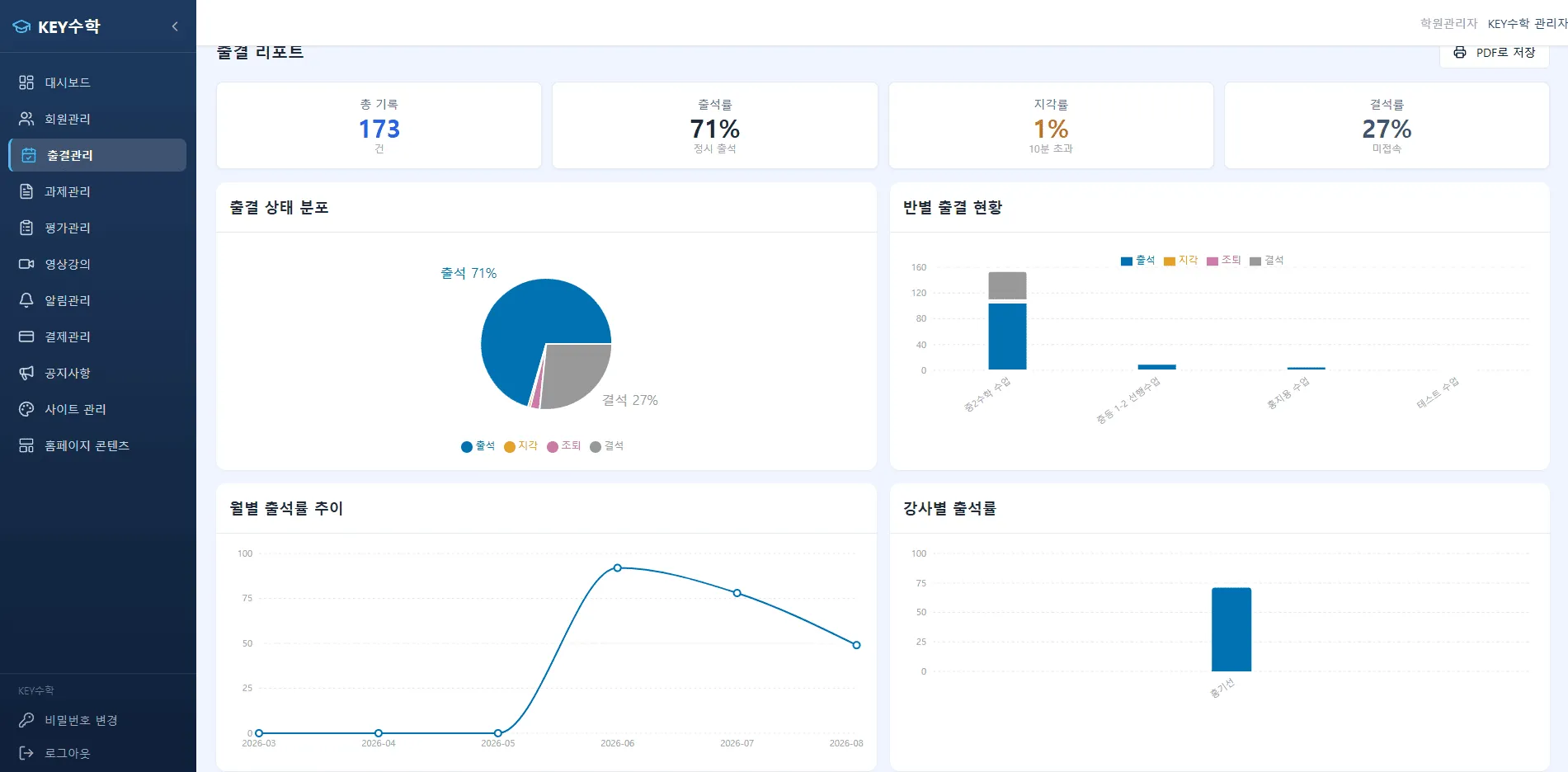
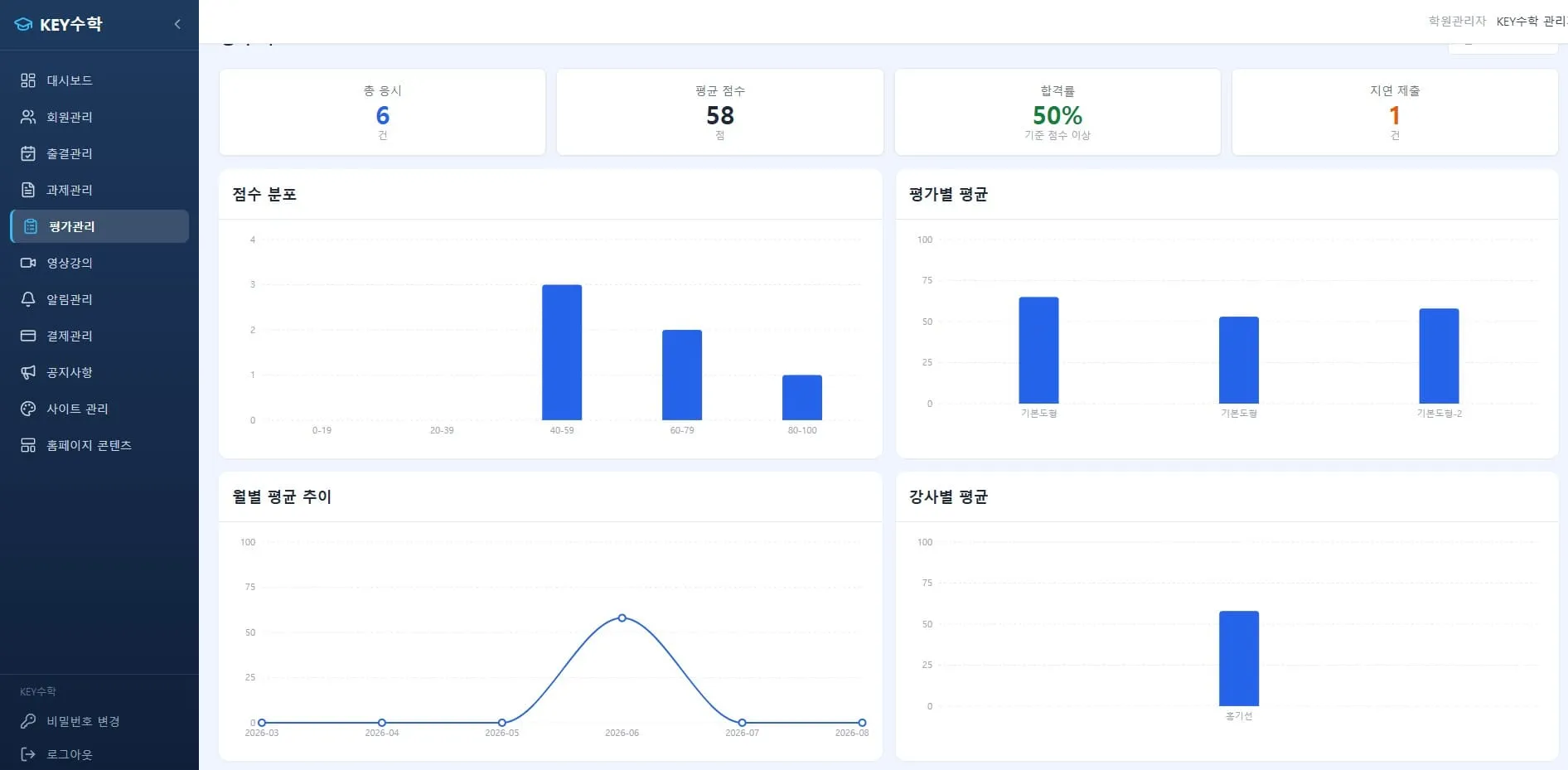
In the ClassCanvas learning management system, you can handle video lecture uploads, assignments, tests and attendance management all at once.
You can create video lectures directly in ClassCanvas and distribute them to students, and monitor how much of each video they watched and where they often paused or replayed. Based on that data, if you focus the live class on questions and answers about the parts students find confusing, the learning effect is much better than at a remote academy that just repeats lectures.
This one-stop operation is the reason many directors who want to run a managed remote academy turn to ClassCanvas. You can run an online academy within a single system, without the hassle of paying for several programs separately and connecting them.
Can it also be applied to a remote academy for adults?
The managed remote academy approach suits not only academies for elementary, middle and high school students but also remote academies for adults. Adult learners are often short on time, so they tend to find it more comfortable to study with video lectures at a time of their choosing and ask only their questions live, rather than just attending live lectures at fixed times.
The more a subject depends on repeated study, like certification courses or language lectures, the greater the effect of this managed approach.
Wrapping up
When you set up and run a remote academy, what matters most seems to be not how well you lecture but how consistently students take part in learning. If you cover the basics with video lectures, understand each student's study patterns through learning management, and fill the gaps in live classes, the managed remote academy approach should naturally bring better grades too.
If you're thinking about setting up a remote academy, it may be worth looking into an online academy operating approach that lets you handle live classes and learning management together. We recommend exploring the related features one by one on ClassCanvas and finding the operating approach that fits your academy.
Remote academy setup procedure
Phone inquiries: 1661-9155 (Korean only)
ClassCanvas, the total solution for online remote academies