Parent notifications: you worry whether you send them or not
When you run an online remote academy, deciding how to send parent notifications is a constant concern. Send them too often and parents think "another one" and turn notifications off. Send them too rarely and parents start to worry, "Is my child's class going properly?" Online academies especially, since you can't see the child's face in person like at an offline academy, make every single notification a more valuable source of information for parents.
Today I'd like to walk through at which moments and how often an online remote academy should send parent notifications to be effective. Drawing on the experiences of directors who actually use ClassCanvas, I'll focus on the timing that parents really care about.
There are specific moments parents really want to know about
What matters most when sending parent notifications is not 'frequency' but 'timing'. No matter how often you send them, it doesn't help if there's no news at the moment parents are actually wondering. Conversely, if you send only at the moments that count, trust builds even with few messages.
For an online remote academy that runs live video classes or live video tutoring, these four moments are the key.
Class start and end - "Did my child join on time?" is parents' number one question.
Assignment posted and submitted - Whether an assignment was given and whether the child has finished submitting it is information that's hard to check at home.
Feedback completed - Especially for subjects with many essay-type answers, such as English or math live video tutoring, a feedback-completed notification is a big reassurance.
Test results - The sooner exam or unit test results are shared, the higher parent satisfaction becomes.
Just covering these four makes a clear difference in parent trust when running an online academy.
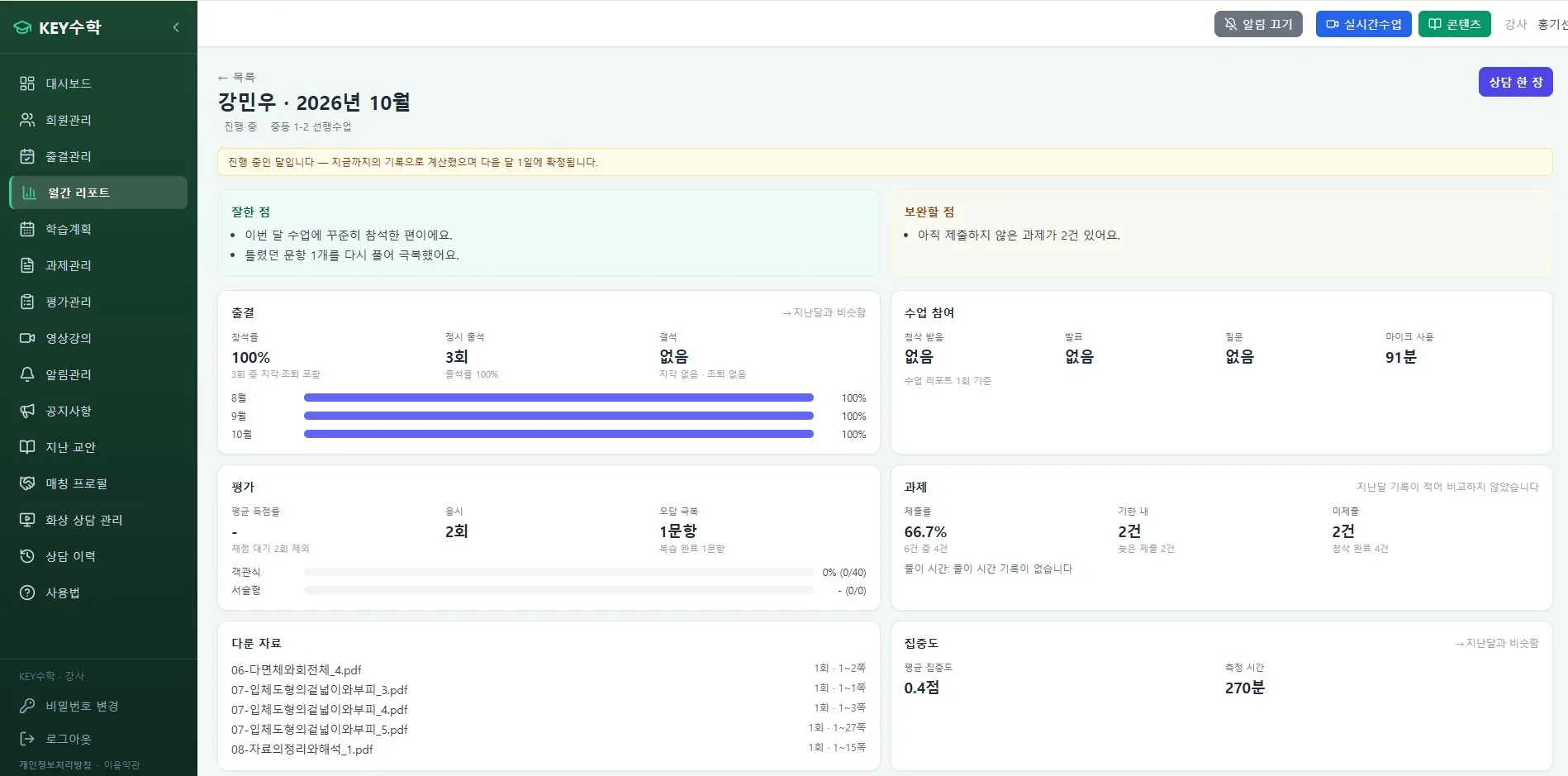
How to send class start and end notifications
Because of the nature of live video classes, many parents wonder whether their child connected on time. Even a simple notification when class starts greatly reduces their anxiety.
Example message: "Hello, OOO just joined class. Good luck today!"
At class end: "OOO's class has ended. We'll send you what was covered today in a follow-up notification."
Sending class start and end notifications for every class is not too much. This is actually an area where leaving it out causes worry, so I recommend sending them automatically by linking them with the attendance feature of the ClassCanvas learning management system.

Assignments and feedback: let parents know right away, don't put it off
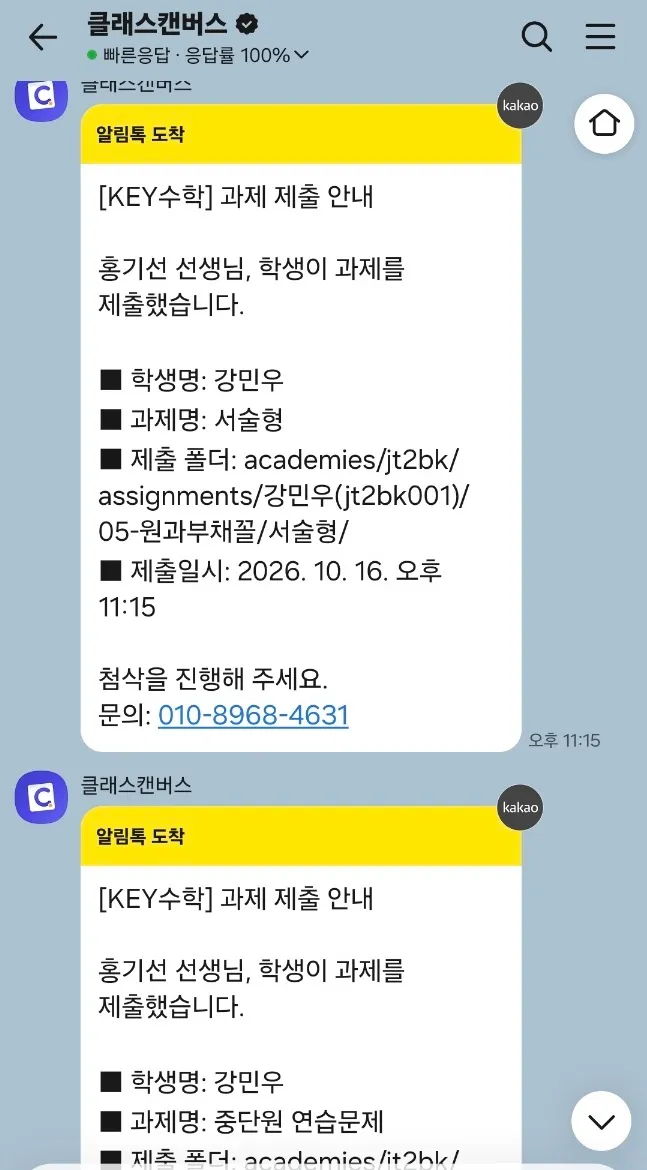
Whether an assignment was posted and submitted is the hardest thing for parents to check themselves. Even if they ask their child, they only get short answers like "I did" or "I didn't."
When an assignment is posted: "A math assignment was posted for OOO today. The deadline is 6 PM tomorrow."
When an assignment is submitted: "OOO has submitted the assignment. Take a look!"
When feedback is completed: "Feedback on OOO's assignment is complete. You can check it right now."
For subjects where steady feedback matters, such as English or math live video tutoring, it's important never to skip the feedback-completed notification. This one message builds the trust of "the teacher is looking at it carefully."
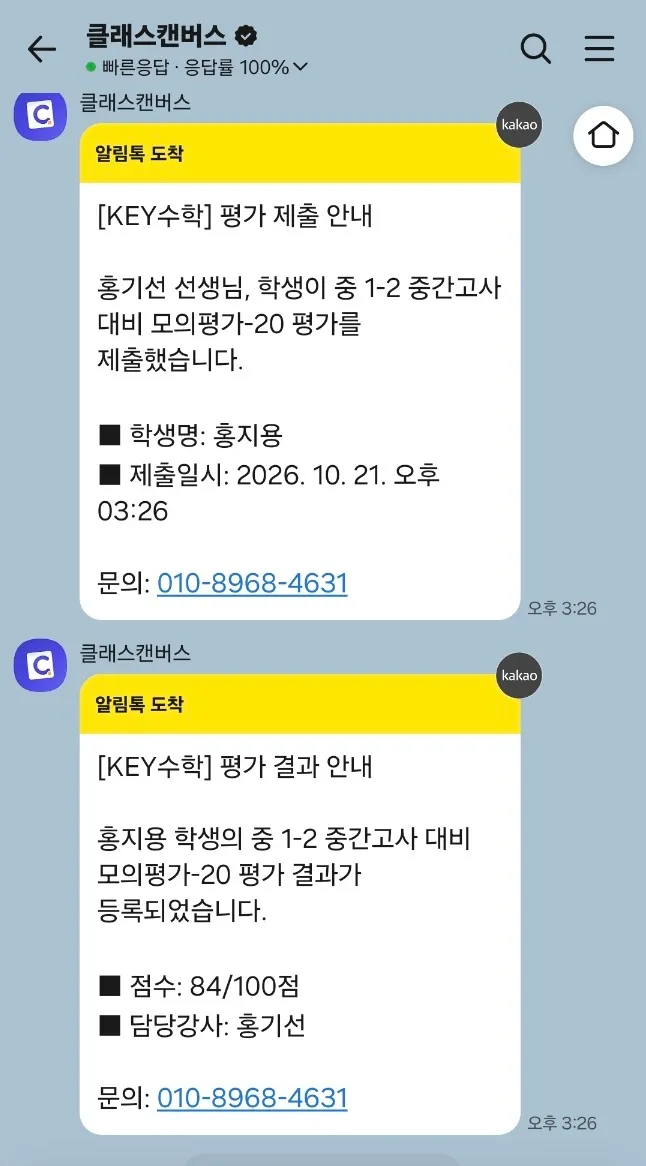
Test results: timing is everything
Test results are an area where parents' curiosity explodes as time passes. It's best to share the results by the evening of the day of the test.
Example message: "This week's unit test result for OOO has been registered. Please check the learning report for details."
With the ClassCanvas learning management system, test results are compiled automatically and sent as KakaoTalk messages, so directors and teachers don't have to write each message one by one.
How often to send KakaoTalk messages: this much is about right
For an online remote academy, I recommend using '1 to 2 times a day' as the baseline for notification frequency. Check yourself against the checklist below.
Class start and end notifications: every class (required)
Assignment posted and submitted notifications: only on days with assignments
Feedback completed notification: right after feedback is finished
Test result notification: on the day of the test or by the next morning
Weekly summary notification: about once a week as an overall wrap-up
Sending overly detailed notifications (for example, "Solving problem 3 right now") can actually cause fatigue. The key is to design notifications around the 'results' parents are curious about.
If you run an online remote academy, sending this kind of notification system manually one by one takes far too much time. That's why many directors use a learning management system like ClassCanvas to set up automatic sending rules in advance. Once it's set up, it needs almost no further attention.
Notifications should ultimately be for the child
There's one thing I really want to point out here. The purpose of parent notifications is not only to reassure parents, but ultimately to create an environment where the child can study more comfortably.
If notifications are excessive, the child may feel the pressure of "it's like my mom is monitoring my entire class." Conversely, appropriate notifications are a positive signal to the child too: "my effort is being passed along properly."
So here is my suggestion to directors running online remote academies: let's use notifications as a tool for 'communication,' not 'monitoring.' Just by taking care of the key moments of class start, assignments, feedback, and tests, you can become an online academy trusted by both parents and children.
By using ClassCanvas's live class program together with the learning management system, you can automate everything from running live video classes to assignment, test, and attendance notifications as one flow. If you're a director who is still working out how to design your notifications, reviewing this kind of automated structure is a good idea.
How to set up a remote academy
ClassCanvas learning management
Phone inquiries: 1661-9155
ClassCanvas: the total solution for online remote academies