Problems that arise when absences repeat
When you run an online academy, absences happen more quietly than in in-person classes, but also more often. Because students don't have to come to a classroom, the psychological pressure of missing class is lower, and after skipping once or twice, some students end up completely losing track of the lessons. Students find it harder to keep up with the curriculum, and parents worry about whether their child is really attending class. If you are a director running a remote online academy, you have probably faced this situation once or twice.
The bigger problem is not the absence itself but the lack of a systematic approach to what happens after it. If you handle absent students on the fly, some will fall through the cracks, and parents' trust will drop. That's why a remote online academy needs a clear routine for managing absent students.
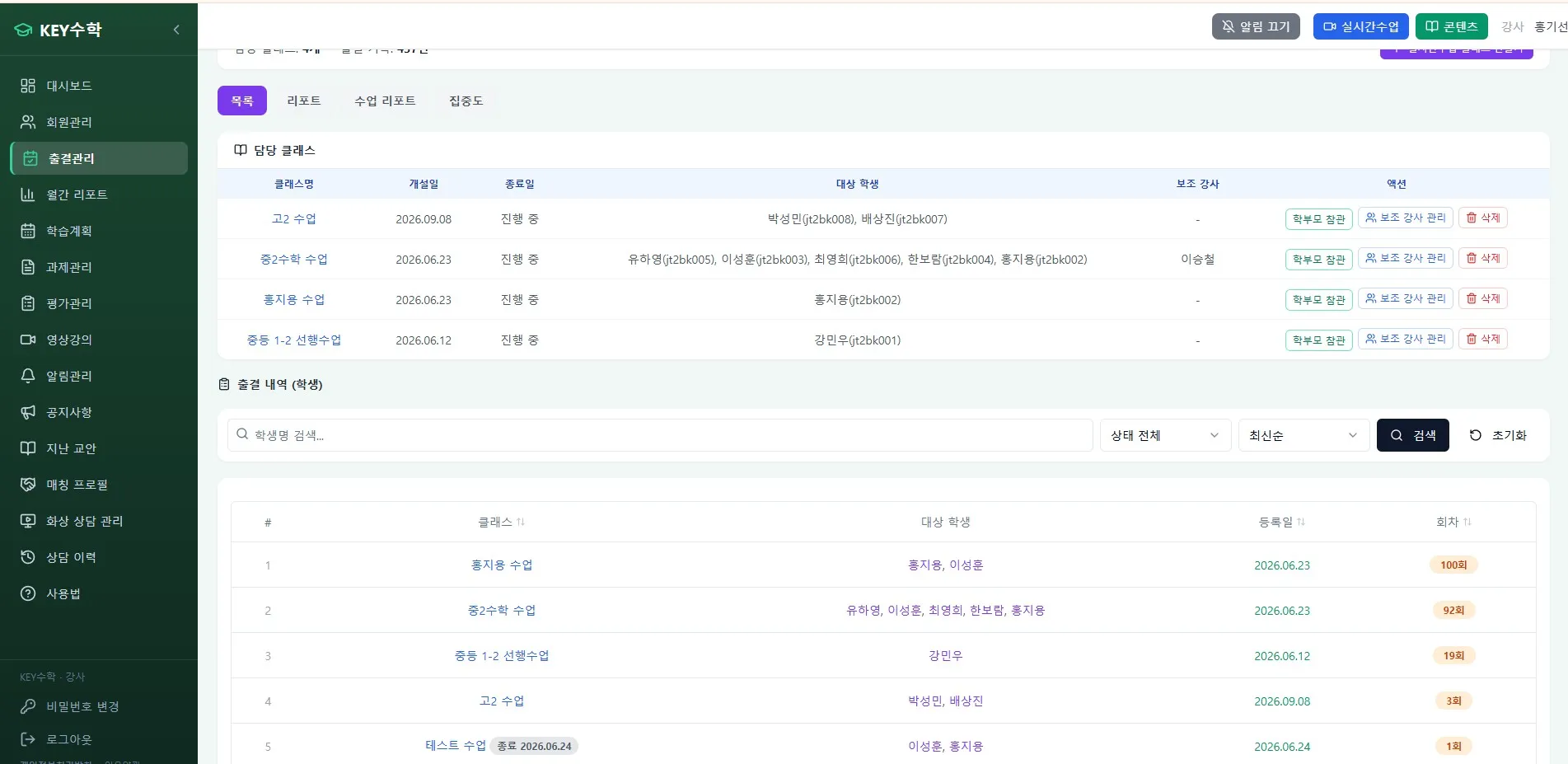
Managing absent students at a remote online academy: a 4-step routine
Absentee management doesn't need to be complicated. If you consistently follow just the four steps below, you can manage it without anything slipping through.
1. Contact the parent on the day of the absence
If a student hasn't joined some time after class starts, contact the guardian the same day. It's important not just to confirm the absence but to gently ask the reason. The later you reach out, the more likely parents are to feel that the academy doesn't care about absences.
2. Assign the recorded video as a make-up lesson
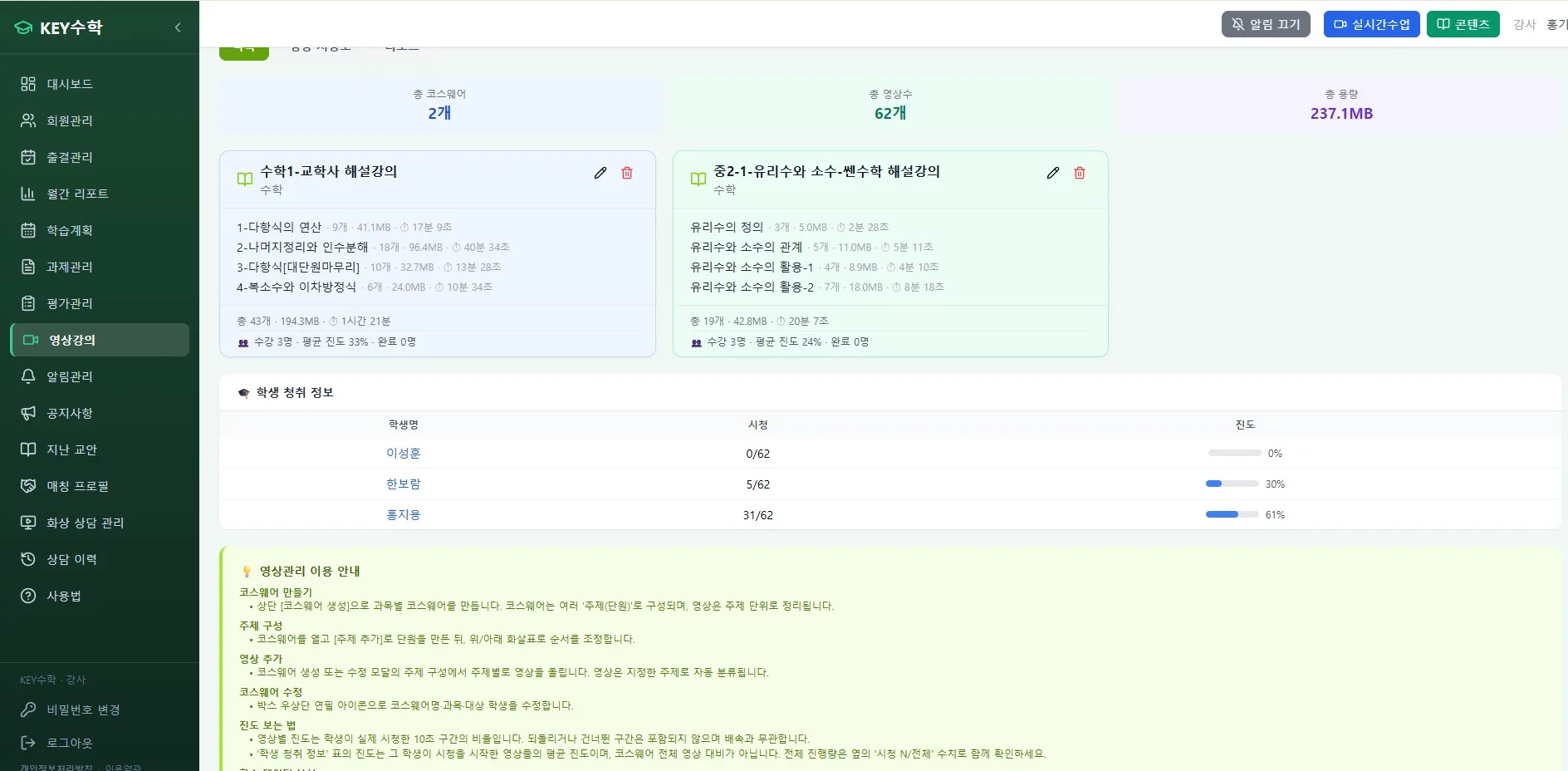
One advantage of an online academy is that classes can be recorded. With the ClassCanvas learning management system, you can automatically assign the video lecture for the missed session to the absent student. There's no need to arrange a separate time for the make-up, which reduces the burden on both students and teachers.
3. Check whether the video was watched
Assigning the video is not the end. Without checking whether it was actually watched, the make-up lesson becomes a mere formality. Use the attendance management feature of the ClassCanvas learning management system to check whether viewing is complete, and send another reminder to students who haven't watched.
4. Do a short check before the next class
Watching a make-up video doesn't mean the student has fully understood the lesson. Before the next class begins, take about 5 minutes to check understanding with a few simple questions or an assignment review. With this step, a student who was absent can rejoin the class naturally.
For students who are often absent, start by finding the cause
One or two absences may just be everyday circumstances, but if absences keep repeating, there is likely another cause. It helps to check the following points during a consultation.
Whether the student has lost interest in the online academy class format itself
Whether the student has a study environment where they can concentrate (noise, device problems, etc.)
Whether the class overlaps with another academy or school schedule
Whether the difficulty is too high or too low, causing the student to lose interest
In live video classes or video tutoring, some students find it harder to stay focused than in in-person classes. In such cases, you can adjust the class format, or use individual mode with one board per student to increase how much the student takes part directly.
Adjusting together with parents
Once you've identified the cause, discuss specific adjustments with the parents. For example, you might change the class time slot, or increase the share of one-on-one feedback for subjects with frequent absences. Parents will see that the academy is not ignoring the problem but responding actively, which builds long-term trust.
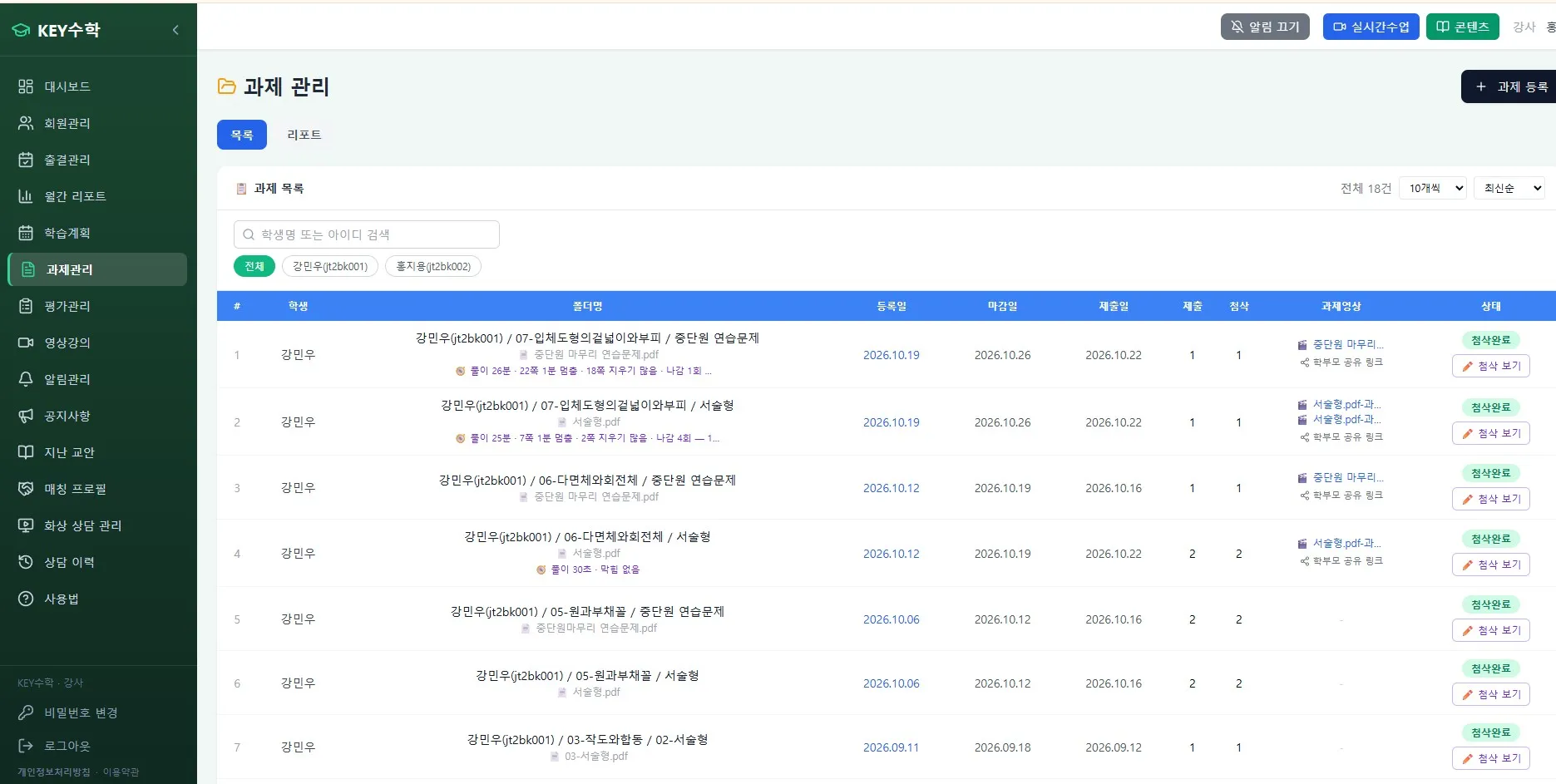
An absentee management checklist for directors
Checking the items below every day or every week will help reduce gaps in absentee management.
Did you review today's list of absent students?
Did you contact the guardian on the day of the absence?
Did you assign the recorded video for the make-up lesson?
Did you check whether the video was watched?
Did you run an understanding check before the next class?
Is there any student with 3 or more accumulated absences?
Did you schedule a consultation for students with accumulated absences?
If you use this checklist together with attendance data from the ClassCanvas learning management system, you can spot absence patterns much faster than with manual records. Because it is hard to see students' condition with your own eyes at a remote online academy, a data-based management routine matters even more.
Wrapping up
Managing absent students is not a one-step task but a single flow that runs from same-day contact to the check before the next class. If you run an online academy or a remote online academy, it's a good idea to set this routine in advance and share it with your teaching staff. Also remember that for students whose absences keep repeating, quickly identifying the cause and communicating with parents is especially important.
By using ClassCanvas's learning management system together with its live class program, you can manage everything in one flow, from same-day contact on the day of the absence to assigning make-up lessons, checking viewing, and checking understanding. For a remote online academy that combines live video classes and video tutoring, systematizing this routine can be the first step toward managing the absence rate.
How to set up a remote academy
ClassCanvas learning management
Phone inquiries: 1661-9155 (Korean only)
ClassCanvas: the total solution for online remote academies