Why running an online remote academy gets harder during school exam season
Hello to all academy directors and teachers. Doesn't your head start spinning the moment school exam season arrives? Every school has a different exam scope and a different schedule, so when you run an online remote academy, you probably wonder, "What on earth should I base my class groups on?"
In in-person classes you can still sort things out by reading the room, but an online academy has to manage students through a screen, which calls for a more careful strategy. Today we've put together how to run your online remote academy during exam prep, in an order that directors and teachers can carry out together.
Step 1: Start by regrouping classes by school
The first task of school exam season is, of course, class grouping. Classes that are normally grouped by level often have to be rebuilt by school and by exam scope during exam season.
Find out each student's school, grade, and exam scope for each subject in advance through a survey or consultation
Regroup students from the same school and the same scope into temporary classes
Switch schools with few students to 1:1 or small-group classes
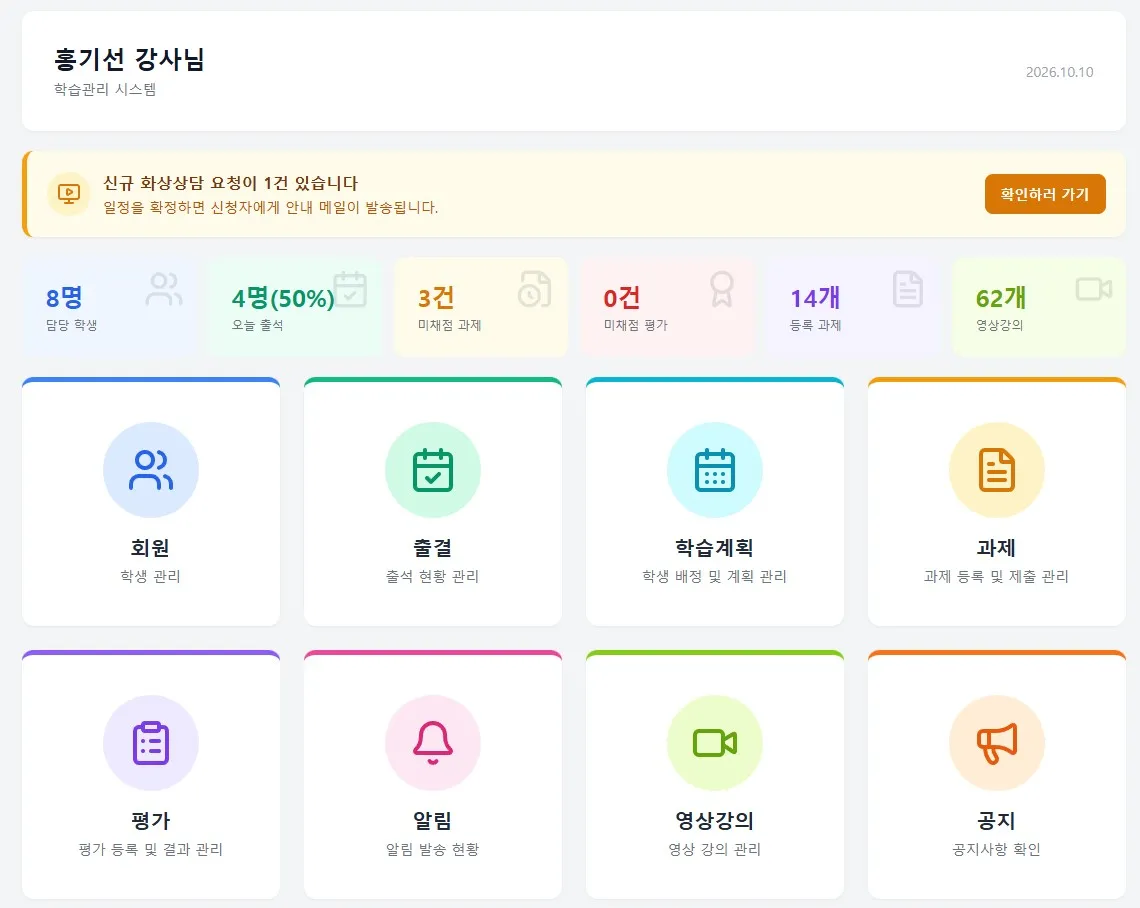
In this process, the ClassCanvas learning management system lets you register each student's school information and exam schedule in advance, and quickly adjust attendance and class assignments whenever the class groupings change. It's far easier than the days of juggling Excel files by hand.
Step 2: Boost efficiency with video lectures on the exam scope
Because each school's scope is different, live classes alone often don't leave enough time. In that case, it works well to produce the key content for each scope as video lectures in advance and distribute them.
Record the common concepts as videos in advance and upload them
Students choose and watch only the videos that match their own school's exam scope
Use live class time to focus on questions and problem solving
This lets you make full use of the distinctive strength of an online remote academy: learning that isn't tied to time or place. With the video lecture feature of the ClassCanvas learning management system, you can check whether students have watched and how far they've progressed, so there's less guesswork about whether a student really watched the lecture.
Step 3: Focus on live problem solving and one-on-one feedback
During exam season, "problem solving and feedback" matter far more than "explanation." Because each student gets different questions wrong, personalized guidance works better than one-size-fits-all lessons.
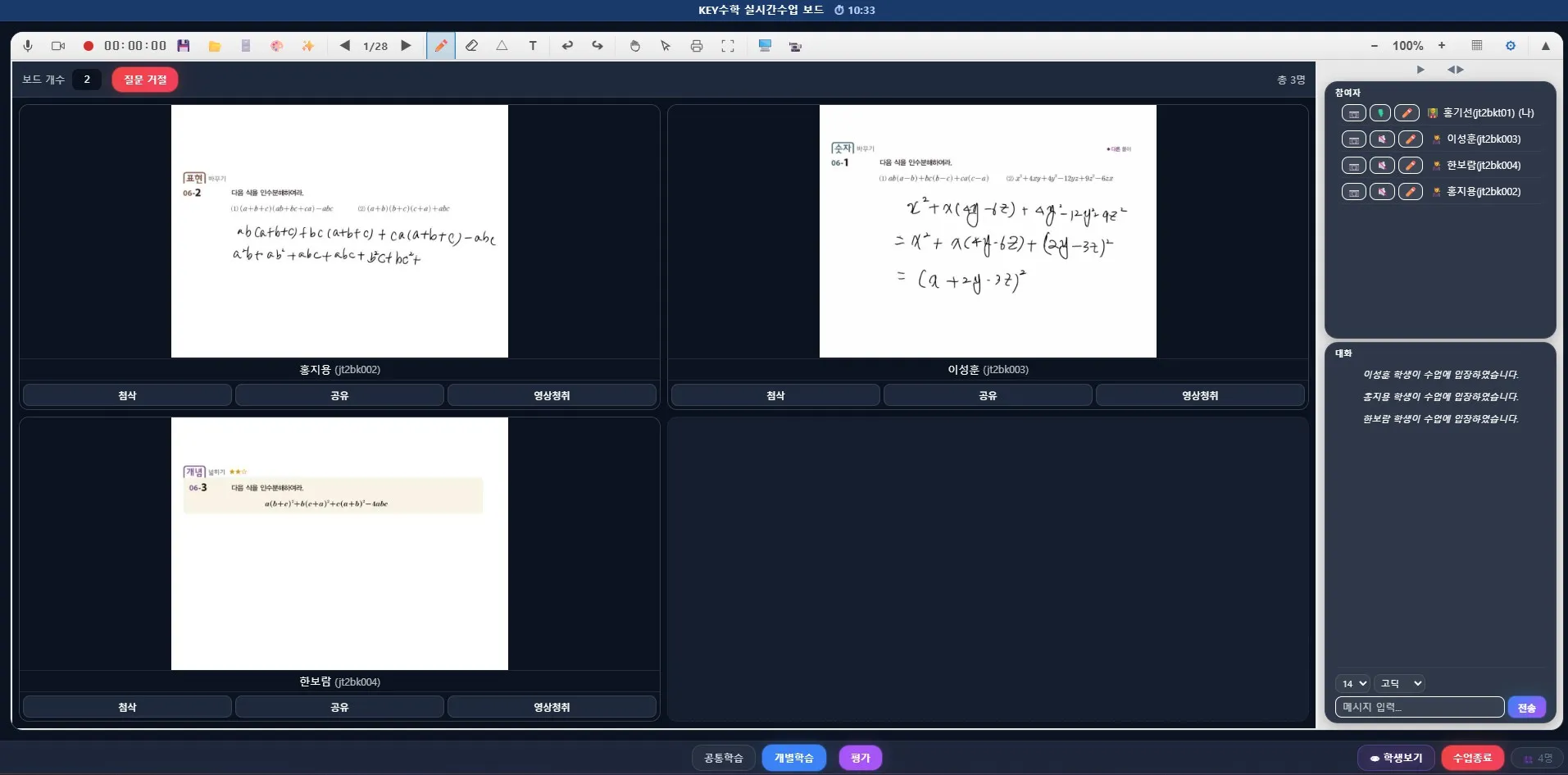
When you run a live video class with the ClassCanvas live class program, the one-board-per-student feature lets each student solve problems on their own board while the teacher moves between screens and gives feedback right away. With Individual mode turned on, students can work on different problems while the teacher checks on them one by one.
1–2 weeks before the exam: run whole-class video lessons focused on the key problems for each scope
1 week before the exam: switch to Individual mode and give focused feedback on weak problem types
Right before the exam: run short, question-focused live video class sessions
Dividing the period into stages like this helps teachers pace their energy, and students can stay focused all the way to the exam without burning out.
Step 4: Build real exam feel with online mock tests
In the end, school exams come down to practice at taking tests. Being a remote academy is no reason to give up on mock tests. You can get a solid mock-exam effect by having students solve problems against a timer during the live video class, as if in a real exam, and then grading and going over the explanations right afterward.
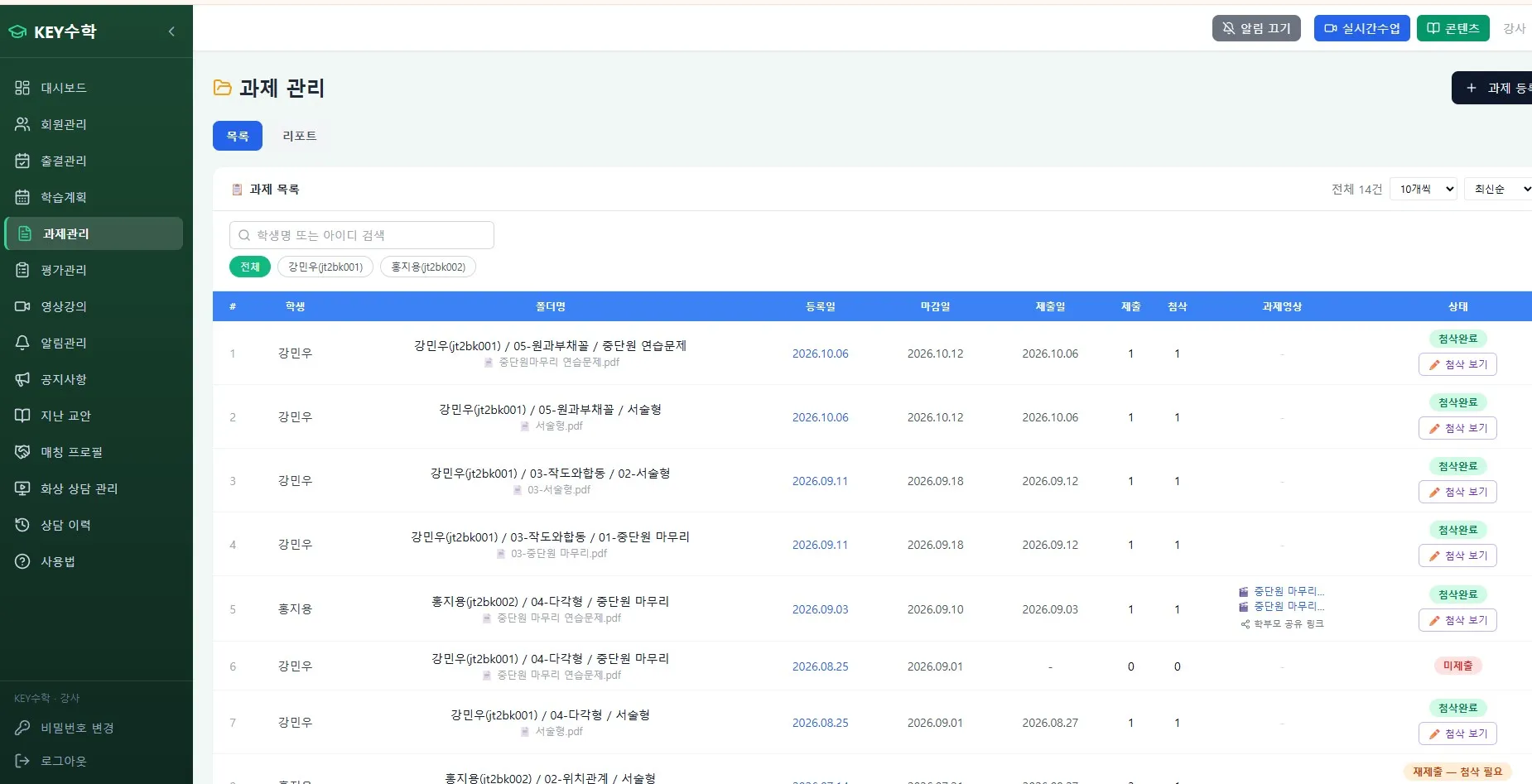
With the assignment and test features of the ClassCanvas learning management system, you can distribute mock tests, collect submissions, and have grading results organized automatically, which makes it easy to see each student's weak units. That cuts the time teachers spend grading one by one, so they can focus more on feedback.
How to keep in touch with parents before and after exams
Parents get especially anxious during school exam season. With an online academy they can't see for themselves whether their child is really studying, which makes it even worse. Just taking care of the two things below will make a big difference in trust.
Before the exam: briefly let parents know the prep plan for this exam (scope, schedule, class format)
After the exam: summarize and share the mock test results and the feedback given
Sharing attendance and assignment submission status as well greatly increases the trust parents feel. This data accumulates in the ClassCanvas learning management system, so you can export and use it right away without compiling anything separately.
If you're preparing to open an online remote academy
If you're a director still preparing to open an online remote academy, I recommend mapping out your exam-season operating strategy ahead of time. Whether it's a remote academy for adults or a middle and high school exam prep academy, the know-how for running exam season ultimately decides your re-enrollment rate.
In the early stages, many academies run live video classes and learning management separately, but choosing an online lecture platform that handles both in one place makes busy periods like exam season much easier. ClassCanvas lets you use live video classes and learning management together, so you can handle everything from class grouping to video lecture distribution, one-on-one feedback, and parent notices in one place.
Wrapping up
Running an online remote academy during school exam season comes down to this flow: "class grouping - video lecture distribution - live feedback - mock tests - parent communication." If directors and teachers learn this sequence and prepare together in advance, you can respond systematically instead of scrambling every exam season.
If you've been running an online remote academy and facing the same worries every exam season, it's worth taking a look at the ClassCanvas learning management system and live class program.
We hope you can prepare with a little more room to breathe in the next school exam season.
How to set up a remote academy
ClassCanvas learning management
Phone inquiries: 1661-9155 (Korean only)
ClassCanvas, the total solution for online remote academies