Why you should think about blended operation now
In the past few years, the number of academies that have switched to a remote online academy format, or that run in-person and online classes side by side, has grown noticeably. The change comes from students' and parents' increasingly varied schedules and a steady demand for online academies that students can attend regardless of where they live.
The problem is that blended operation is not as simple as it sounds. When in-person and online classes are managed separately, attendance standards start to wobble and assignment submission methods get mixed up, which often confuses students. For the academy, juggling two modes of operation at once can double the administrative burden. This article is written for directors and teachers who run or are preparing to run a remote academy, and it lays out how to run blended online and offline classes in a systematic way.
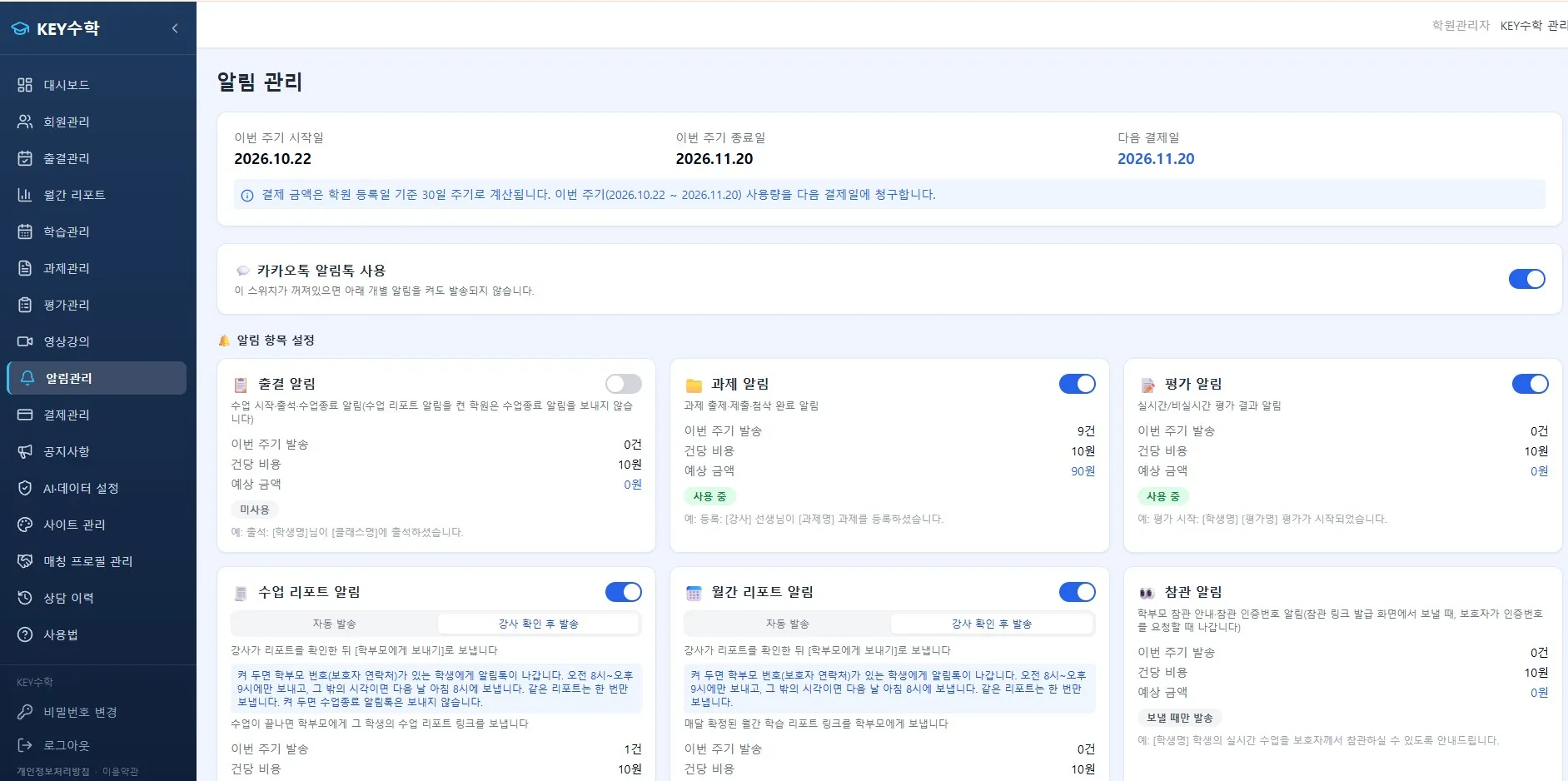
How to divide roles between in-person and online classes
The key to blended operation is clearly separating the roles of the two class formats. Rather than blending every subject in the same way, it is more effective to assign the suitable format according to the subject and learning goal.
Concept explanation and lecture-style classes are easy to move online. It is commonly confirmed in the field that replacing them with recorded lectures or live video classes does not significantly reduce learning effectiveness.
Problem-solving, feedback and Q&A classes are often kept in person, because teachers can check students' expressions and reactions right away and give individual guidance.
Mock exams and tests can be held online or offline depending on the academy's situation, but the evaluation criteria should be the same.
Defining roles this way reduces the worry that often comes up early in running a remote online academy: "Which classes should we move online?"
Example class setup and timetable
To simplify some real-world cases, the following structures are often used.
Two of three weekly sessions in person, one online: in-person classes on weekday evenings and online review classes on weekends
Split by unit: in-person for introducing a new unit, online for repeated practice and supplementary work
Student's choice: run in-person classes by default, and assign students whose distance or schedule doesn't fit to an online class with the same curriculum
When building the timetable, we recommend first creating a common curriculum chart so that online and in-person classes don't fall out of step, and then assigning a class format on top of it.
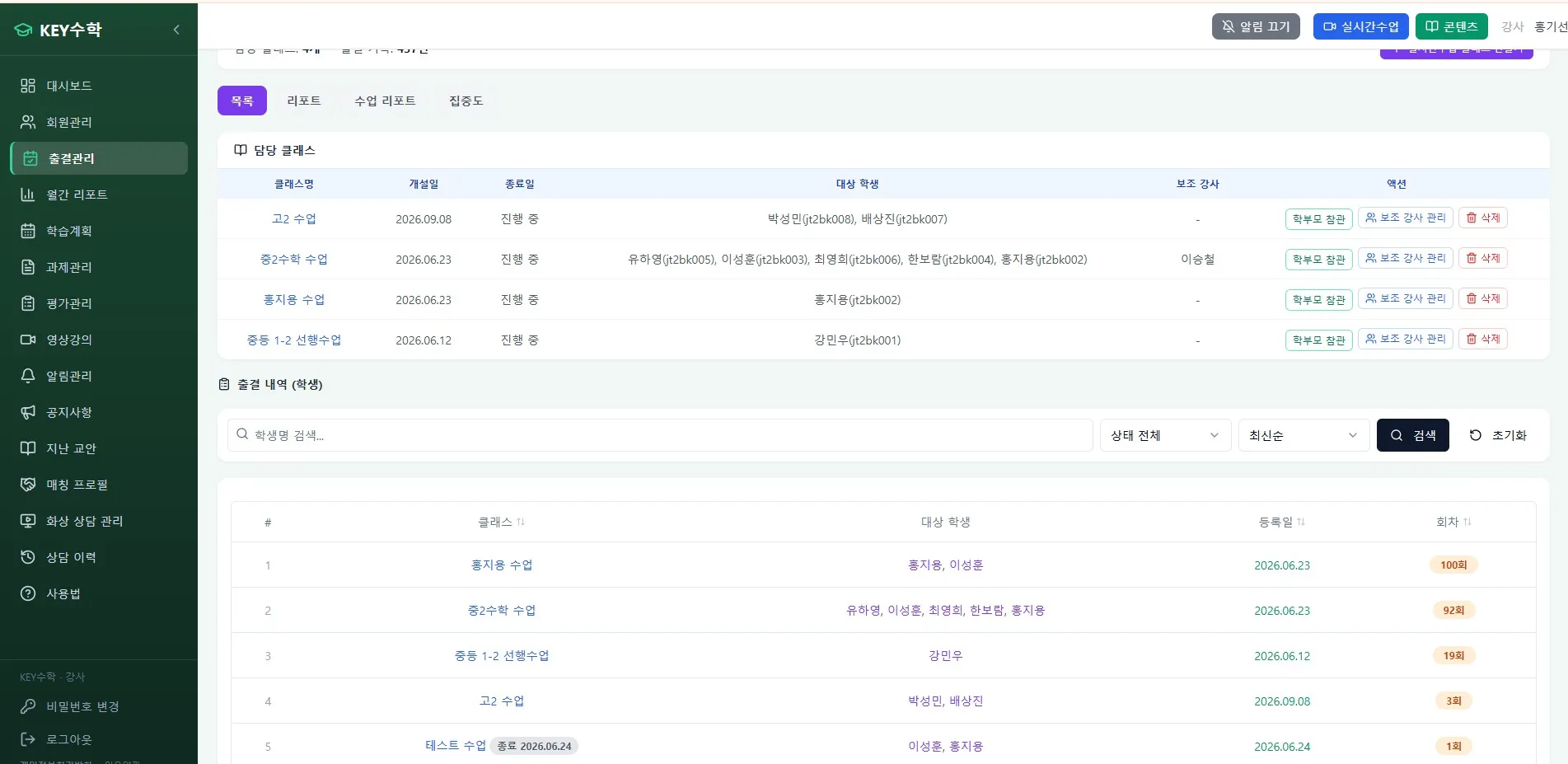
Managing assignments and attendance with a single standard
Attendance management is where the most questions come up in blended operation. If in-person classes are checked with an attendance sheet and online classes with connection logs, the standards diverge and omissions easily occur.
Using the ClassCanvas learning management system lets you unify attendance management on one screen. For in-person classes, the teacher in charge enters attendance directly; for online classes, attendance is reflected automatically based on whether the video lecture was watched and on live class connection records. This also lets you explain the attendance record to parents with a single standard during consultations, which builds trust.
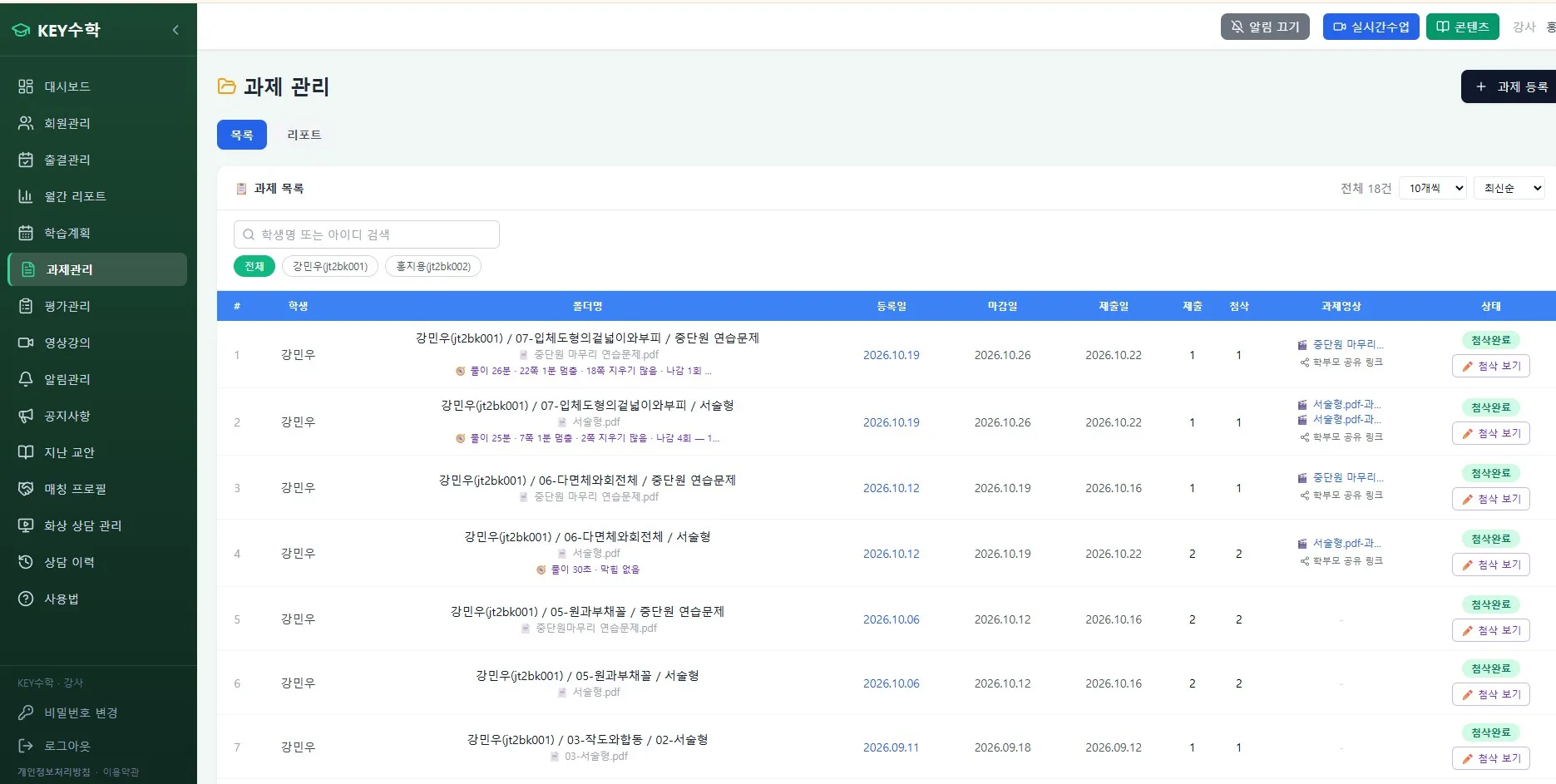
The same goes for assignment management. If assignment submissions and test results are collected in one place through ClassCanvas, students get feedback on the same standard whether they are in an in-person or an online class. During live classes, you can also use the one-board-per-student and individual feedback features of the ClassCanvas live class program to provide one-on-one guidance at a level similar to in-person classes.
How to keep students from getting confused
A surprisingly common problem in blended operation is students getting confused about whether today's class is in person or online. The following methods can reduce the confusion.
Mark the class format (in-person/online) on the weekly timetable using colors or icons
Send a notification the day before class that includes the class format and, for online classes, the connection link
Direct students to check assignments and announcements in one place, ClassCanvas, so they don't have to switch between multiple channels
Share a monthly blended class schedule with parents as well, so they can check the schedule at home
These measures not only reduce students' confusion but also cut the time academy administrators spend answering individual inquiries.
Administrative matters to keep in mind when running a remote academy
To officially run a remote online academy, you must go through the procedure for establishing a remote tutoring academy registered with the office of education, and documents such as a domain registration certificate and a server lease agreement are required in the process. If you are planning blended operation, it is a good idea to check the online tutoring registration requirements in advance, separately from the offline academy registration. Required documents and procedures may differ by region, so we recommend checking the latest standards in the announcements of your local office of education.
Online academies specialized in particular fields, such as remote academies for adults, live video English tutoring and live video math tutoring, are also on the rise. In those cases too, the basic principles of blended operation, namely role division and a unified management standard, apply in the same way.
Final thoughts
Running blended classes in a remote online academy format is not simply "splitting classes in half"; it is the work of designing so that the student's learning experience is never interrupted. By clearly separating the roles of in-person and online classes and unifying attendance and assignment management under a single standard, you can greatly reduce the operating burden.
ClassCanvas provides a live class program and a learning management system together, helping remote academies manage in-person and online classes in one place without separate systems. If you are preparing for blended operation, or already running one, we recommend taking a moment to check whether your current management approach is intuitive from the students' point of view as well.
How to set up a remote academy
ClassCanvas learning management
Phone inquiries: 1661-9155 (Korean only)
ClassCanvas: a total solution for online remote academies