Moving your academy online: where to start
Recently, many academies have been combining offline classes with online ones or shifting to an online-focused operating model. The problem is that having a live video class tool alone is not enough to run an academy. Attendance management, assignment distribution, test grading, and parent notifications — academy work requires a wider range of features than you might expect.
For this reason, teachers who run online tutoring or small remote academies often say it is a hassle to use separate tools for 'teaching' and for 'academy management.' When you use a meeting-oriented video program for classes, it often lacks features like attendance checks or assignment submission, so you end up needing additional programs. ClassCanvas is an all-in-one solution for online remote academies that connects classes and learning management into a single workflow to reduce this inconvenience.
Core components of ClassCanvas
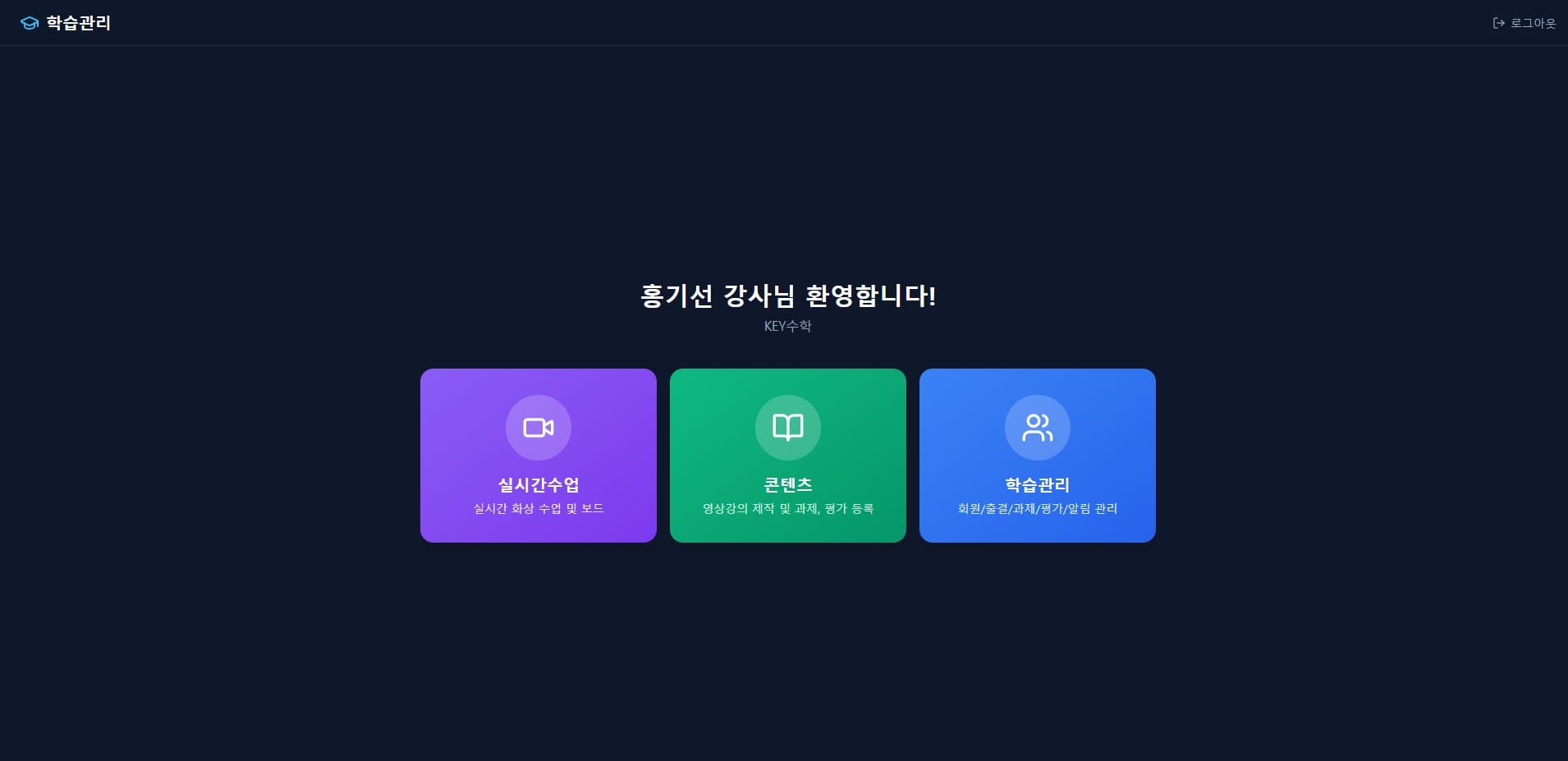
ClassCanvas consists of three main elements.
A two-way remote live class program
A learning management system linked to live classes
A tool for creating lecture content
What sets it apart is that these three do not operate separately but are connected to each other. For example, attendance is recorded automatically during a live video class, and once the class ends, related assignments and test items are immediately reflected in the learning management system. Since there is no need to move data back and forth between separate programs, it saves time for remote academy operators who have to manage many people.
ClassCanvas also works on the web, so there is no need to install a program on your computer. Teachers and students only need to log in from a browser, which reduces time wasted on compatibility issues caused by devices or operating systems. You also don't have to walk each new student through installing a program when they enroll.
How are live video classes and online tutoring supported differently?
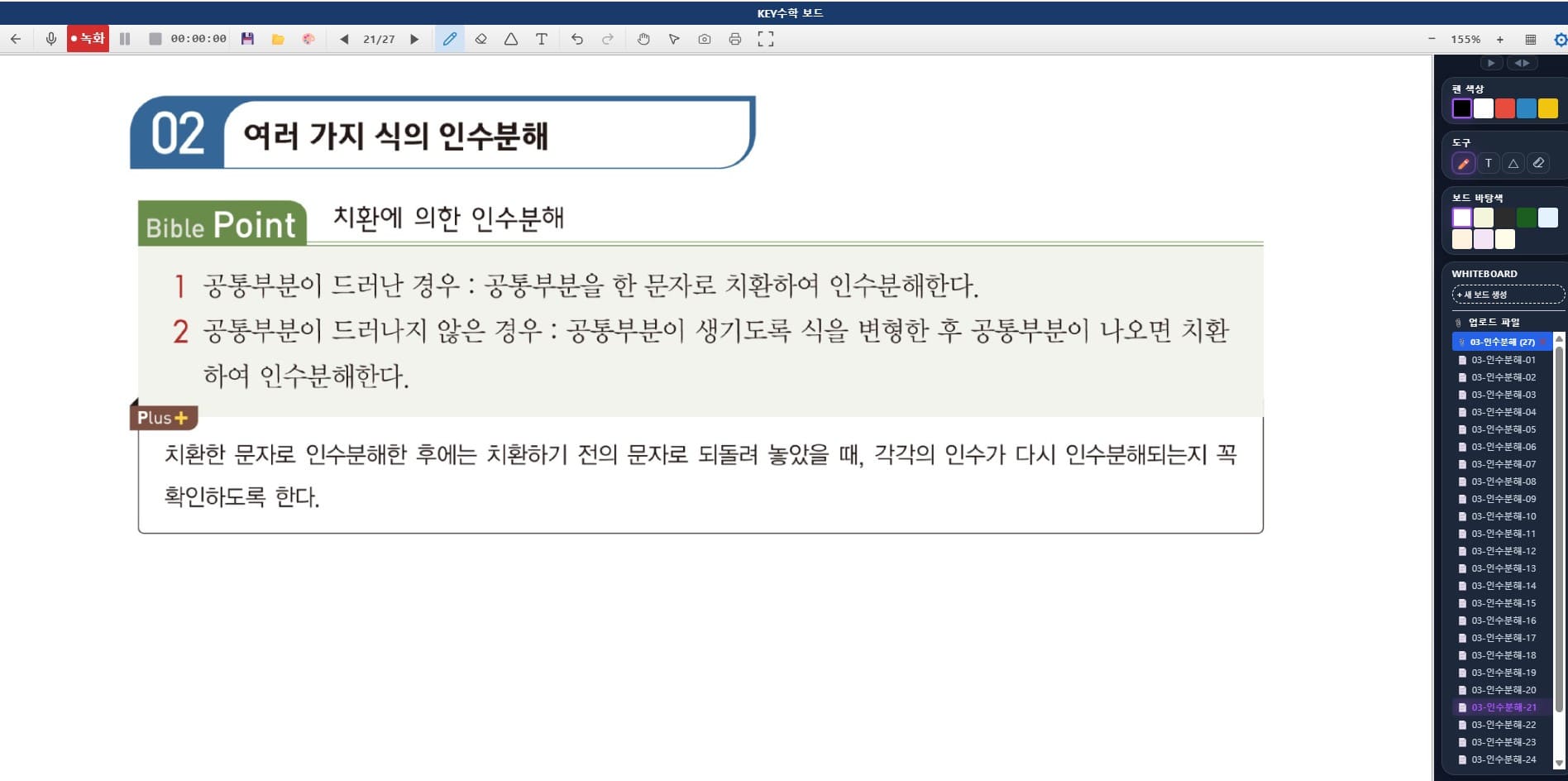
The meeting-oriented video programs commonly used are optimized for many participants gathering to talk. ClassCanvas, by contrast, was designed from the start for teaching and learning. Beyond screen sharing and board writing, it focuses on features needed in education, such as checking students' participation status during class and splitting them into small groups.
If you teach 1:1 online tutoring, it is useful to be able to see each student's class history and assignment progress on a single screen. If you run an online academy with multiple students, you can open live video classes by class and manage each class's attendance and scores separately, which lightens your operating workload.
Reducing administrative work with the learning management system
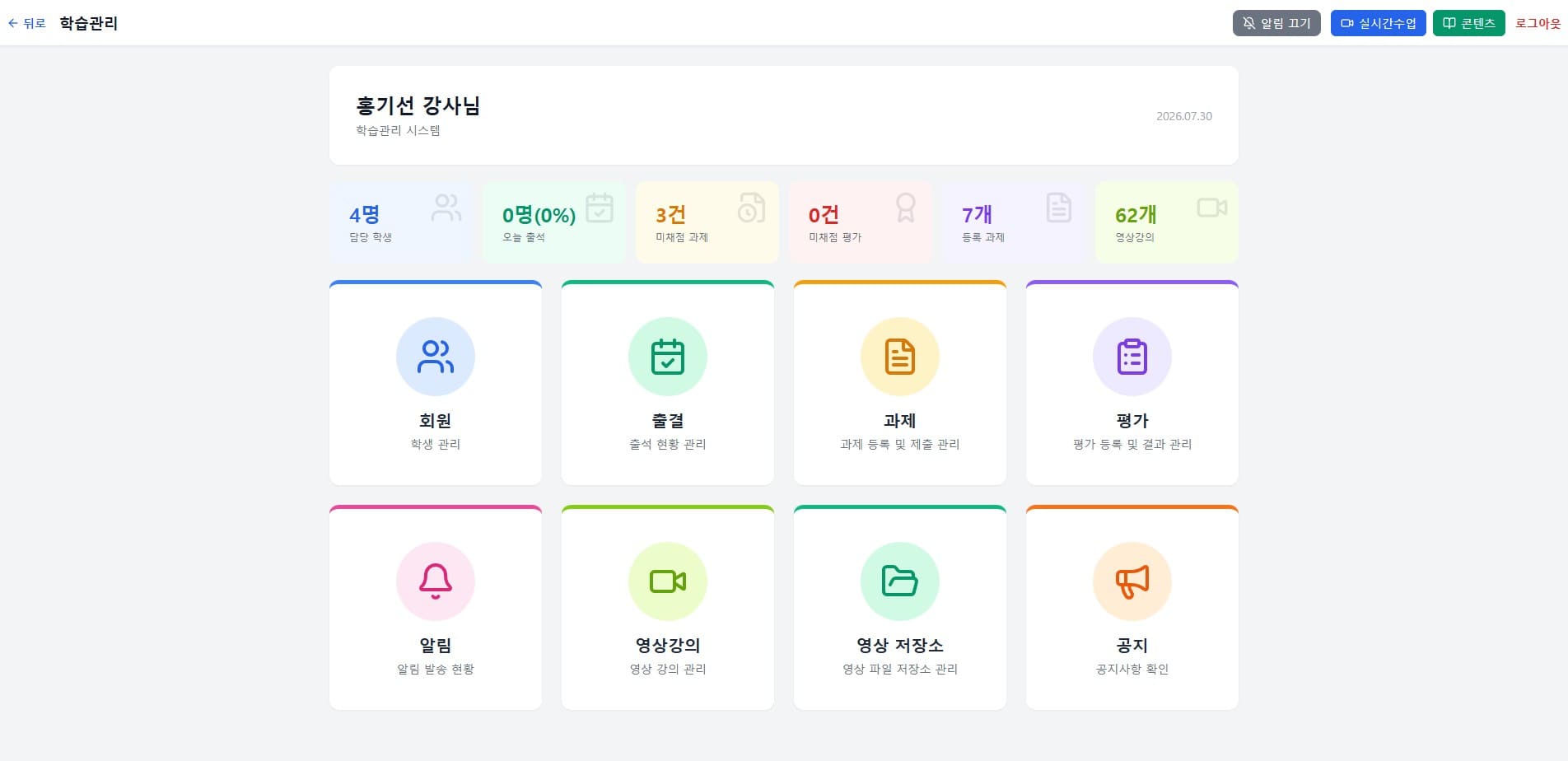
The ClassCanvas learning management system is linked to live classes and supports the following features.
Attendance management: Class participation is recorded automatically, so there is less need to keep a separate attendance sheet.
Assignment management: You can distribute assignments during or after class and check submission status.
Test management: You can record exam or quiz results and view each student's progress over time.
Video lecture management: You can store recorded class videos and provide them again whenever needed.
Notifications: Class schedules, assignment deadlines, and more are delivered to students and parents.
KakaoTalk integration: Guidance messages can be received through a familiar channel without installing a separate app.
Individually, these features may not seem special, but when you actually run an academy, managing each of these items separately takes up a considerable amount of time. Especially for teachers who used to send text messages or KakaoTalk messages separately to inform parents, having notifications and KakaoTalk integration inside a single system can feel like a real convenience.
Preparing class materials with the content creation tool
In addition to live classes, ClassCanvas also provides a content creation tool. If a teacher turns lecture materials prepared in advance into video form, students can use them for review or to catch up when they miss a class. For a remote academy that wants to run live video classes and recorded lectures side by side, being able to prepare content without a separate editing program is a help.
Wrapping up
For teachers who want to run an online academy or online tutoring, finding and combining separate teaching tools and management tools is a bigger burden than it seems. ClassCanvas bundles three functions — live classes, learning management, and content creation — into one web-based service that can be used right away, without installation or separate integration.
In particular, being able to handle the management functions an academy needs — from attendance to assignments, tests, notifications, and KakaoTalk integration — in one place can be an option worth considering for remote academy operators who had to use several programs at once. If you are setting up an online class environment or tidying up your existing approach, it is worth taking a look at what ClassCanvas offers.
Inquiries: 1661-9155 (Korean only)
ClassCanvas, the all-in-one solution for online remote academies