Is it hard to handle everything with the lead teacher alone?
When you run an online remote academy, your worries grow as your student count grows. It isn't realistic for a lead teacher alone to give feedback and corrections to dozens of students at the same time. In live video classes especially, individual care can feel even harder than in face-to-face classes. When I talk with academy directors, I hear this all the time: "I want to use assistant teachers, but I don't know how to bring them into the system."
Today, I'll walk through in detail how to register assistant teachers using ClassCanvas's live class board at an online remote academy, and how to give one-on-one feedback together with the lead teacher.
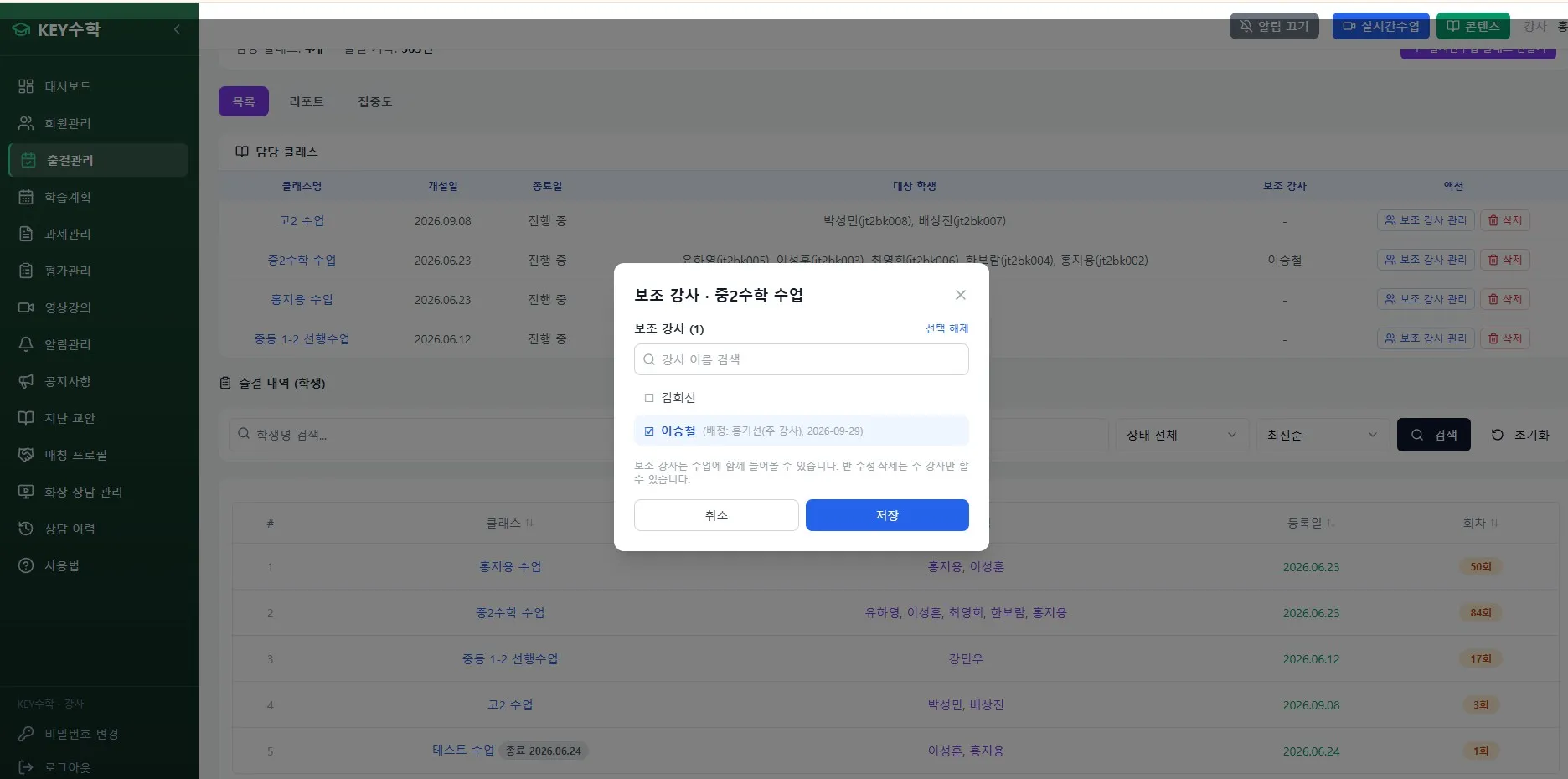
How do you register an assistant teacher on ClassCanvas?
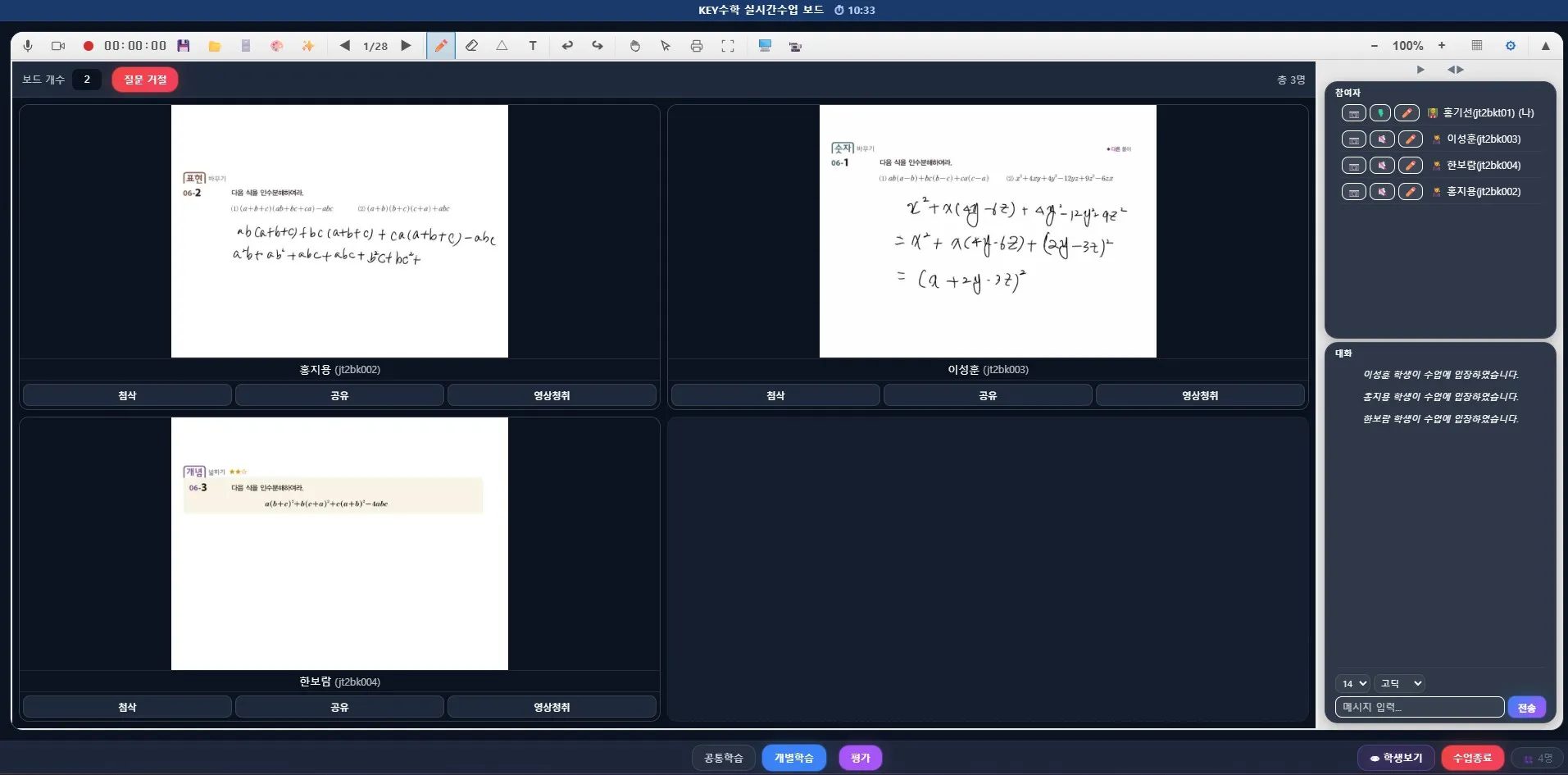
ClassCanvas's live class program uses a one-board-per-student structure, so each student's learning screen can be managed separately. Thanks to this structure, once you register an assistant teacher, the lead teacher and the assistant can split roles and manage students together.
When you create a class, add the teacher's account from the 'Invite assistant teacher' menu.
In individual mode, an assistant teacher can be assigned a specific group of students and take charge of them.
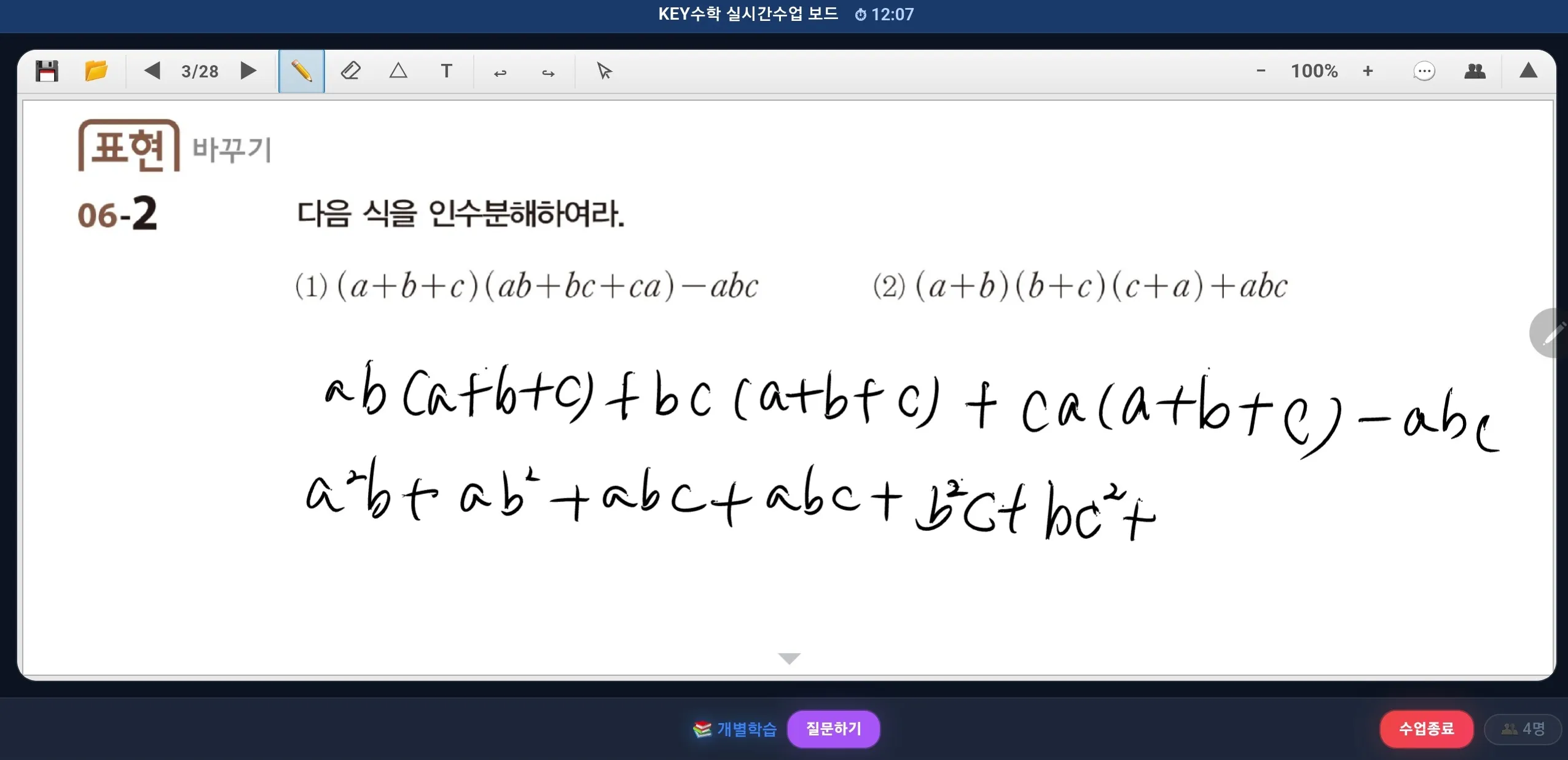
While the lead teacher runs the whole class, the assistant teacher joins individual boards and gives feedback in real time.
Using the screen share feature, you can also show an assistant teacher's solution process to all students when needed.
The registration process itself isn't complicated, so even people running an online academy for the first time can apply it without much difficulty.
Why one-on-one feedback is possible
In ClassCanvas's one-board-per-student structure, each student's notes and solution steps are recorded on a separate screen. The key point is that while the lead teacher leads the overall flow, the assistant teacher can move between individual boards and give feedback right away. It works flexibly both in classes that need close 1:1 care, like live video tutoring, and in remote academies where many students are taught at once.
Benefits of using assistant teachers
The benefits you feel when you bring assistant teachers into live classes are bigger than you might expect.
Faster feedback: Feedback work that the lead teacher handled alone is shared, so waiting time goes down.
Stronger individual learning: Assistant teachers can closely check differences in each student's understanding.
More efficient class operation: The lead teacher can focus on overall progress and explanations, while the assistant teacher focuses on feedback.
Multi-subject support: Even in classes where subjects differ in nature, such as English or math live video tutoring, an assistant teacher can give feedback using their subject expertise.
This structure is useful not only for online remote academies but also in settings with large differences in learner level, such as remote academies for adults.
Can it be used at an existing academy?
Even academies that already run offline are increasingly adding live video class programs or operating an online lecture platform alongside. If these academies adopt ClassCanvas's live class board, they can bring their existing assistant teachers straight into online classes. In other words, you can carry the know-how of your existing academy over to an online academy environment without retraining staff.
Also, if you're preparing to register or set up a remote tutoring academy, designing an assistant teacher system from the start makes it much easier to cope when your student count grows.
Assistant teacher operations checklist
It helps to check the items below before putting this into practice.
Are the assistant teacher account permissions clearly set?
Are there criteria for assigning student groups?
Is the communication method between the lead and assistant teachers (chat, voice, etc.) decided?
Are feedback records accumulated and managed from a learning management perspective?
When you connect with the ClassCanvas learning management system, you can also check the feedback history from assistant teachers together with assignment and test data, which improves operational transparency.
Wrapping up
In running an online remote academy, using assistant teachers is moving from an option toward a necessity. With the one-board-per-student structure and individual mode of ClassCanvas's live class board, the lead and assistant teachers can split roles and provide more detailed one-on-one feedback. If you already run an offline academy, it's also worth noting that you can bring your existing assistant teachers straight into online classes.
If you're curious about the assistant teacher registration feature, we recommend also looking at ClassCanvas's features page and pricing page.
ClassCanvas learning management system
Steps to set up a remote academy
Inquiries: 1661-9155 (Korean only)
ClassCanvas, the total solution for online remote academies