Why live classes at a remote academy fall behind schedule
When you run a remote academy, you often run into unexpected variables during live classes. Students understand at different speeds, absent students can't keep up with the lessons, and you sometimes have to explain the same concept over and over. Teachers worry especially because managing student focus in remote academy live classes is harder than in in-person classes.
One way to solve these problems is to combine video lectures with live classes. ClassCanvas has a feature called 'video library' inside the teacher's learning management menu, and using it well can greatly improve the efficiency of live classes at a remote academy.
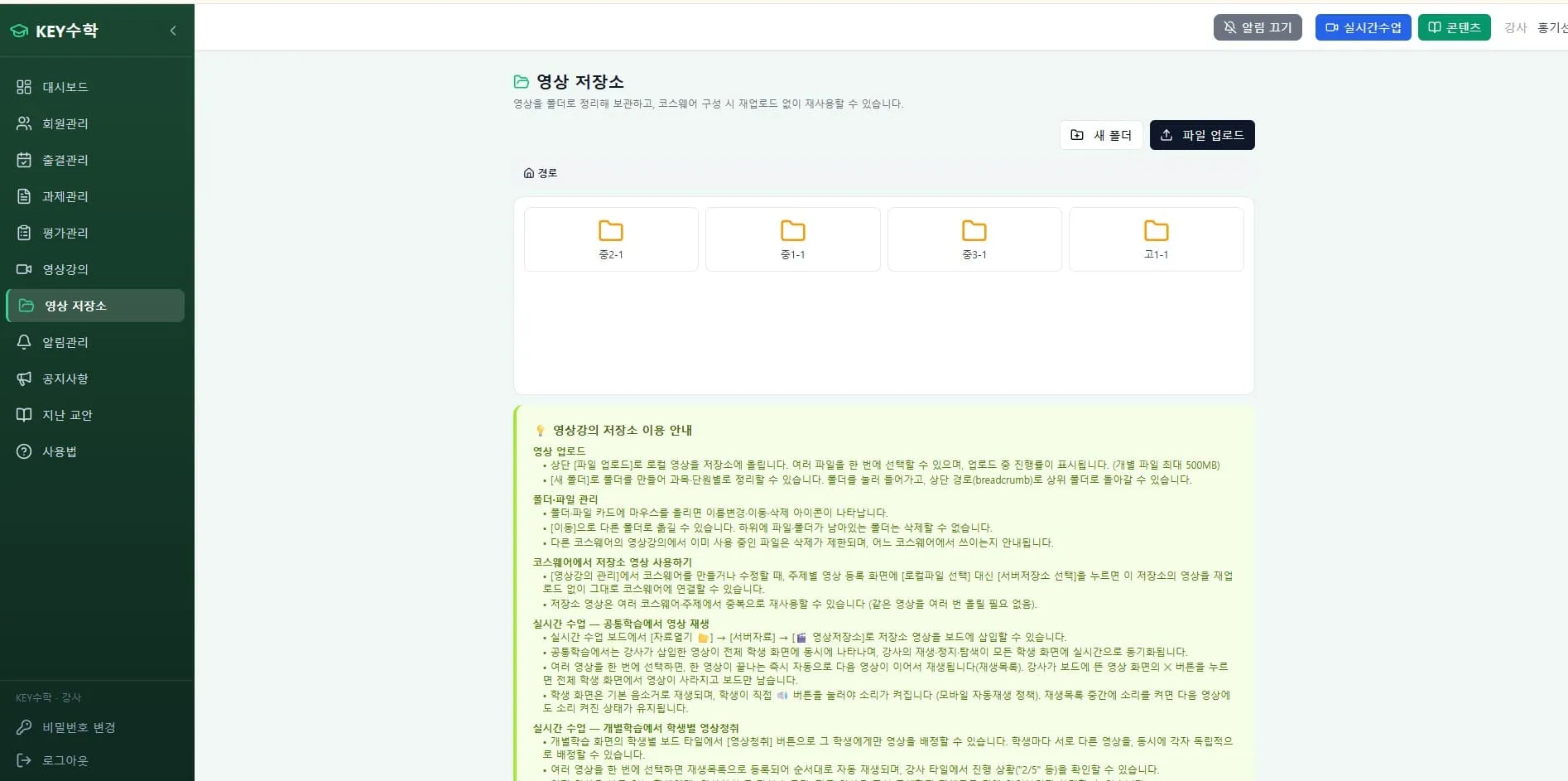
What does the video library do?
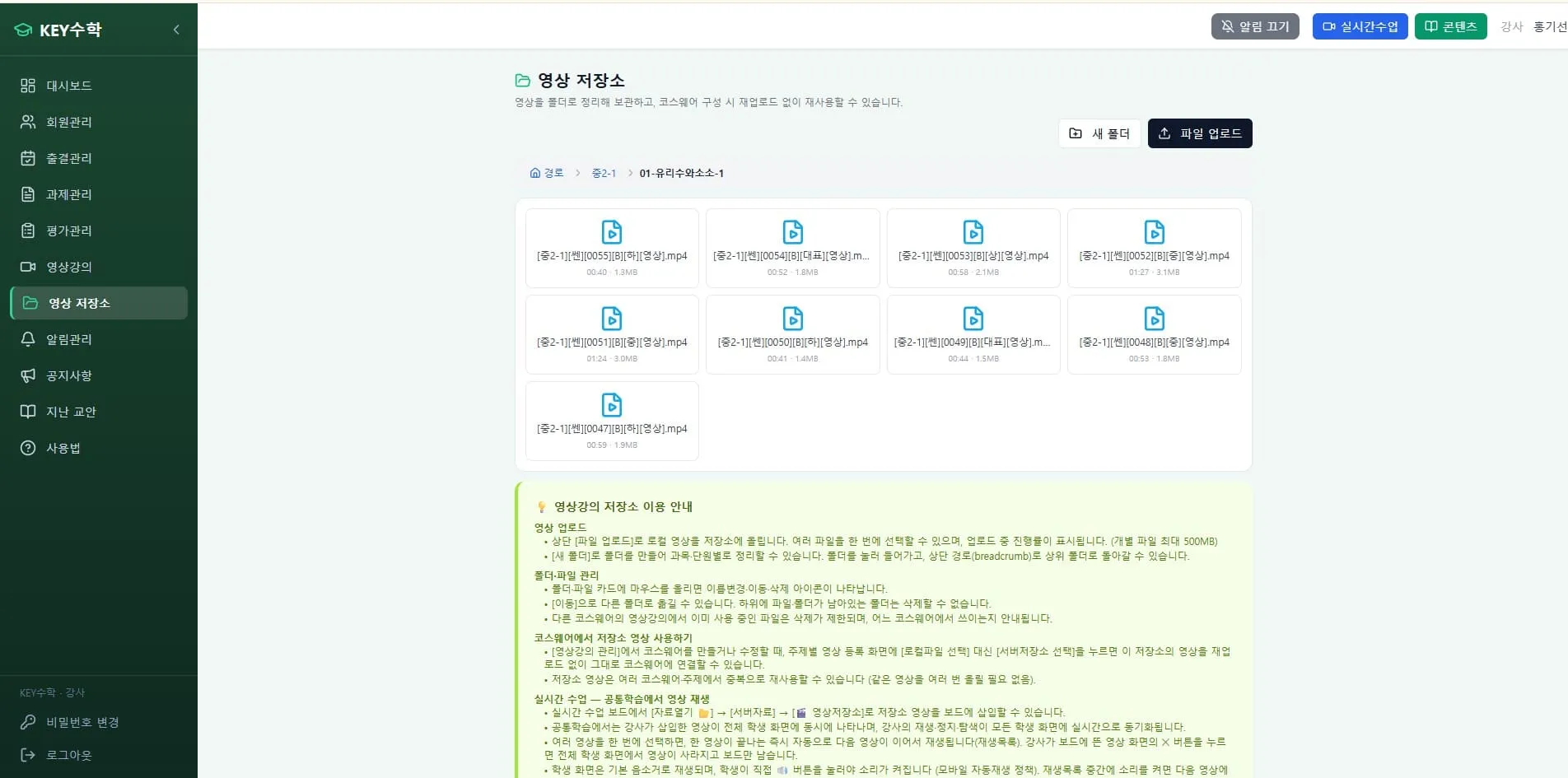
The ClassCanvas video library is a space where teachers upload the video lectures they have made to the server in advance. It isn't just for storage; it connects directly to live classes.
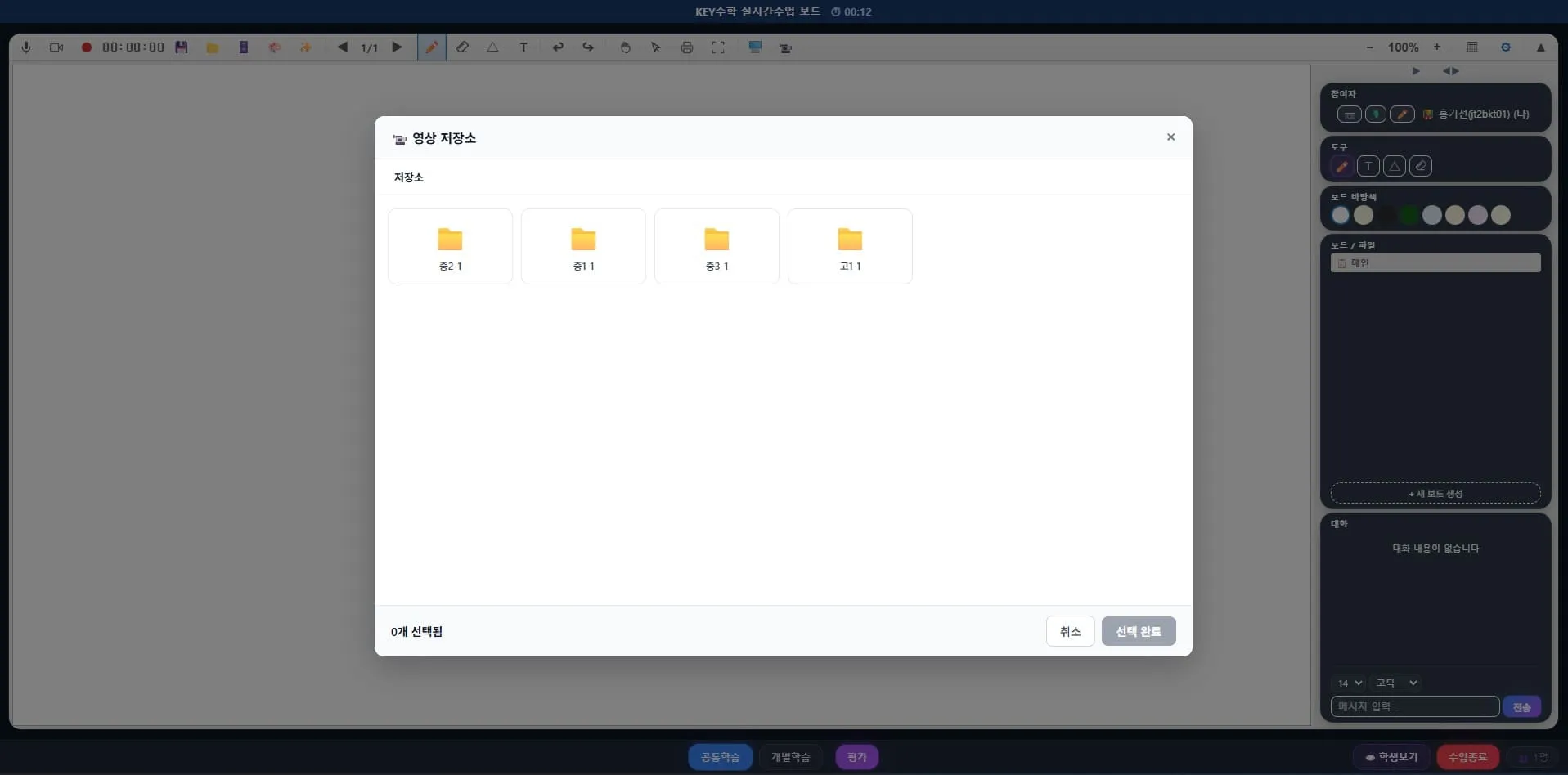
Using it in live classes
During a live class, a teacher can play a stored video lecture as-is so that students can watch and listen to it. This is especially useful in situations like the following.
Blended learning classes — Replace theory explanations with pre-recorded video lectures, and focus live class time on Q&A and advanced problem solving.
Guiding students who are weak at self-directed learning — For students who don't normally study on a plan, having them watch the basic lecture as a video during live class time can reduce gaps in their learning.
Concepts that need repeated study — Instead of explaining a difficult unit many times, replace it with a video lecture and save time.
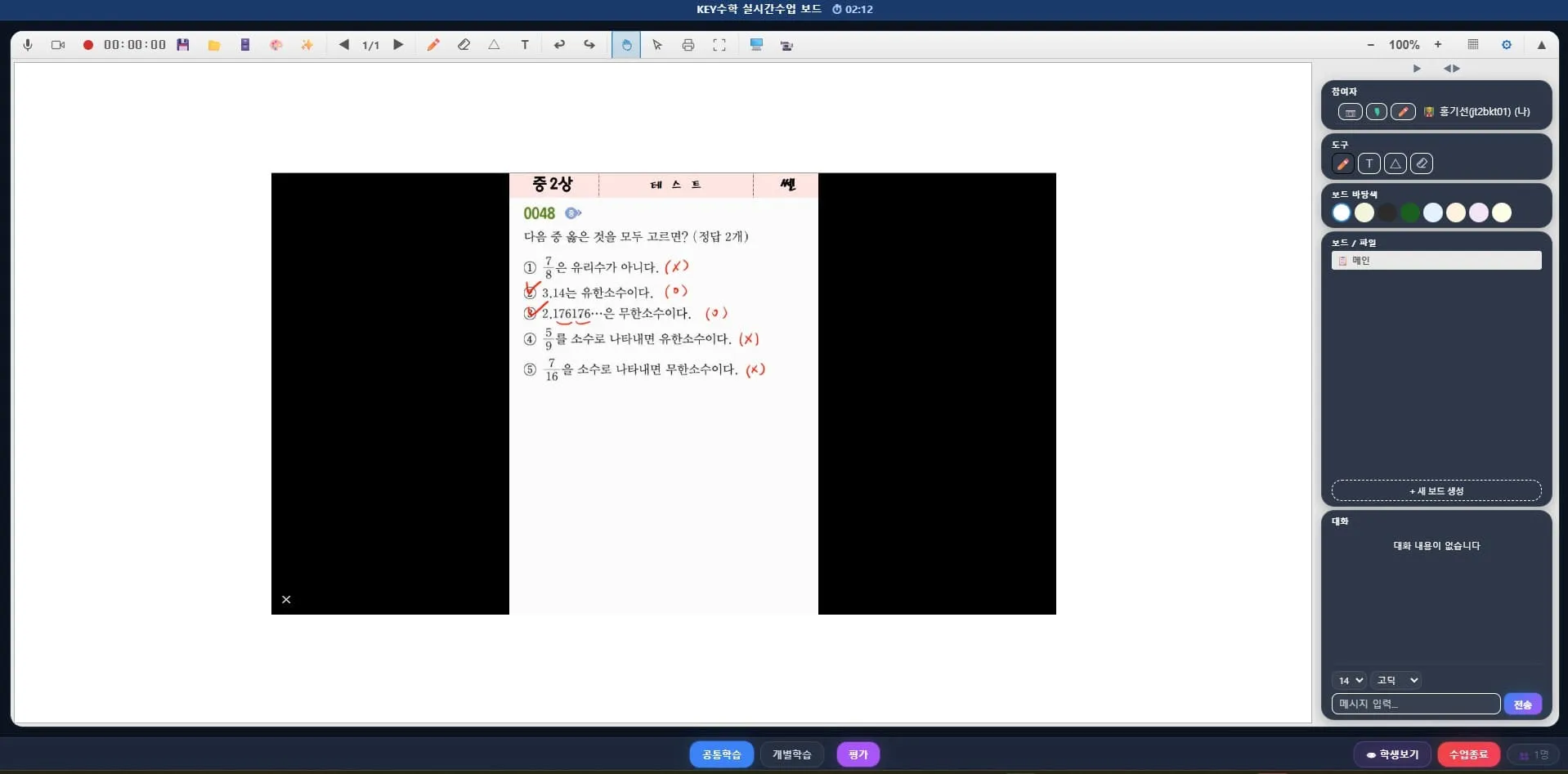
The key point is that even while a video is playing, questions and answers are still possible at the same time on the live class board. If a student doesn't understand something while watching, they can leave a question right away, and the teacher can answer in real time and keep the class moving.
Applying it differently by subject
How you use the video library in live classes at a remote academy can vary depending on the subject.
Math: Explain problems with long solution steps in advance through a video lecture, then use live class time to solve similar problems together and check understanding.
English: Replace pronunciation and grammar explanations with videos, and focus live classes on conversation and reading practice.
Memorization subjects: Have students watch a key-concept summary video first, then review with quizzes or discussions during live class time.
Running video lectures and live classes separately by subject like this makes preview and review connect naturally for students, and lets teachers spend less time on repeated explanations so they can manage more students.
Rebuilding videos as courseware
Videos that pile up in the video library don't end up as one-off items. Teachers can combine stored videos into a single video lecture courseware and offer it to students. In other words, a video lecture made once is reused across many live classes and also reused as non-live learning content.
Advantages from a learning management perspective
The video library goes beyond simply storing videos and affects learning management as a whole.
You can provide the same video lecture again to students who were absent or fell behind, which makes fair learning management possible.
You can reshape live class time to focus on feedback rather than explanation.
As each teacher's video lectures accumulate, they become a content asset for running your remote academy.
For a remote academy run by several teachers in particular, managing each teacher's video lectures as standardized courseware has the added benefit of being useful for training new teachers and for substitute classes.
Wrapping up
Live classes at a remote academy require a different kind of preparation and operation from in-person classes. The ClassCanvas video library connects the video lectures that teachers have made in advance to live classes, and it can be used for blended learning as well as for guiding students who lack self-directed learning. Because Q&A on the live board is supported at the same time, watching a video doesn't end as one-way viewing but works as a practical learning management tool.
If you run a remote academy or are preparing to open one, we recommend taking a moment to review how you will combine live classes and video lectures.
Inquiries: 1661-9155 (Korean only)
ClassCanvas, the total solution for online remote academies