A remote academy class program is hard to change once you choose it
When I talk with academy directors, they all share a similar worry. "I want to start an online remote academy, but I don't know which class program to choose." "Aren't all programs pretty much the same as long as they have screen sharing?" In reality, once you pick a remote academy class program and start operating, switching later is a real hassle. You have to set up everything again, from student data and class materials to how you notify parents.
So today I've put together 10 criteria worth checking in advance when you choose a class program while preparing to start an online or remote academy. This isn't meant to compare specific products. Think of it as a checklist that helps you judge for yourself whether a program fits your academy's way of teaching. For each criterion, I've also added check questions you can verify yourself.
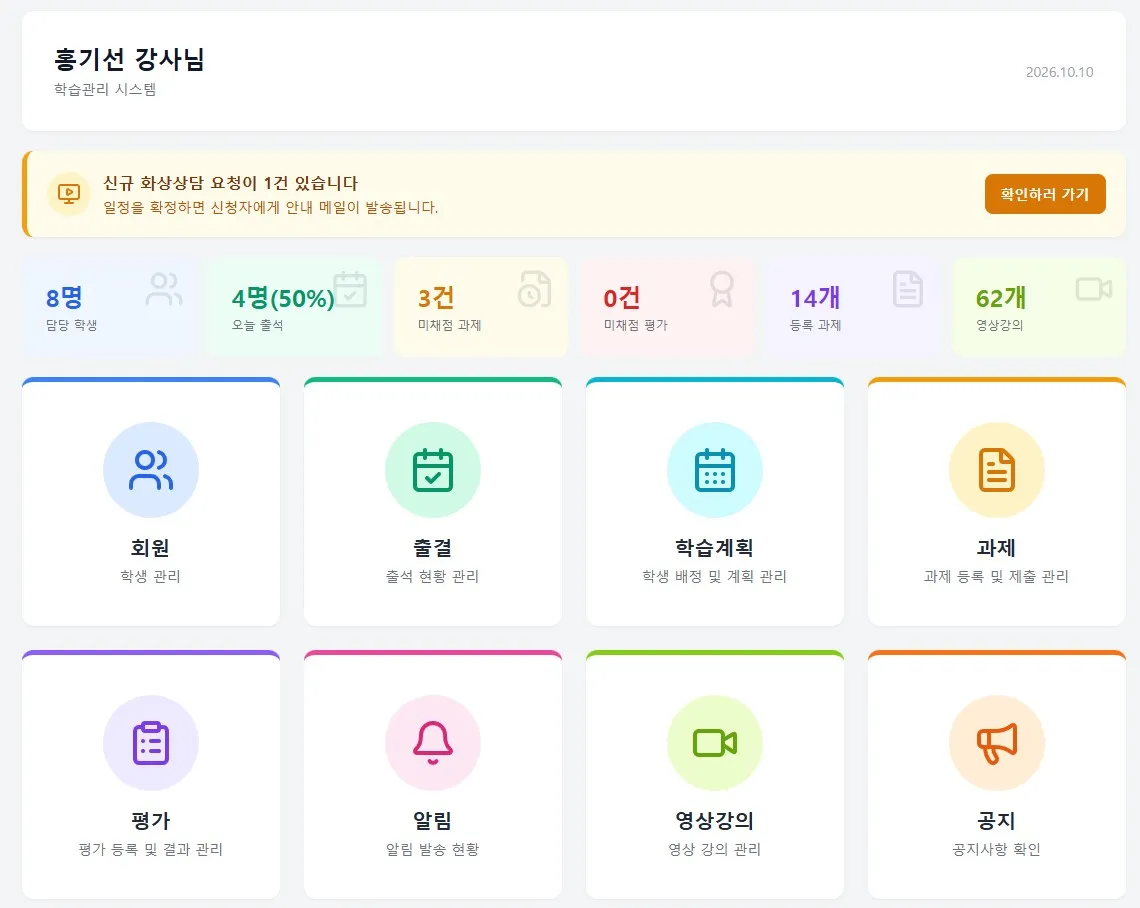
Thinking in terms of class scenes
If you choose based only on a feature list, you often find a lot lacking in real classes. So it helps to picture an actual class and check each point one by one.
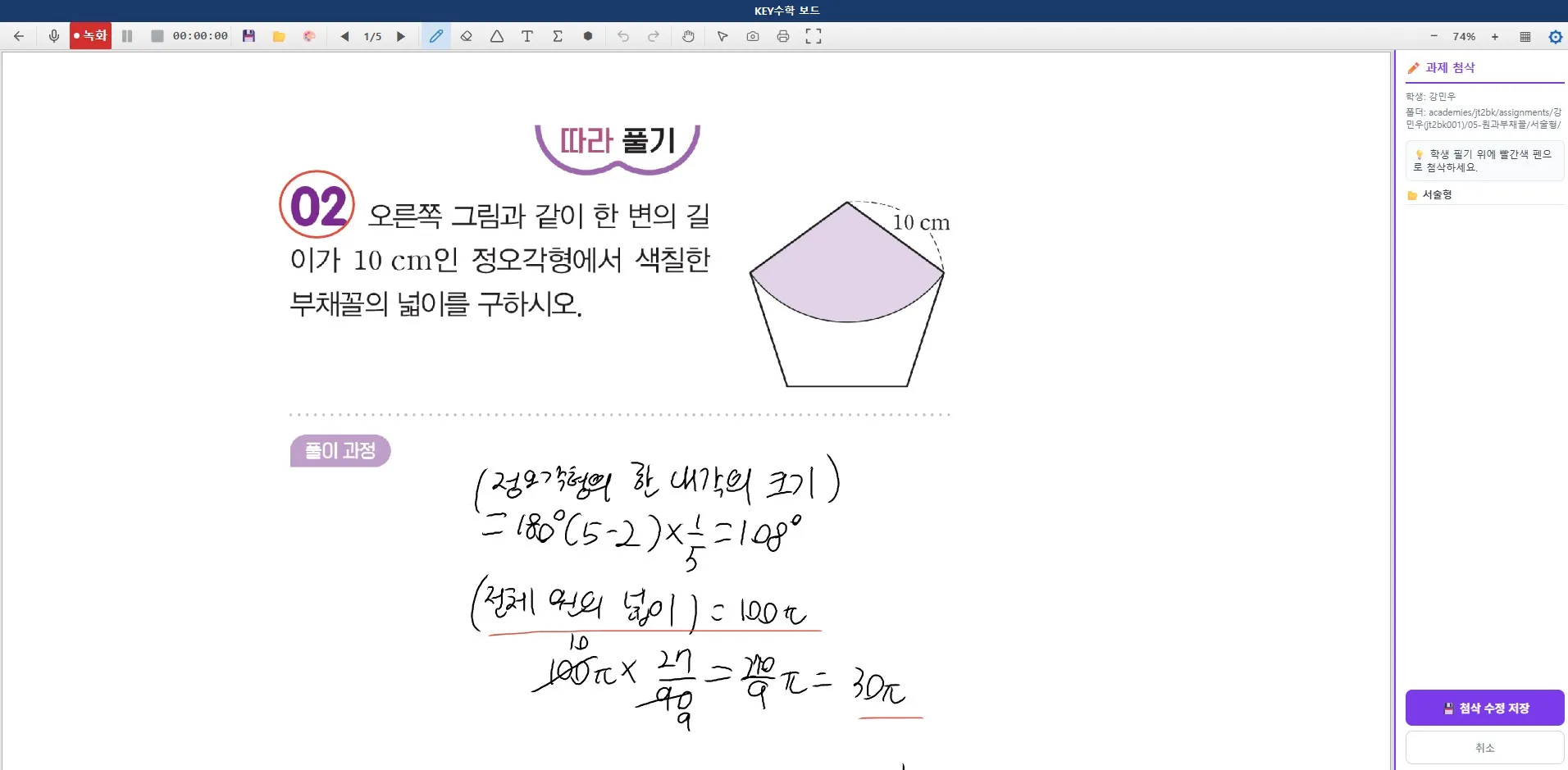
1. Does board writing work like a real class?
This is the first thing to look at when choosing a live video class program. If the formulas or shapes a teacher writes by hand look blurry on the student's screen or lag behind, students' focus drops right away. For subjects like math or science, where you need to show the solving process, you should also check whether each student can write directly on their own board, rather than just sharing a screen. When several students write on one screen, their solutions easily overlap. ClassCanvas's live class program uses a one-board-per-student approach, so each student solves problems on an individual board and the teacher can check them right away.
Check question: Does the handwriting stay sharp when zoomed in, and does it follow without delay?
Check question: Does each student get their own separate writing space?
If you want to compare board-writing quality in more detail, such as handwriting lag, pen pressure and pen devices, also see Key points for checking board-writing quality in live video class programs.
2. Is one-on-one feedback possible?
The biggest weakness of online academy classes is that individual guidance is hard. Even on the same problem, each student gets stuck at a different point. In a face-to-face class you can stand next to a student and point out the mistake right away, but that isn't easy in a video class. That's why it matters whether the program has a feedback feature that lets you mark up and explain directly on the student's solution. ClassCanvas lets each student solve problems on their own board while still allowing one-on-one feedback.
Check question: Can you write directly on a student's solution while explaining?
Check question: Does the feedback you give stay with the student as is?
3. Can you monitor students in real time?
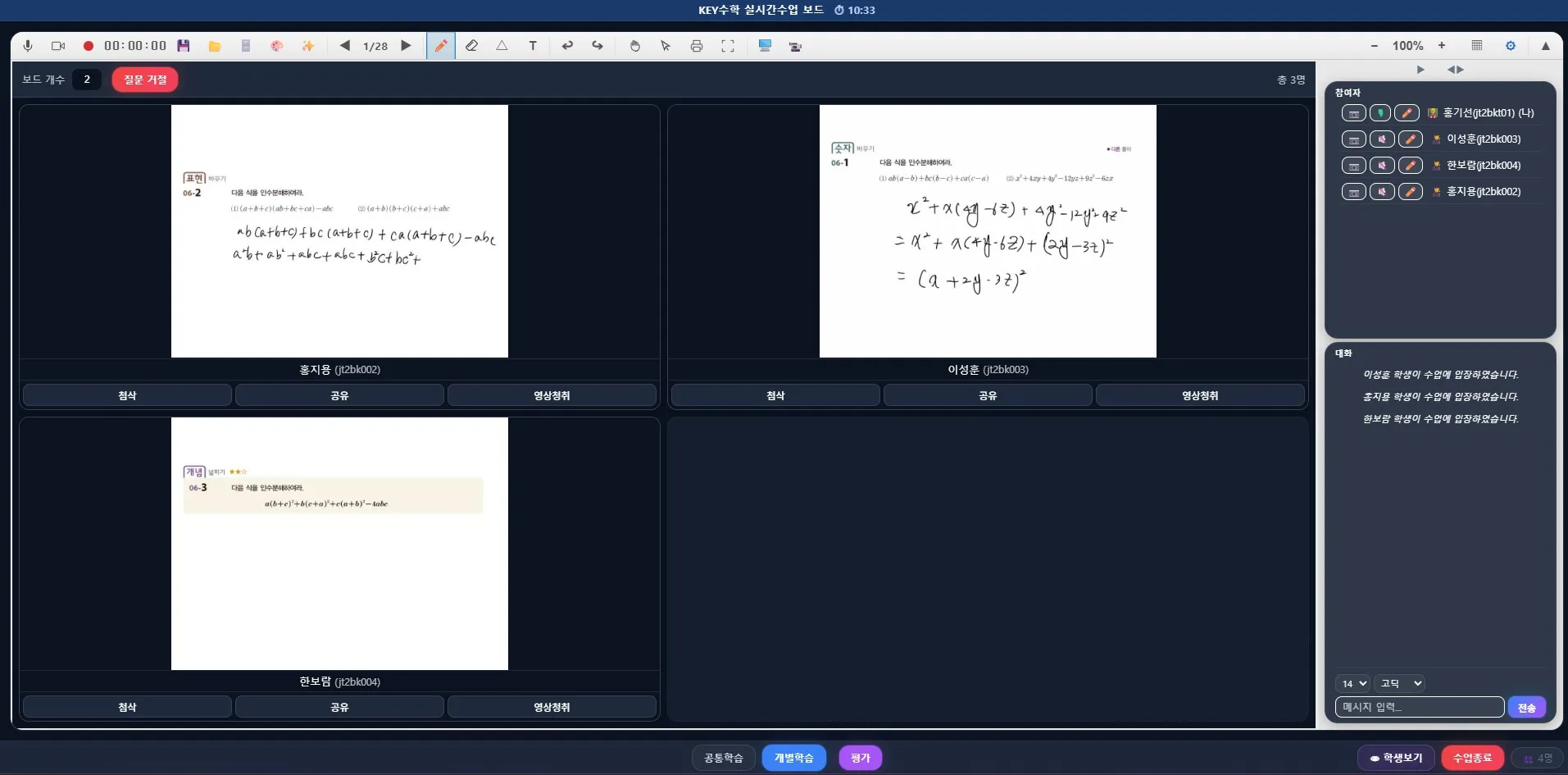
Once you have more than 10 students, it gets hard to tell at a glance who is focused and who has stalled. In remote classes, you can't walk around the room checking solutions, so check whether you can see multiple students' progress on screen in real time. In ClassCanvas, each student solves problems on an independent board, and the teacher watches everyone's progress in real time on a thumbnail dashboard and can jump straight into any student's board when needed.
Check question: Can you view multiple students' boards at the same time?
Check question: Can you pick a specific student's board and view it larger?
4. Is attendance management connected to the class?
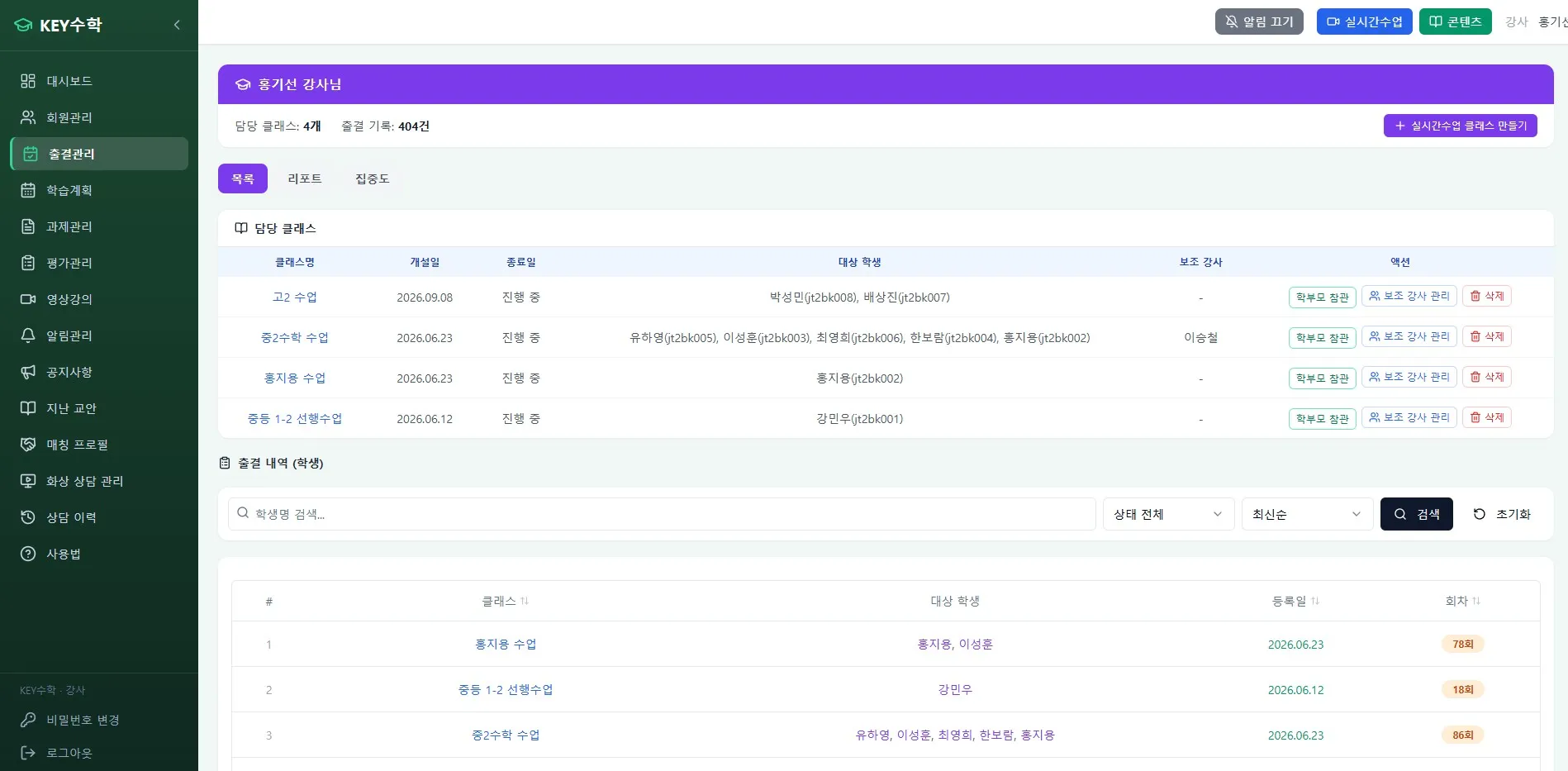
Checking attendance is often vaguer at remote academies than at in-person ones. Beyond whether a student logged in, check whether class entry and exit times are recorded automatically and linked to the learning management system. Taking attendance by hand adds to the management burden.
Check question: Are entry and exit times recorded automatically?
Check question: Can you check attendance records right away on the learning management screen?
5. Do assignments and tests connect naturally?
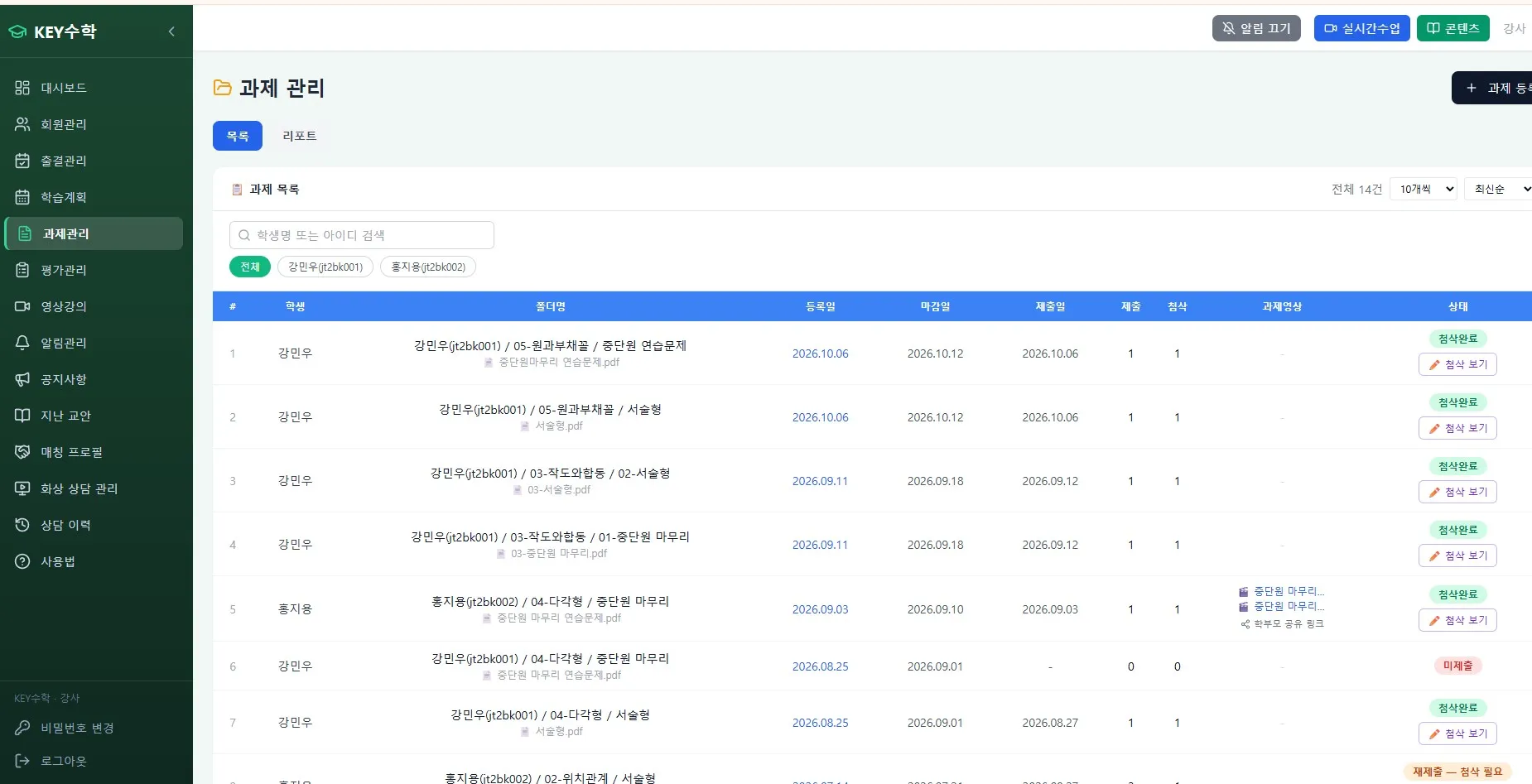
It matters that things don't end with the class itself, and that assigning homework flows into testing. When assignments and grading are disconnected, management quickly becomes a hassle. ClassCanvas's learning management system bundles video lectures, assignments, tests and attendance management together, so you don't have to run classes and management separately.
Check question: Does an assignment given during class lead straight into a test?
Check question: Can you see each student's assignment history accumulated over time?
Things to check from an operations perspective
The class itself matters, but as someone running an academy, you shouldn't overlook the administrative side either.
6. Are parent notifications sent automatically?
At a remote academy, parents can't see the class in person, so it matters even more to inform them separately about participation and learning results. Notifying them of attendance or assignment results one by one by phone or text takes a lot of time, so checking whether notifications go out automatically can greatly reduce your operating burden.
Check question: Are attendance and assignment completion automatically sent to parents?
Check question: Does the notification method fit your academy's operating policy?
7. Can students join from any device?
Students use a wide range of devices, from PCs and tablets to smartphones. If the program runs smoothly only on certain devices, you'll waste class time on connection problems, so be sure to check the range of supported devices.
Check question: Can you use the same features on the main devices?
Check question: Can you hold class without interruptions even on low-spec devices?
8. Are security and personal data handling safe?
Since you'll be handling sensitive information such as student class videos and assignment data, whether a security system is in place is also an important checkpoint.
9. Does the cost structure fit your academy's size?
It's a good idea to calculate in advance how costs change with the number of students or teachers. Especially in the early stage of starting an online or remote academy, the cost burden has a big impact on operations.
10. Is customer support fast when a problem occurs?
If the connection suddenly drops or an error appears during class, you need an immediate response. I recommend finding out in advance how fast they respond to inquiries and how support is provided.
How to judge the 10 criteria, in this order
Once you go through all 10, a common thread appears. In the end, what matters for a class program is not how many features it has, but how well it fits your academy's way of teaching. If you're preparing a remote academy for the first time, I suggest narrowing down in the order below.
First decide the 2–3 most important elements in your academy's classes.
Narrow down the class program candidates based on those elements.
Compare the remaining candidates again on whether they integrate with learning management.
Run a trial in your actual class environment (devices, number of students).
For speaking-focused classes like English video tutoring, monitoring and feedback carry more weight. For subjects like math video tutoring, where the solving process matters, it's better to look more closely at individual boards and board-writing quality. For remote academies for adults, where self-directed learning plays a big part, focus on learning management and the link between assignments and tests.
The checklist at a glance
Board writing: sharpness and lag of board writing, support for individual boards per student
Feedback: direct feedback on a student's solution, feedback availability in individual mode
Monitoring: real-time view of multiple student boards, enlarged view of one student
Attendance: automatic entry/exit records, integration with the learning management system
Assignments and tests: a flow from video lectures through to tests, per-student history
Parent notifications: whether notifications are sent automatically
Supported devices: PC, tablet and smartphone compatibility, low-spec devices
Security: data protection system
Cost: reasonableness relative to academy size
Customer support: response speed when a problem occurs
Wrapping up
For an online remote academy class program, what matters far more than the features you see on the surface is whether it truly fits your academy's way of teaching. Choosing a class program isn't buying a single screen-sharing tool; it's the process of moving your academy's whole teaching style online. If you go through elements like board writing, one-on-one feedback, monitoring, attendance and parent notifications one by one as you choose, you'll have less to regret later.
If you're preparing to start an online or remote academy, print out these 10 checklist items and check them one by one while imagining a real class. ClassCanvas also offers live video classes together with learning management, so it may be worth a casual look to see whether its structure suits your academy.
How to set up a remote academy
ClassCanvas learning management system
Phone inquiries 1661-9155 (Korean only)
ClassCanvas, the total solution for online remote academies