Online math academy: the solving process comes before the answer
In math, a single correct answer is hard to use as a measure of a student's ability. Even when two students write the same answer, one may have truly understood the concept while the other simply memorized a formula and plugged in numbers. That is why directors and teachers running an online math academy have probably asked themselves: "Can screen sharing alone really tell me where a student got stuck?"
x
Why it's hard to see the solving process in an online academy
In an offline class, the teacher can walk around the room and look at each student's notebook directly. In an online academy, that kind of walk-around is hard to reproduce.
Screen sharing can show only one person's screen at a time, so it is hard to follow the progress of all students at once.
With chat or voice alone, it is hard to tell at which step a student made a calculation mistake or which concept they missed.
Feedback after an assignment is submitted lacks immediacy, so it is hard to stop a student's misconception from setting in.
For these reasons, running a remote math academy takes more than simple live video class software. You need a structure that lets you look into each student's solving process in real time.
Designing math classes with ClassCanvas
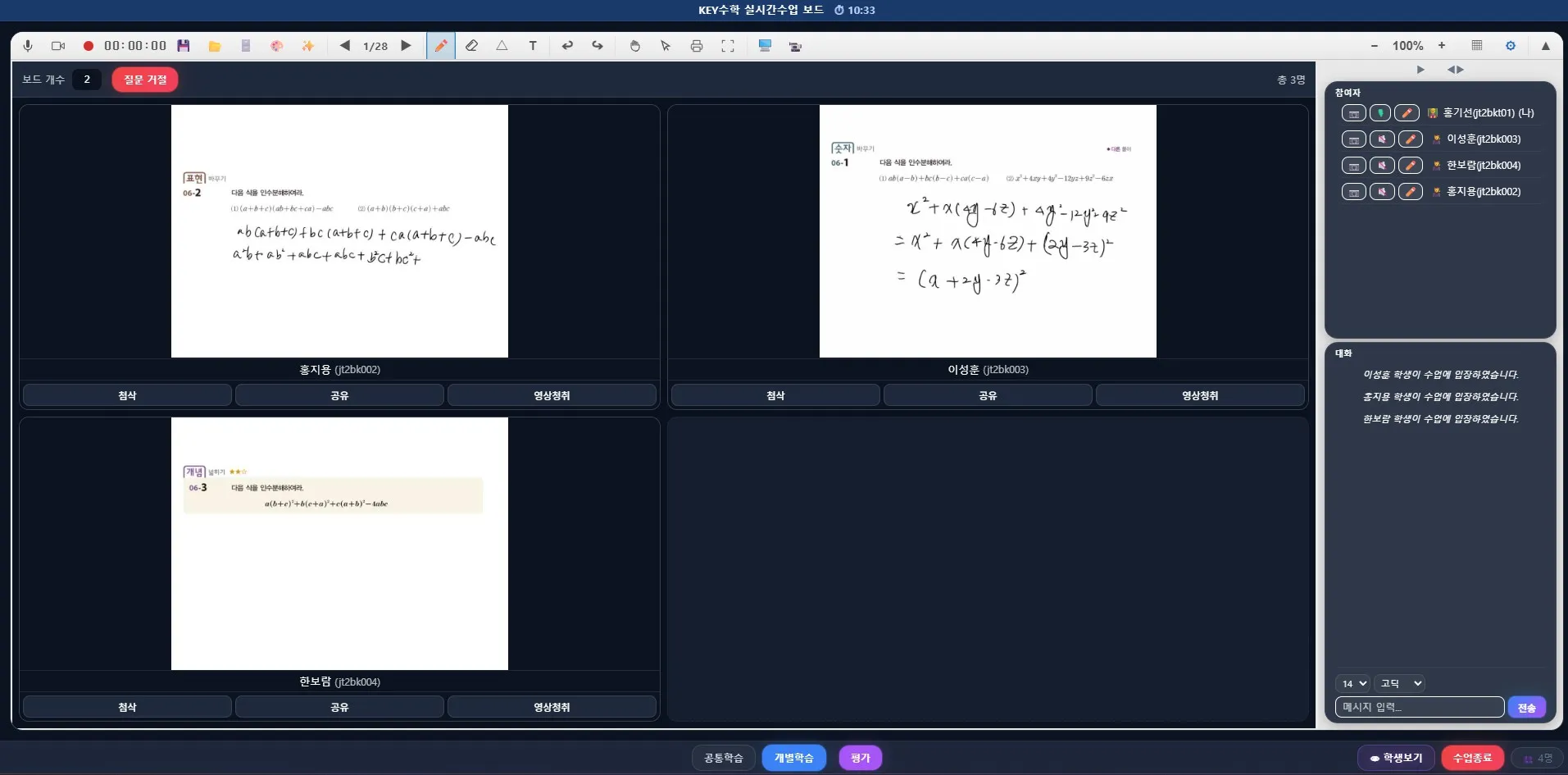
The ClassCanvas live class program is built around one board per student. Each student gets an individual board and solves problems directly on it. The teacher can see every student's board on one screen in real time, so it's easy to tell at a glance who has stopped and where.
When the teacher spots a student who is stuck, they can go straight into that student's board and give one-on-one feedback. This lets the teacher give individual guidance at the moment it's needed without interrupting the flow of the other students. It also suits subjects like math tutoring, where close 1:1 guidance matters.
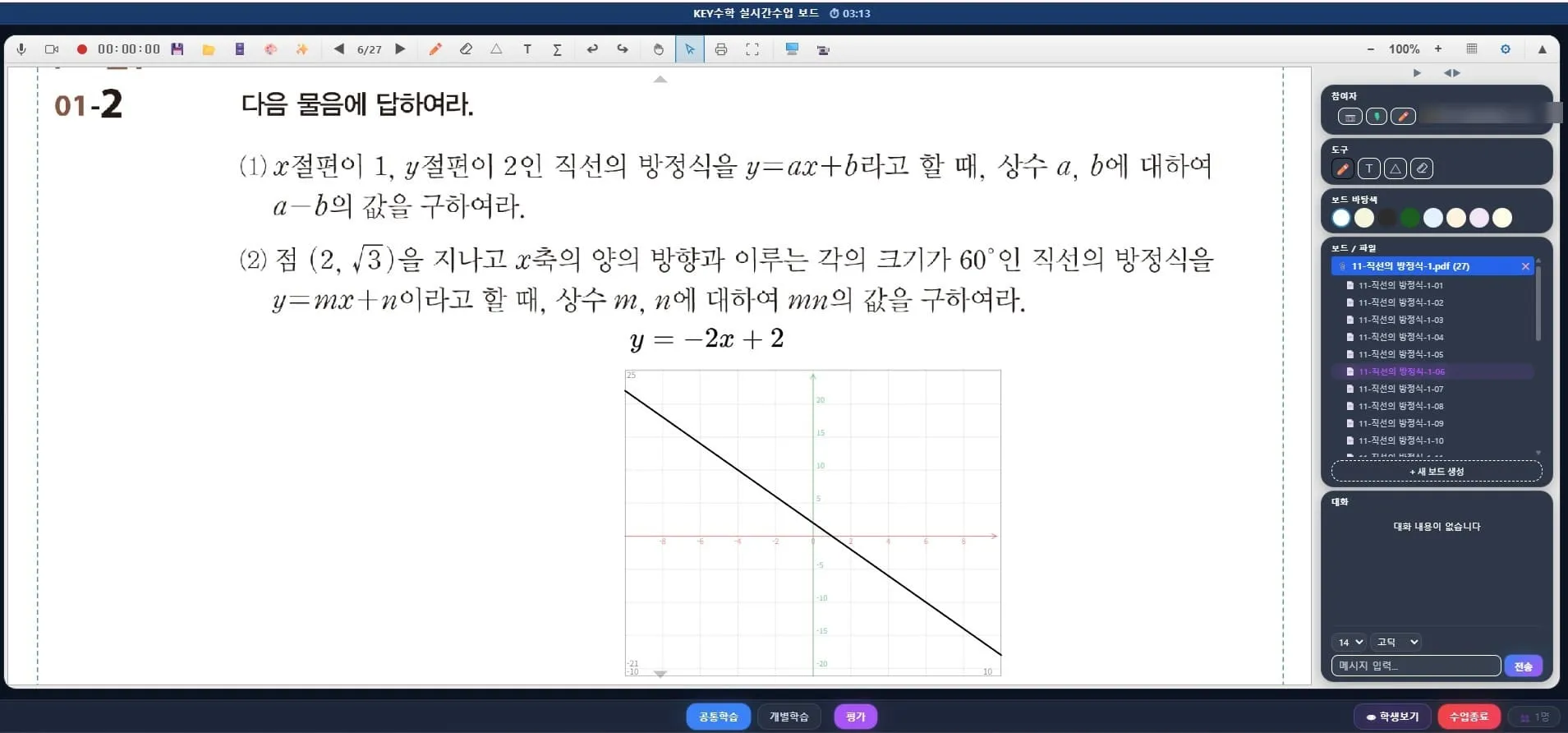
Example class flow
The teacher shares a problem with all students and announces the time allowed for solving it.
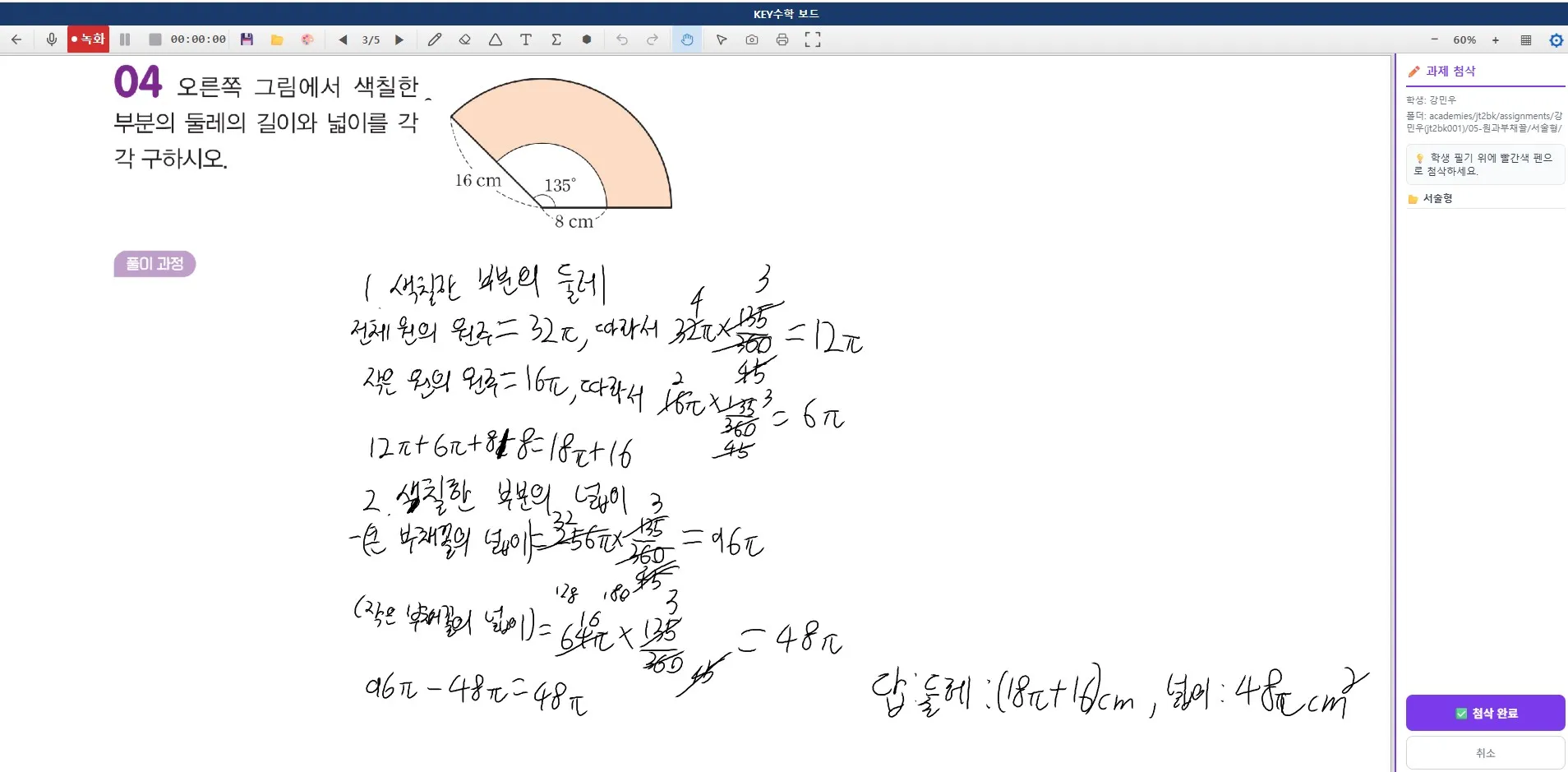
Students work through the problem on their own individual boards.
The teacher goes through all the boards and monitors progress.
The teacher steps into the board of any student who is stuck or shows a pattern of wrong answers and gives feedback right away.
When everyone has finished, the teacher explains representative examples again using screen share.
A class design like this makes it possible to give an online academy the same close guidance as an offline class. In particular, individual mode lets you set a different pace or difficulty for each student, so you can respond flexibly even in group classes with large differences in level.
Running an online academy with learning management
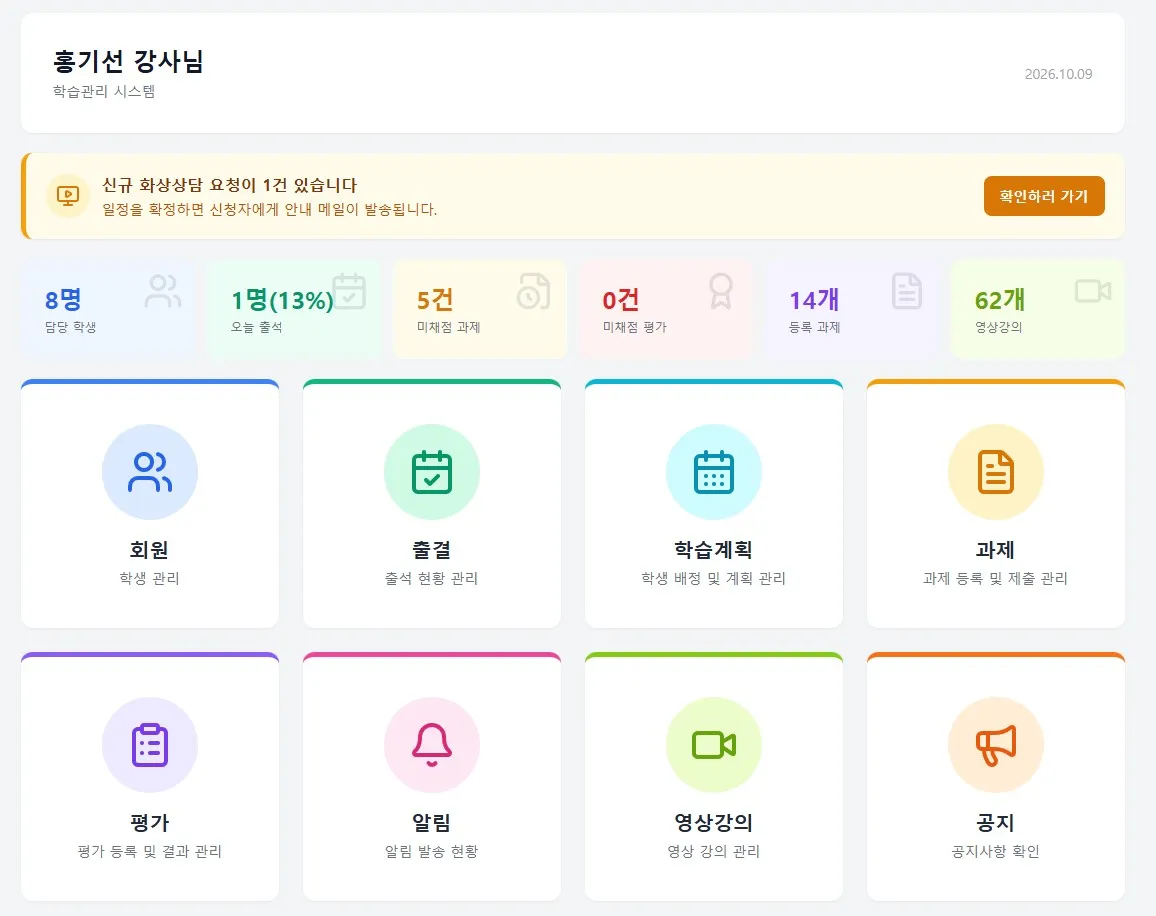
Just as important as checking the solving process during class is learning management after class. The ClassCanvas learning management system provides video lectures, assignments, tests, and attendance management together, so the weak points you spot in a live class can lead directly into review assignments.
For example, if several students got stuck on the same unit during class, you can assign a video lecture on that unit as homework and then check their understanding again with a test in the next class. Connecting live classes and learning management this way makes running an online academy more complete.
What to check when considering a remote math academy
If you are preparing to set up an online academy or a remote tutoring academy, check the items below before choosing your class tools.
Whether each student gets an individual board and whether teachers can monitor all students at once
Whether individual feedback can be given without disrupting the flow of the whole class
Whether live class data connects to the learning management system
Whether it can scale as your operation changes, such as remote academies for adult learners or large group classes
As a side note, administrative paperwork such as remote tutoring academy registration, a domain registration certificate, and a remote academy server rental contract is a separate procedure, so we recommend preparing it separately from choosing your class tools.
Closing thoughts
Math is a subject where the process matters more than the result, and that principle doesn't change in an online academy. If you can see the solving process that screen sharing alone tends to miss, check it in real time with one board per student and individual feedback, and step in right away, the quality of your online academy classes changes greatly.
If you are preparing to start out, or already run an online academy, we recommend reviewing your live video class approach and your learning management system together. ClassCanvas is a tool that supports this kind of class design, and its structure is especially well suited to subjects like math where process-focused guidance is important.
ClassCanvas learning management system
Steps to set up a remote academy
Inquiries: 1661-9155 (Korean only)
ClassCanvas: a total solution for online remote academies