Are students on the other side of the screen really focused?
If you run a remote academy or teach online classes, you have probably wondered about this at least once: just because a student is sitting in front of the screen, it is hard to tell whether they are actually following the lesson. In a face-to-face class, a student's expression or body language gives you a good idea, but in a video class, camera angles and image quality make it difficult to read a student's condition in detail.
To solve this problem, the ClassCanvas live class program already includes a feature that automatically checks student focus level. First, we want to be clear that this is not an upcoming release but a feature you can actually use today.

How AI automatically checks focus level during a live class
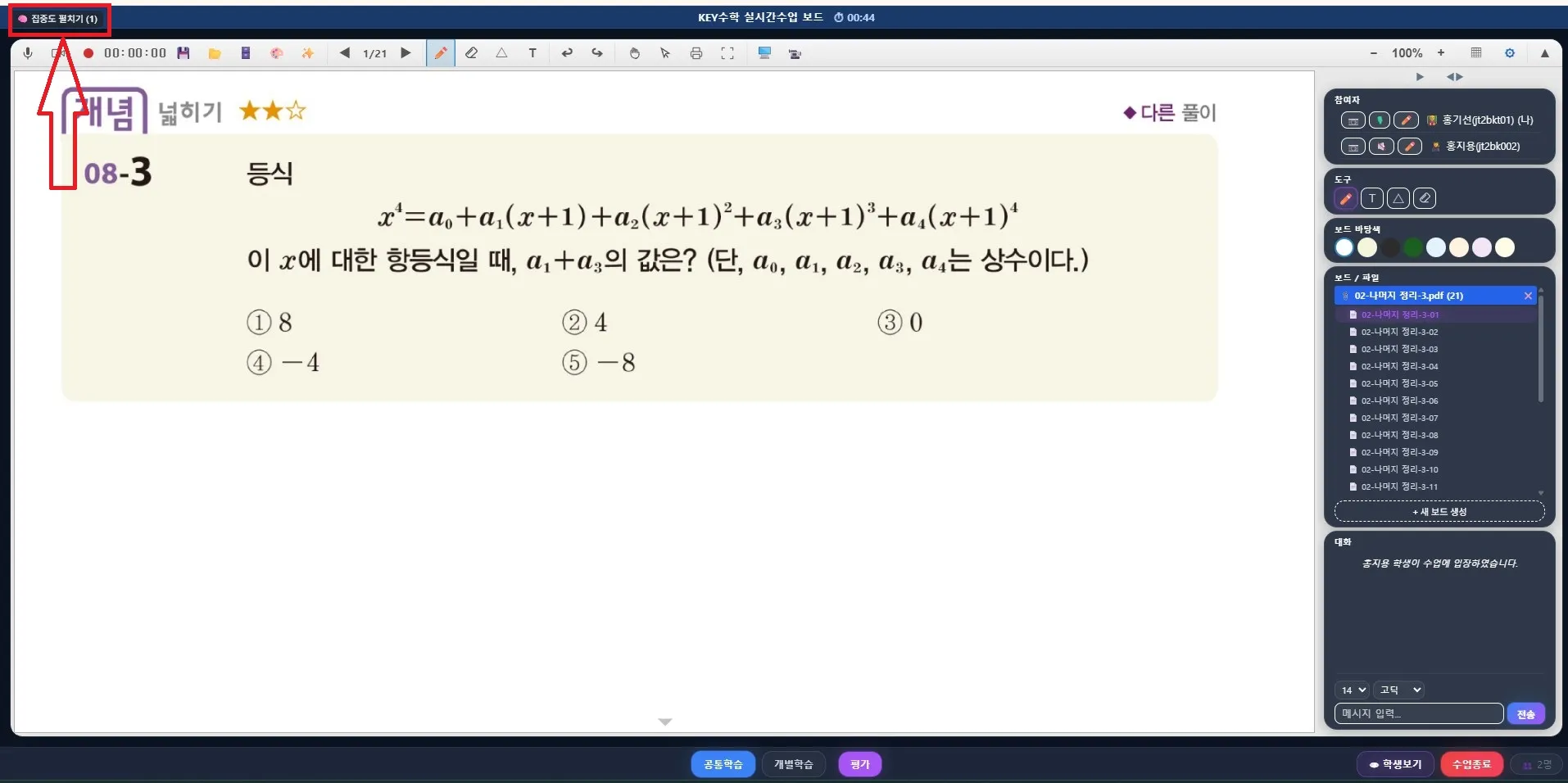
While a live class is in progress, this feature classifies each student's state into four categories.
Focused — absorbed in the lesson
Distracted — attention drifting elsewhere
Drowsy — appears to be dozing off
Away — has left the screen
The one worth noting here is "Away." Being away can happen for perfectly normal reasons, such as a trip to the restroom, so it is designed to be shown neutrally rather than flagged as a negative signal. This way, parents are not given unnecessary worry, while the teacher can still use it as a reference.
While teaching, the teacher can see each student's focus state on screen in real time, so they can respond right away, for example by asking a question or giving individual guidance at the right moment.
Protecting privacy with an on-device approach
The most important point about this feature is how the analysis is done. Student focus level analysis is processed on-device, meaning only inside the student's own computer or device. In other words, the video containing the face is never sent to a server or stored.
When you run a remote or online academy, parents often have questions about personal data protection. Some even feel uneasy about the very fact that the camera is turned on in video class software. The on-device approach is a technical way to address these concerns. Because the video never passes through a server, only the analysis results (focused, distracted, drowsy, or away) are reflected in the system.
Focus level trends saved as reports, ready to use in consultations
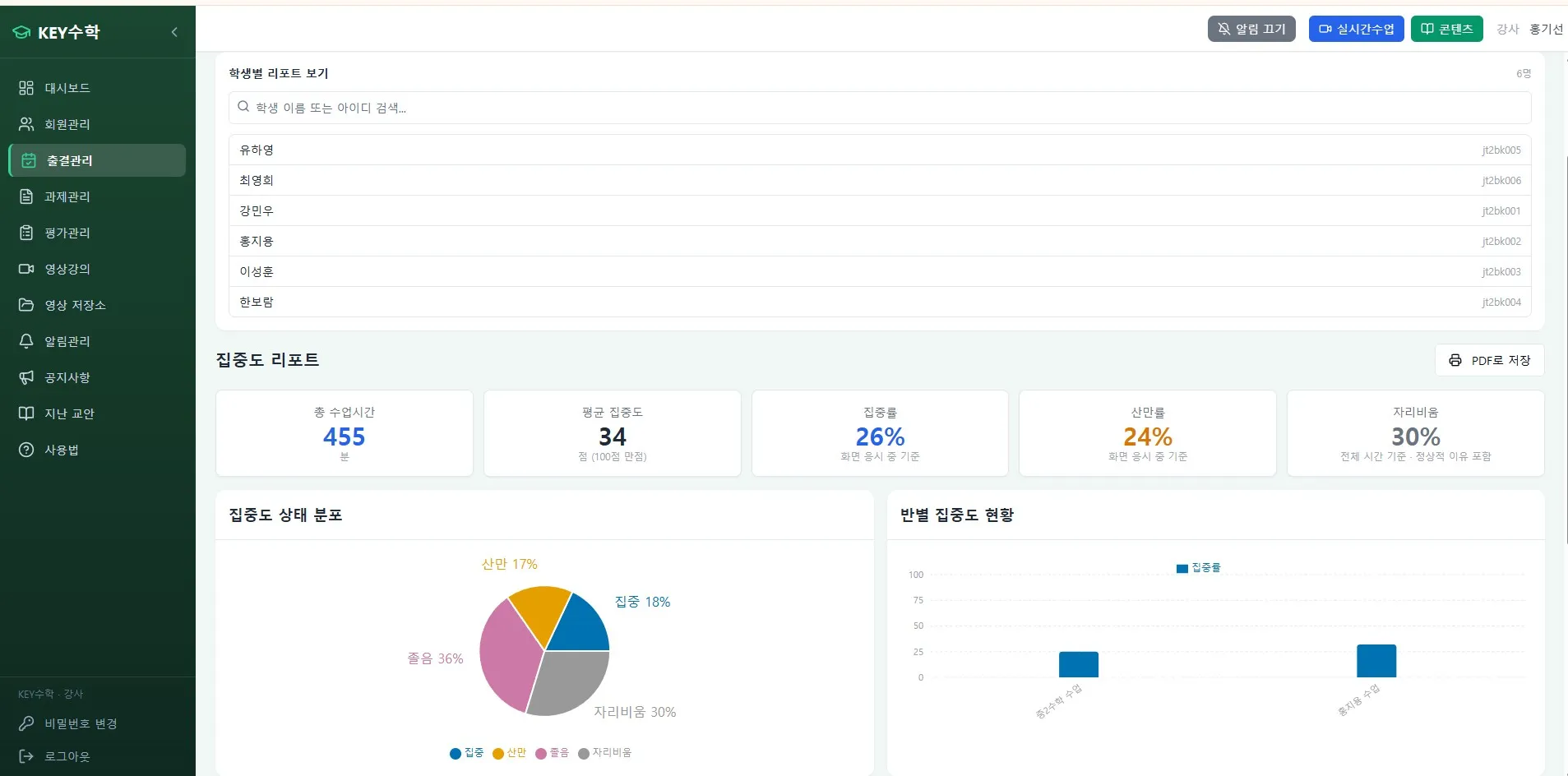
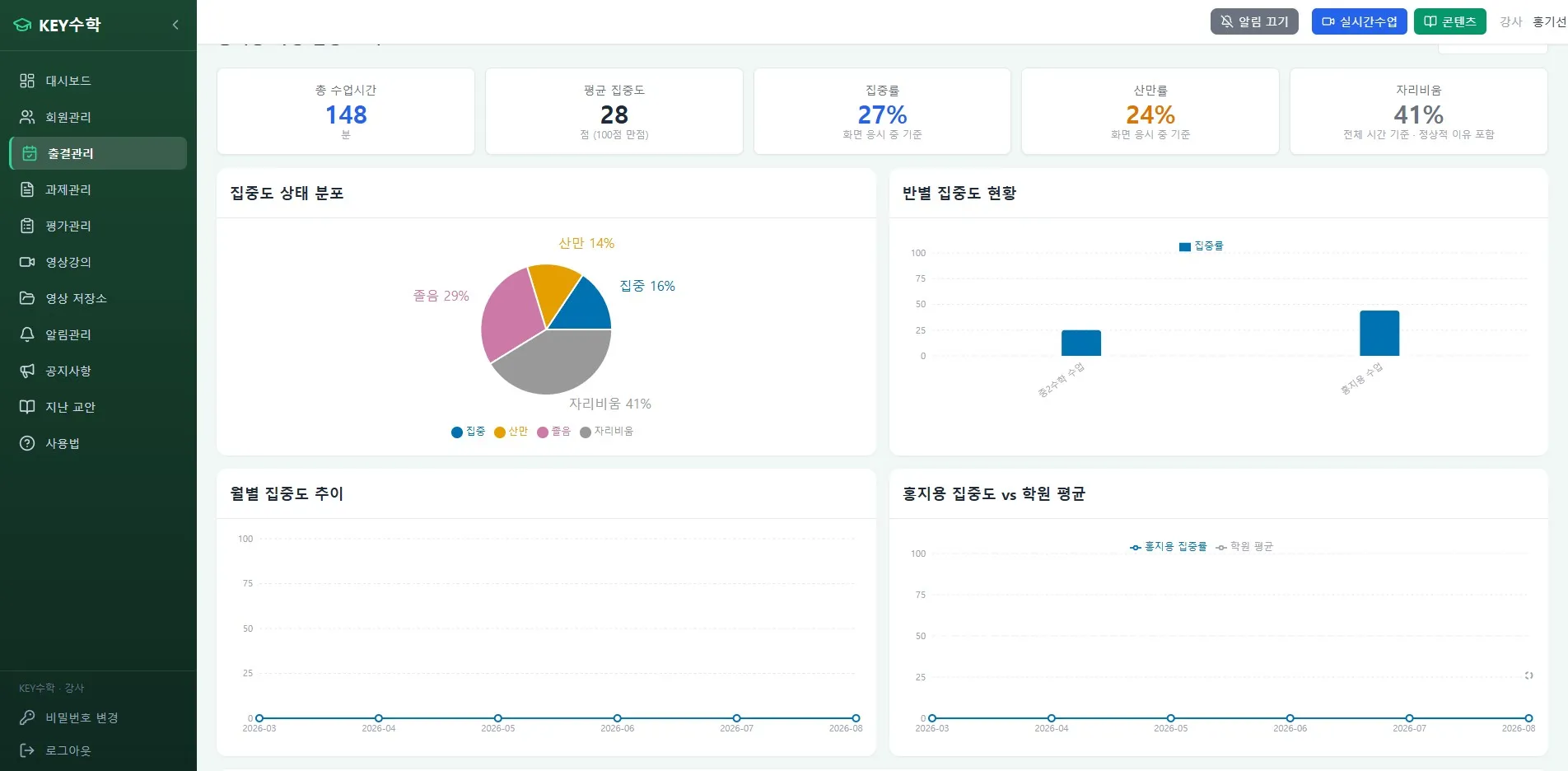
Real-time checks during class are useful, but the more practical value comes from accumulated data. ClassCanvas provides reports for each class in the following units.
Focus level by session (by class date)
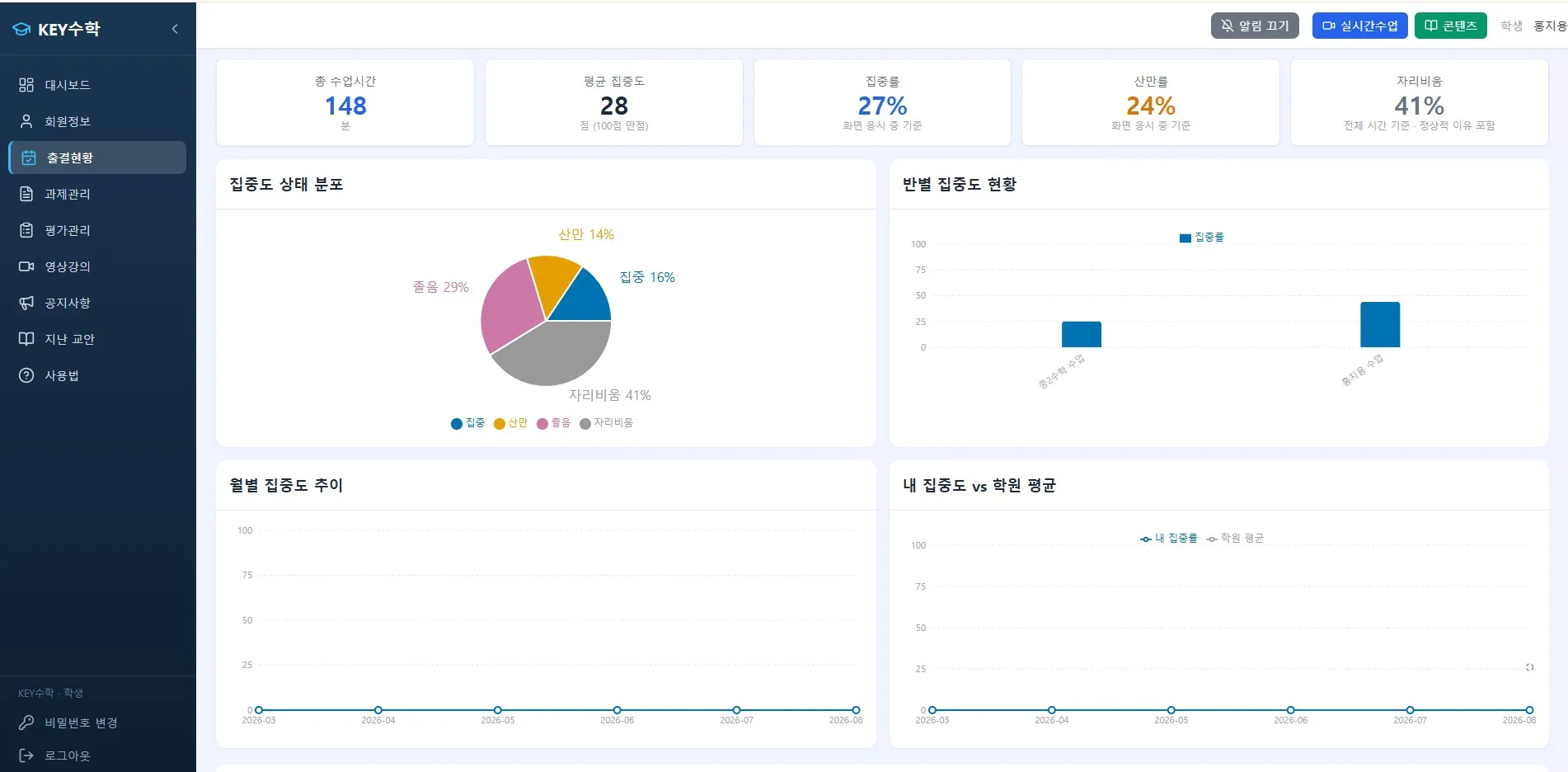
Focus level trend by student
Monthly changes in focus level
These reports can be exported as PDF, so you can use them right away as material for parent consultations. When a parent asks, "I wonder if my child is keeping up well with online classes," you can answer based on data rather than a hunch, which helps build trust in the consultation. For 1:1 or small-group lessons such as English or math video tutoring, it is especially easy to check each student's trend in detail.
An optional feature that academy admins turn on and off themselves
This feature is not applied to every remote academy at once. It is provided on an opt-in basis, so academy admins can turn it on or off as needed. This means you can use it selectively, depending on your academy's operating policy or whether parents have given consent. Even for remote academies serving adult learners, where the learners' characteristics differ, you can adjust whether to use the feature to suit your situation.
Checklist before adopting
Before using the student focus level feature, it is a good idea to go through the points below.
Review how this feature would help with your academy's teaching format (group classes or 1:1 video tutoring)
Plan in advance how you will present the reports during parent consultations
Prepare simple material to explain the on-device processing approach to parents
Consider whether you need to separate the classes that will use the feature from those that will not
Wrap-up
The difficulty of knowing whether students are really focused in remote academy classes is a concern that has been raised steadily as online education has spread. The focus level feature in ClassCanvas live class protects personal data with an on-device approach, while letting teachers respond right away during class and use the results later as material for parent consultations.
Since it is not forced on every academy and can be chosen as needed, we recommend looking carefully at whether it fits how your academy runs its classes before deciding to adopt it.
Apply for a ClassCanvas live class free trial
Phone inquiries: 1661-9155