Graphs you used to draw by hand are now done by typing
When you teach math, there always comes a moment when you have to draw a graph or shape by hand, whether on a blackboard or a tablet. In a remote academy especially, drawing curves with a mouse or a finger often leaves shapes smudged and axes crooked. ClassCanvas board classes solve this with formula input alone. When you enter a function, it is converted into an accurate math graph and appears on the board right away, so even a remote academy class can reach the precision of an in-person class.
x
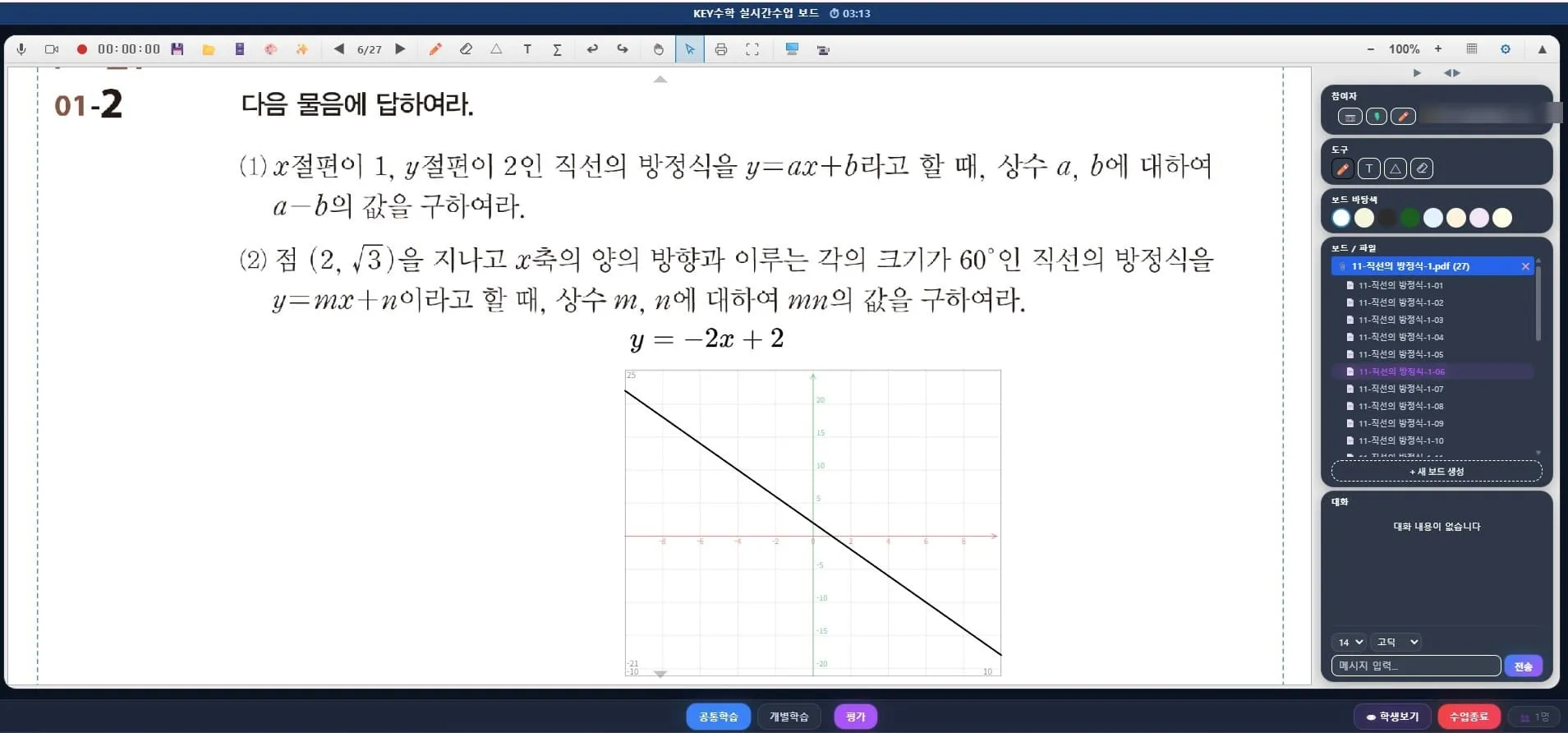
Show it on screen, don't just explain it
Many math concepts are understood much faster when shown visually than when explained in words. Shifting the graph of a quadratic function, rotating a shape, and the idea of area under an integral are typical examples.
ClassCanvas board classes create these concepts through precise formula input instead of freehand drawing.
Enter complex notation such as fractions, radicals and integral signs directly with the palette and keyboard
Formulas that read the same to everyone, unlike hurried handwriting
Formulas you enter are instantly converted into graphs and shown on the board
In an environment like a remote academy, where communication happens only through the screen, this accuracy determines the quality of the class. If a student misreads the shape of a graph, they may misunderstand the concept itself.
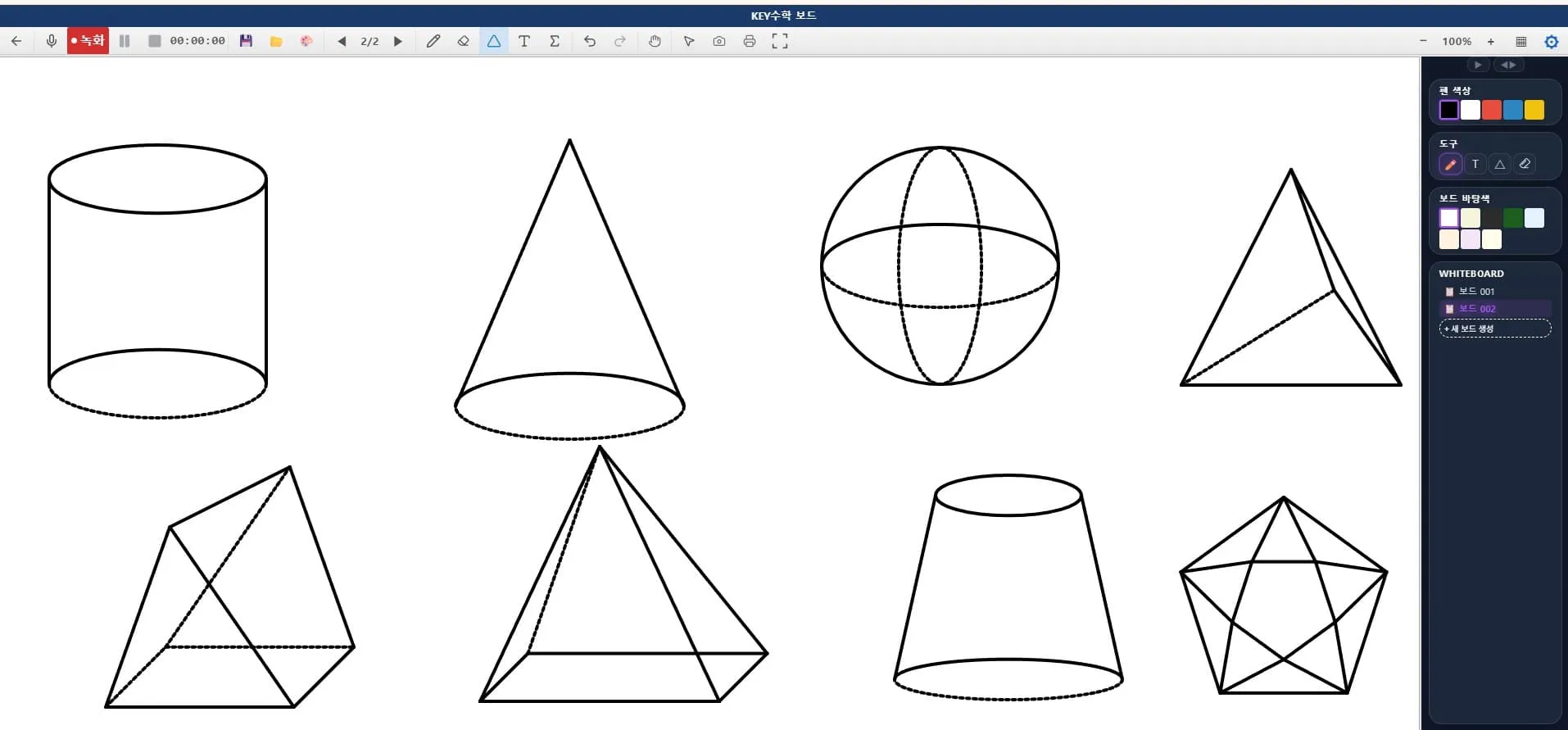
Plane figures and solids shown visually too
Beyond function graphs, you can also show plane figures and solids visually on the board. Instead of roughly sketching triangles, circles or polyhedra by hand, you display them in exact form so students can grasp the properties of shapes intuitively. It is especially useful when covering geometry units in a remote academy class.
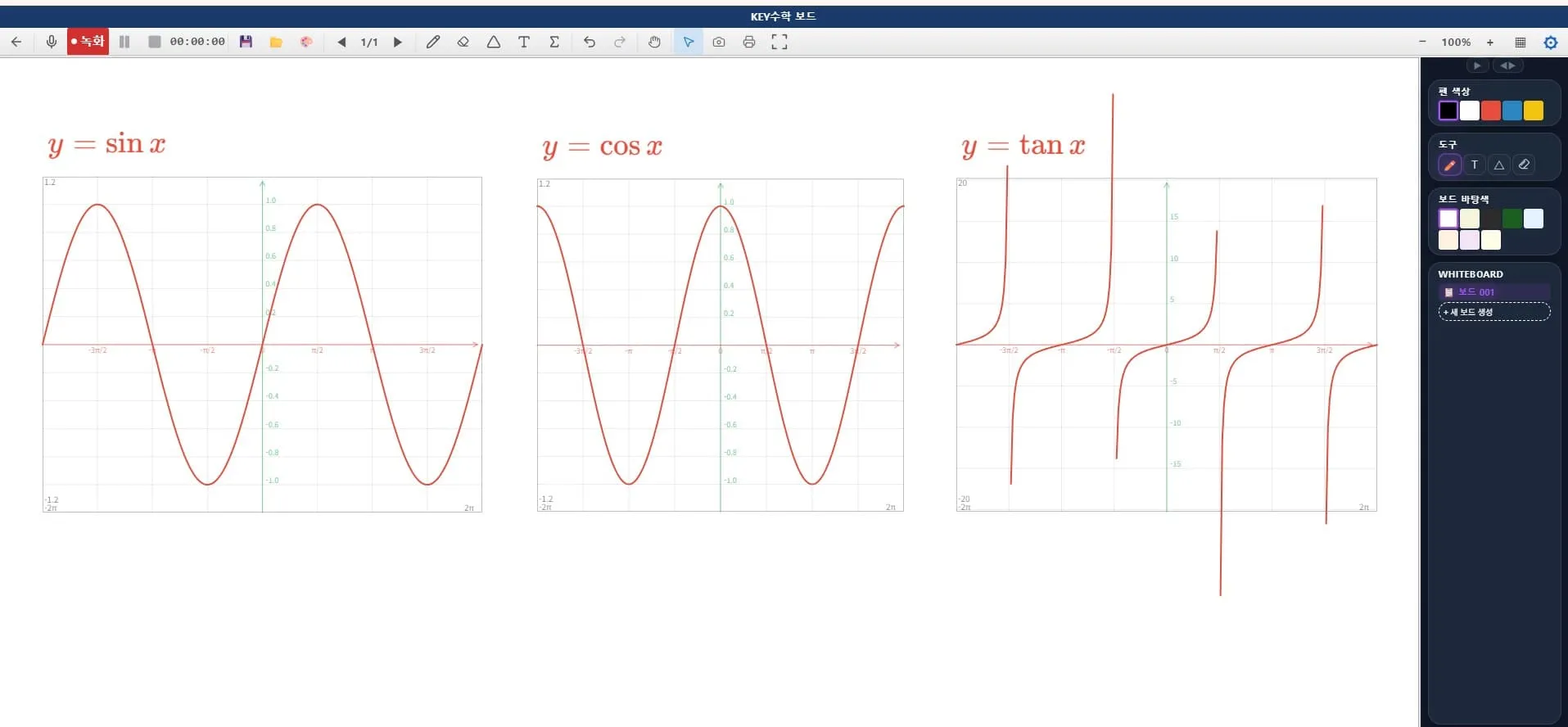
Graphs are generated, not drawn
The ClassCanvas math graph feature supports both 2D and 3D.
Functions in the form y=f(x) are shown as 2D graphs
Functions in the form z=f(x,y) are shown as 3D graphs
Axes and tick marks are generated automatically, so there is no need to draw them with a ruler
This approach works just as well in in-person classes as in online academies. If you open a ClassCanvas board on a tablet or electronic whiteboard and enter a formula, you can show a precise graph instantly even in a physical classroom. In other words, an academy running blended online-offline classes can cover both settings with a single tool.
Teacher and student screens synchronized in real time
The core of a remote academy class is the process of teacher and students looking at the same screen and thinking together. In ClassCanvas board classes, when you move a formula or resize it, the change is reflected identically on the students' screens.
When the teacher changes the slope of a graph, the change shows on students' screens in real time
Work through the solution together to reduce room for misunderstanding
In individual board mode, students can practice by entering formulas themselves
This synchronization also helps raise student participation when running an online academy. Instead of a class where students simply watch the teacher's screen, it makes interactive classes possible in which students solve problems together on the same board.
Use it for assignments and lesson plans too
ClassCanvas formula and graph tools are not limited to live classes. The same tools are available on non-live boards, so you don't need to learn separate tools for teaching and for preparing lesson plans.
A board made during a live class can be turned into an assignment as is
The same formula input method is used when preparing lesson plans in advance
Connect with the learning management system to reuse boards as assignment and test materials
Running a remote academy often means too little time to prepare classes, so being able to handle both teaching and lesson plan creation with one tool also matters for operational efficiency.
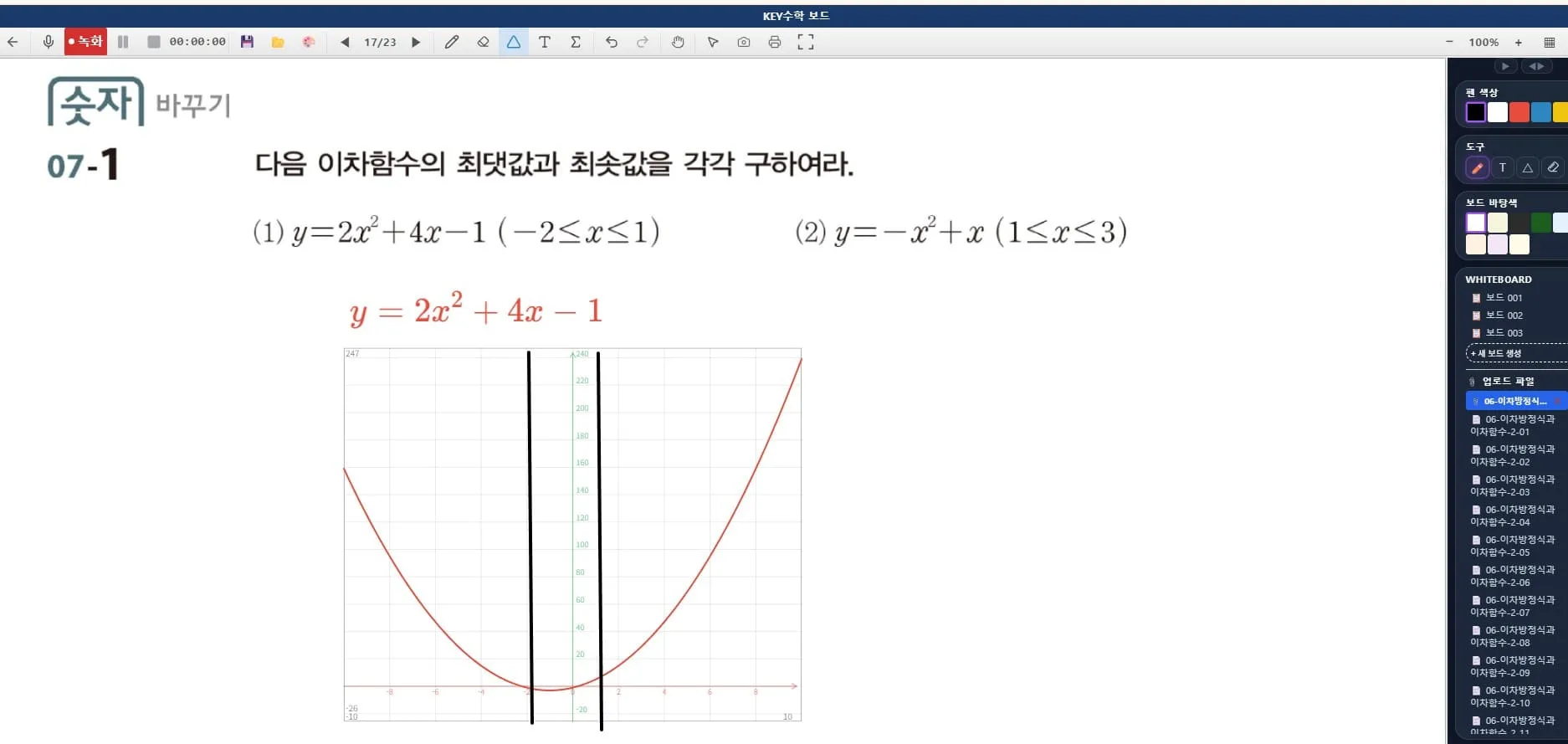
Conclusion: accurate expression leads to understanding
Showing graphs and formulas accurately in a math class is not just a convenience; it is directly tied to how well students understand. ClassCanvas board classes create precise math graphs and shapes through formula input alone, giving remote and online academies the same visual explanatory power as in-person classes.
If your academy is considering blended online-offline classes, reviewing how you prepare and run lessons with ClassCanvas board class features could be a good place to start.
How to set up a remote academy
Inquiries: 1661-9155 (Korean only)